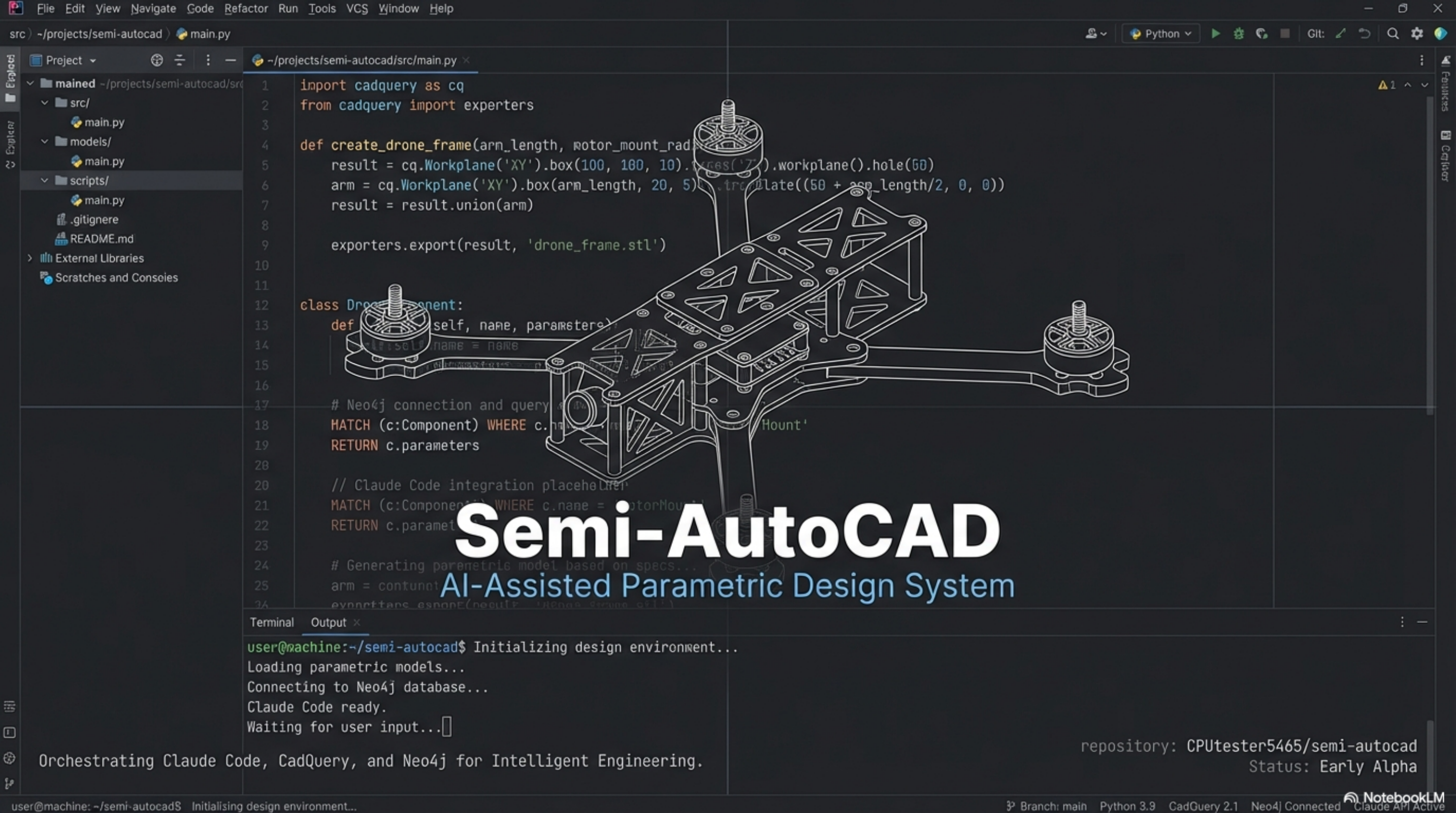
Semi-AutoCAD CLI
AI-assisted CAD design system using Claude Code as orchestrator, CadQuery for parametric modeling, and Neo4j for persistent design memory
Semi-AutoCAD represents a paradigm shift in how we approach mechanical design. Instead of clicking through GUI menus, engineers write code that defines geometry, relationships, and constraints. The system orchestrates Claude Code, CadQuery, and Neo4j to create an intelligent, memory-enabled design environment.
A Shift to Code-Based Engineering
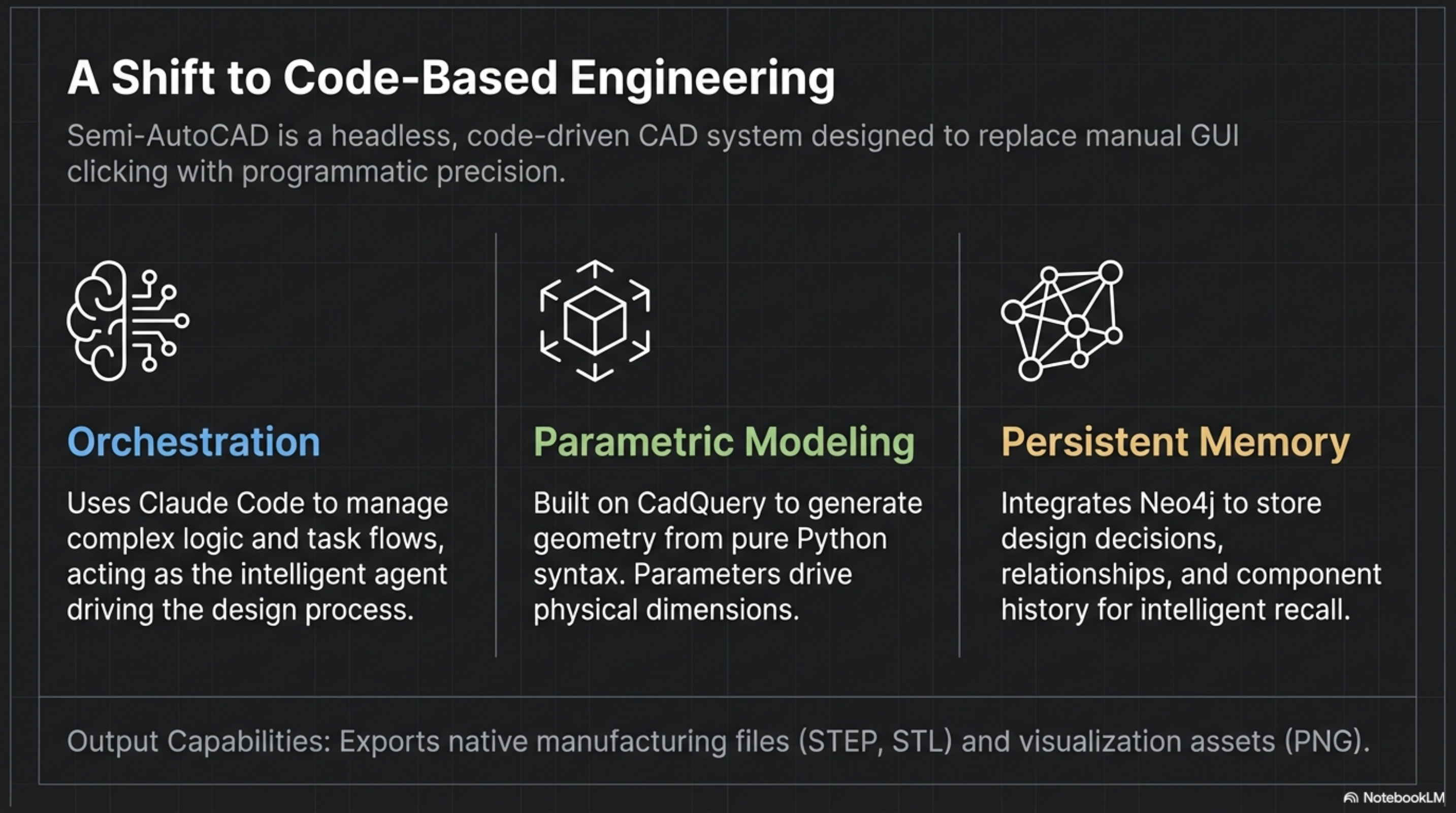
Traditional CAD software requires manual mouse interactions for every operation. Semi-AutoCAD replaces this with programmatic precision where designs are defined as code, parameters drive dimensions, and an AI orchestrator manages the entire workflow.
The system exports directly to manufacturing formats (STEP, STL) and visualization assets (PNG), eliminating the need for GUI-based file export dialogs.
System Architecture
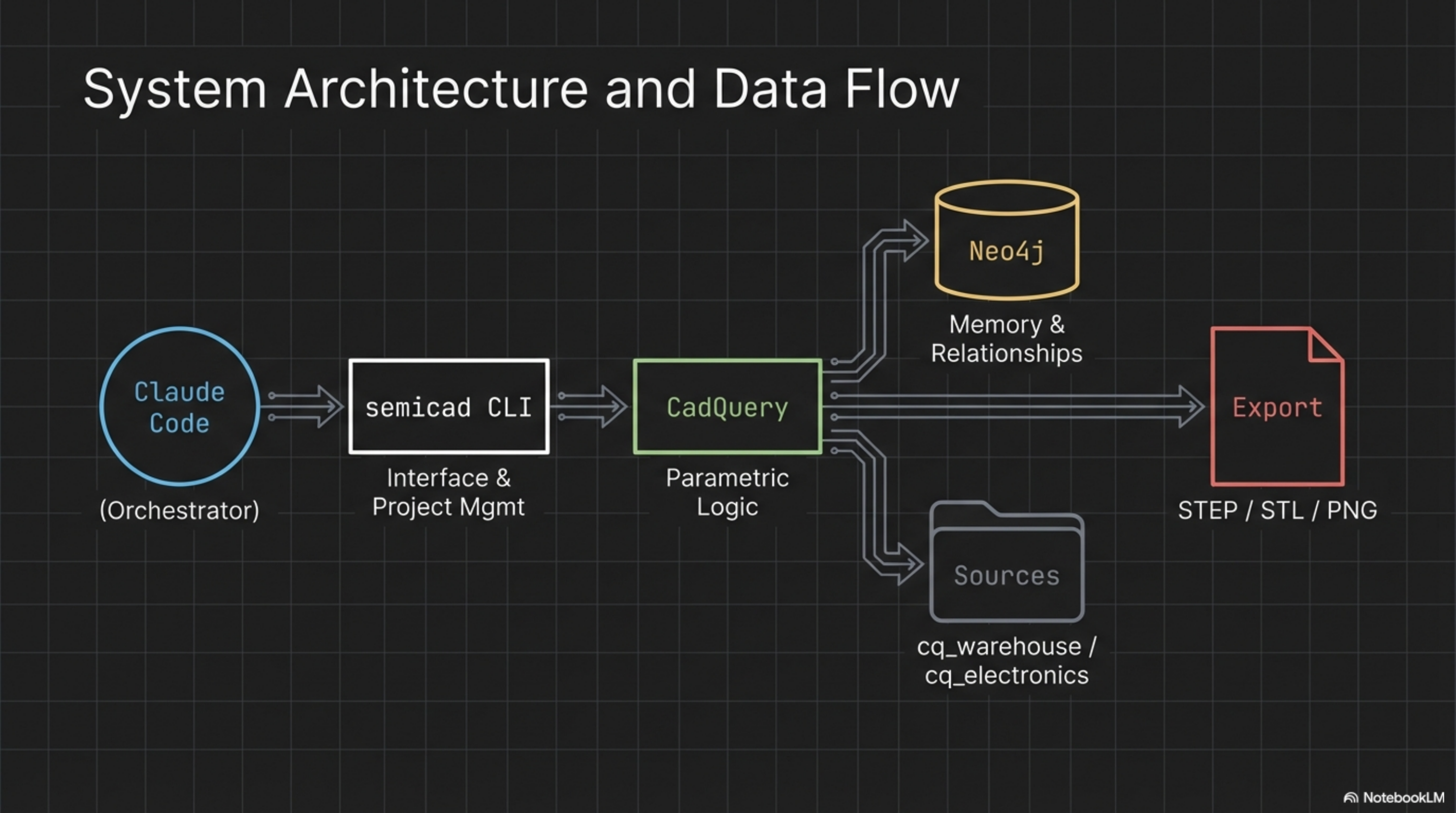
The architecture follows a clear data flow: Claude Code acts as the entry point and orchestrator, directing commands to the semicad CLI. The CLI interfaces with CadQuery for parametric geometry generation. CadQuery pulls from two sources—Neo4j for design memory and component relationships, and external sources (cq_warehouse, cq_electronics) for standard parts.
All paths converge at the export stage, producing industry-standard STEP/STL files for manufacturing and PNG renders for documentation.
Technology Stack
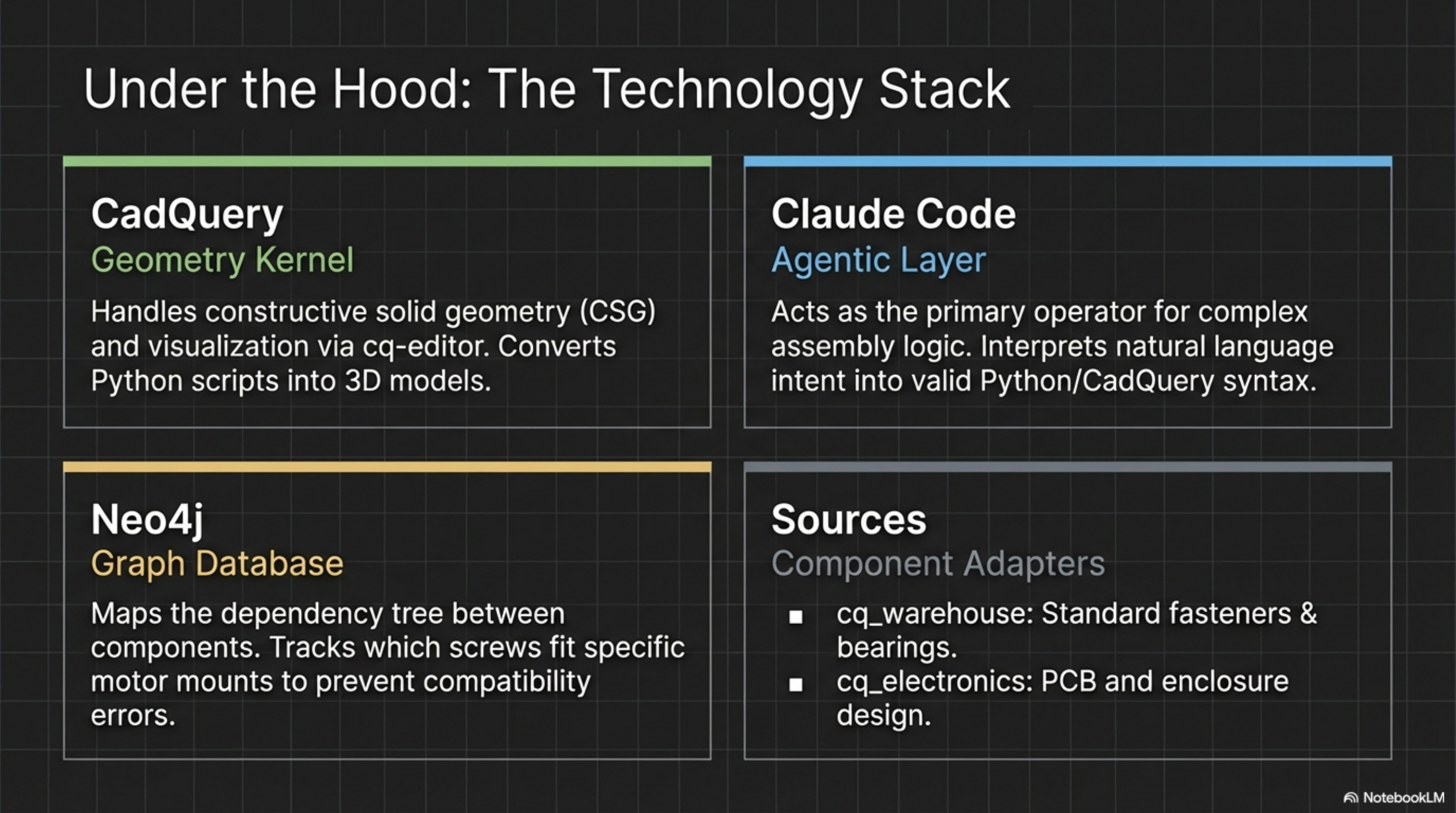
Each technology serves a specific purpose in the stack:
- CadQuery provides the geometric foundation, handling constructive solid geometry (CSG) operations and visualizing results through cq-editor
- Claude Code interprets natural language intent and translates it into valid Python/CadQuery syntax, managing the complexity of multi-step assembly operations
- Neo4j maintains the dependency graph between components, tracking relationships like which screws fit which motor mounts to prevent compatibility errors
- Source adapters connect to external component libraries, bringing in thousands of pre-modeled standard parts
Component Ecosystem
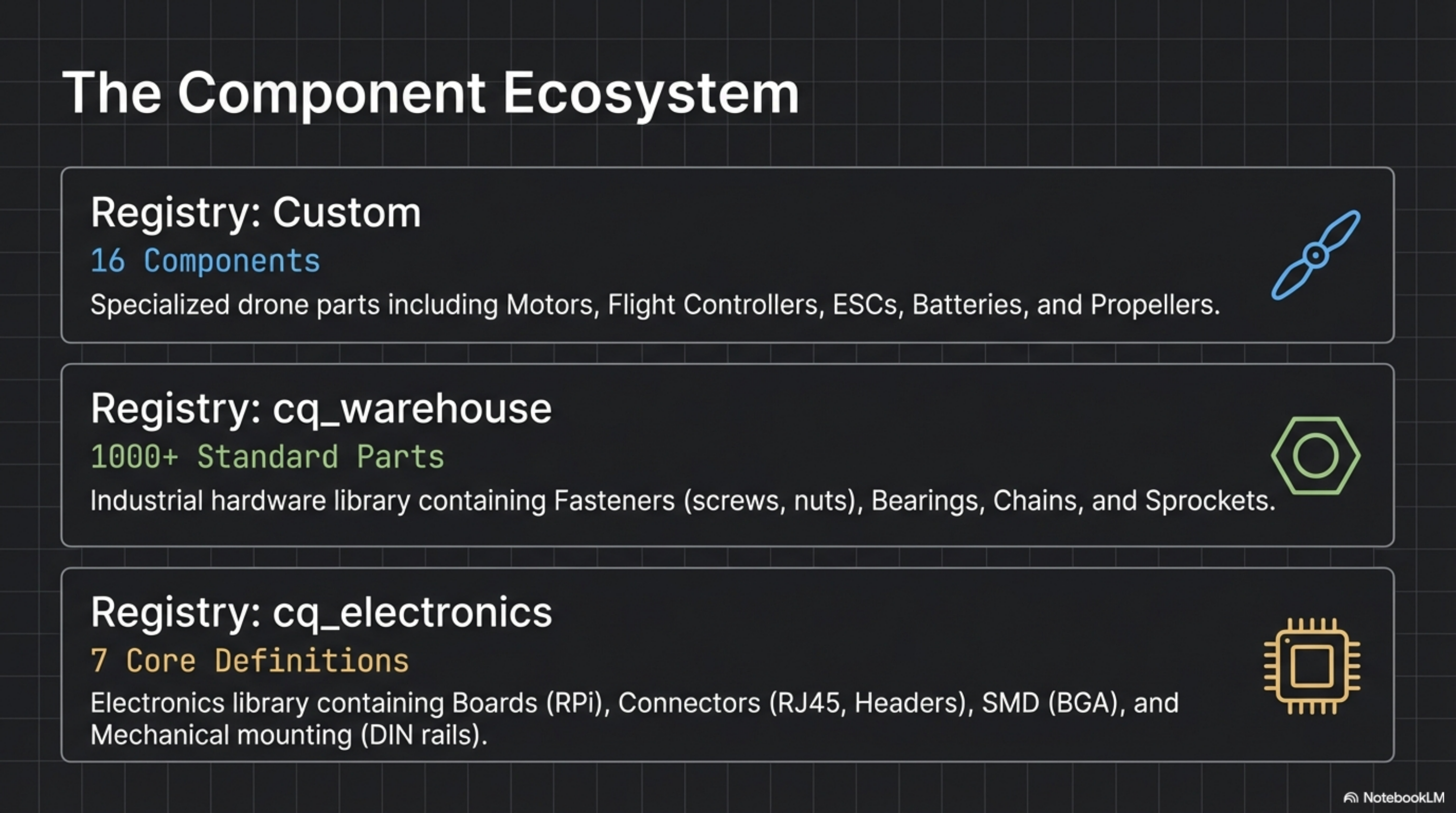
The component ecosystem spans three registries with distinct purposes:
The Custom registry contains 16 specialized drone parts developed for the quadcopter project—motors, flight controllers, ESCs, batteries, and propellers with precise parametric definitions.
cq_warehouse provides over 1000 standard industrial parts including fasteners (ISO metric screws, nuts), bearings (ball, roller), chains, and sprockets. These parts follow manufacturing standards and can be specified by standard sizes.
cq_electronics offers 7 core electronic component definitions covering PCB-related parts—from Raspberry Pi boards to connectors and mounting hardware.
Electronics Library Deep Dive
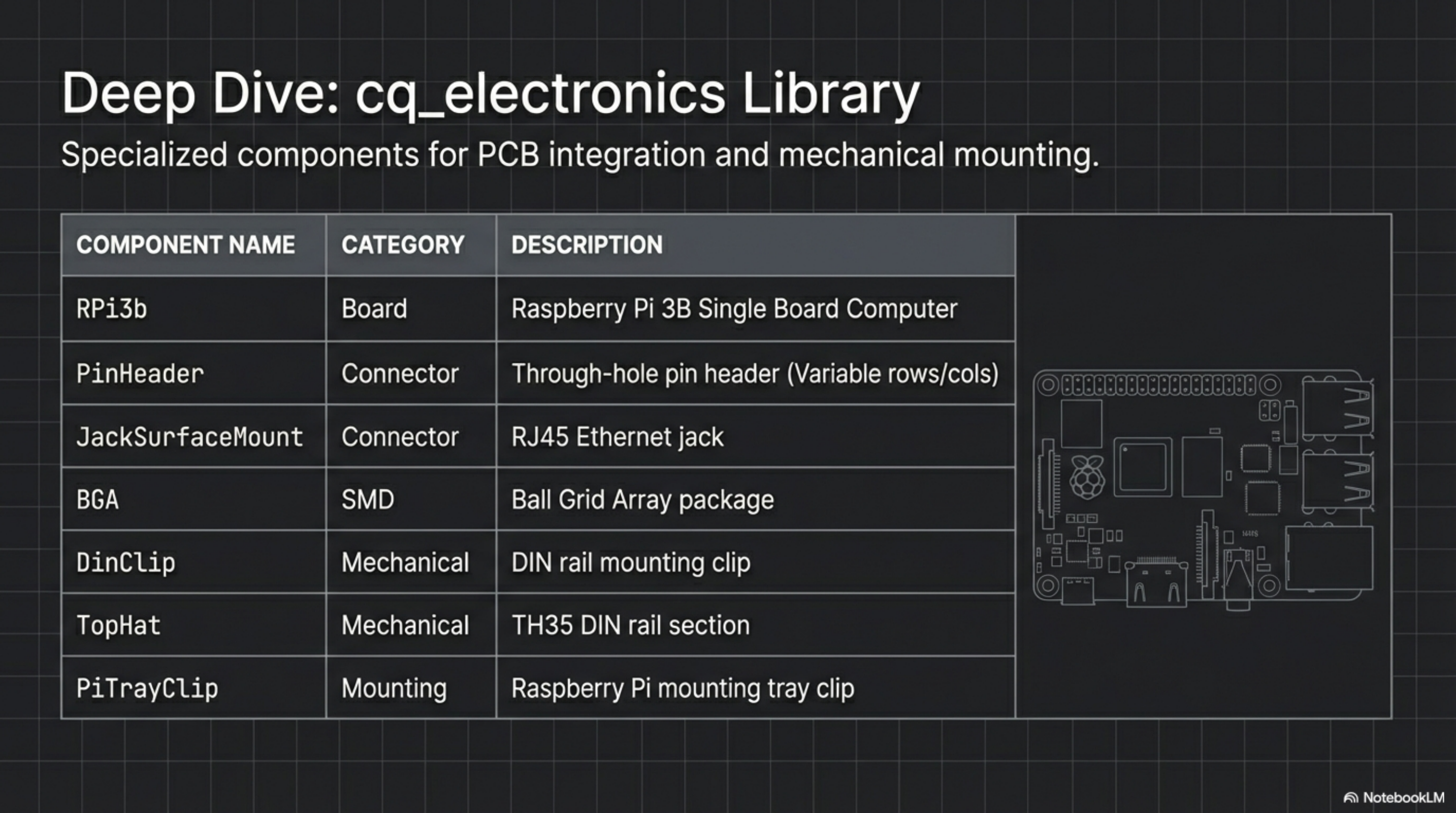
The cq_electronics library demonstrates how physical electronic components translate to parametric models. Components are categorized by function:
- Board components like RPi3b include mounting hole positions, connector locations, and clearance zones
- Connectors (PinHeader, JackSurfaceMount) parametrize pin counts, pitch, and housing dimensions
- SMD components define ball grid arrays and other surface-mount packages with accurate footprints
- Mechanical parts (DinClip, TopHat, PiTrayClip) handle mounting infrastructure
Each component exposes parameters that matter for mechanical integration while abstracting electrical details.
Parametric Geometry
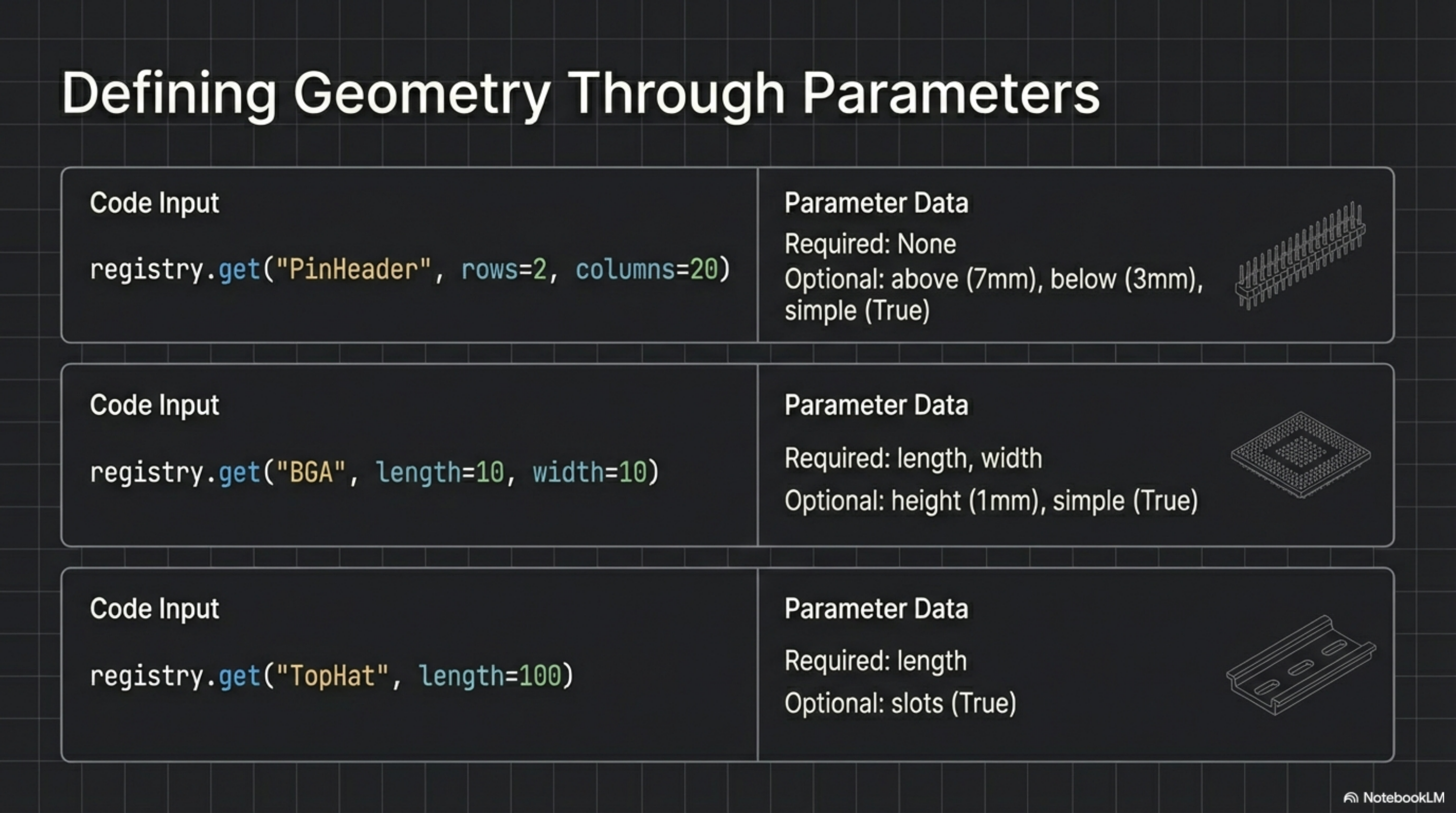
Parameters transform static 3D models into flexible, reusable components. The registry API accepts named parameters that modify geometry at generation time.
A PinHeader needs only row and column counts—the system calculates pitch, housing size, and pin geometry automatically. A BGA package requires length and width; height and ball positions derive from standard package specifications.
Optional parameters provide fine-tuning: above and below control pin protrusion, simple toggles between detailed and simplified geometry for performance-sensitive assemblies.
Python Interface
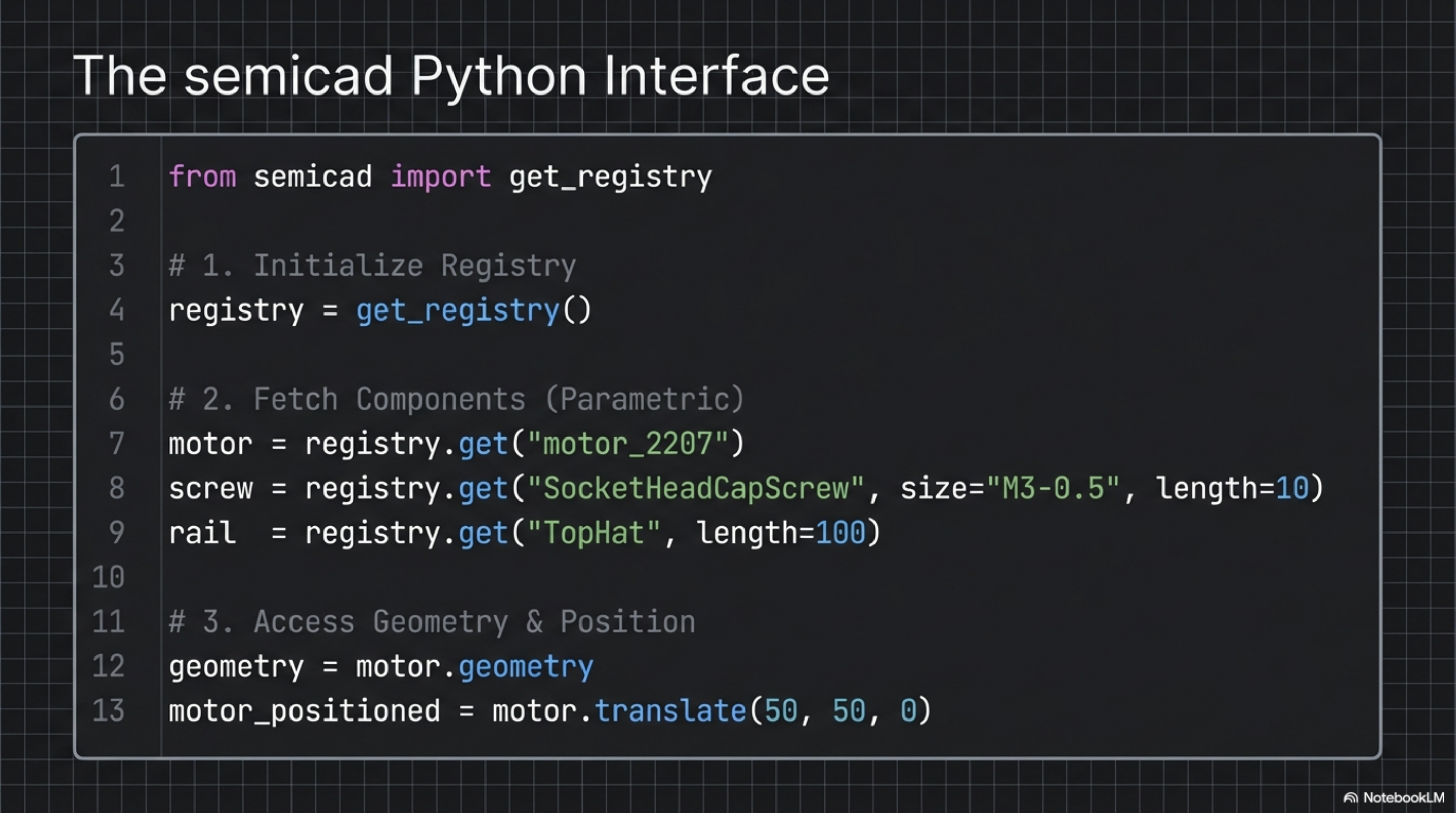
The Python interface prioritizes clarity and composability. Three lines import the registry, fetch components, and access geometry:
from semicad import get_registryregistry = get_registry()
motor = registry.get("motor_2207")geometry = motor.geometry
Components support standard 3D operations—translate(), rotate(), union()—enabling assembly construction through method chaining. The registry handles component resolution, parameter validation, and caching transparently.
CLI Commands
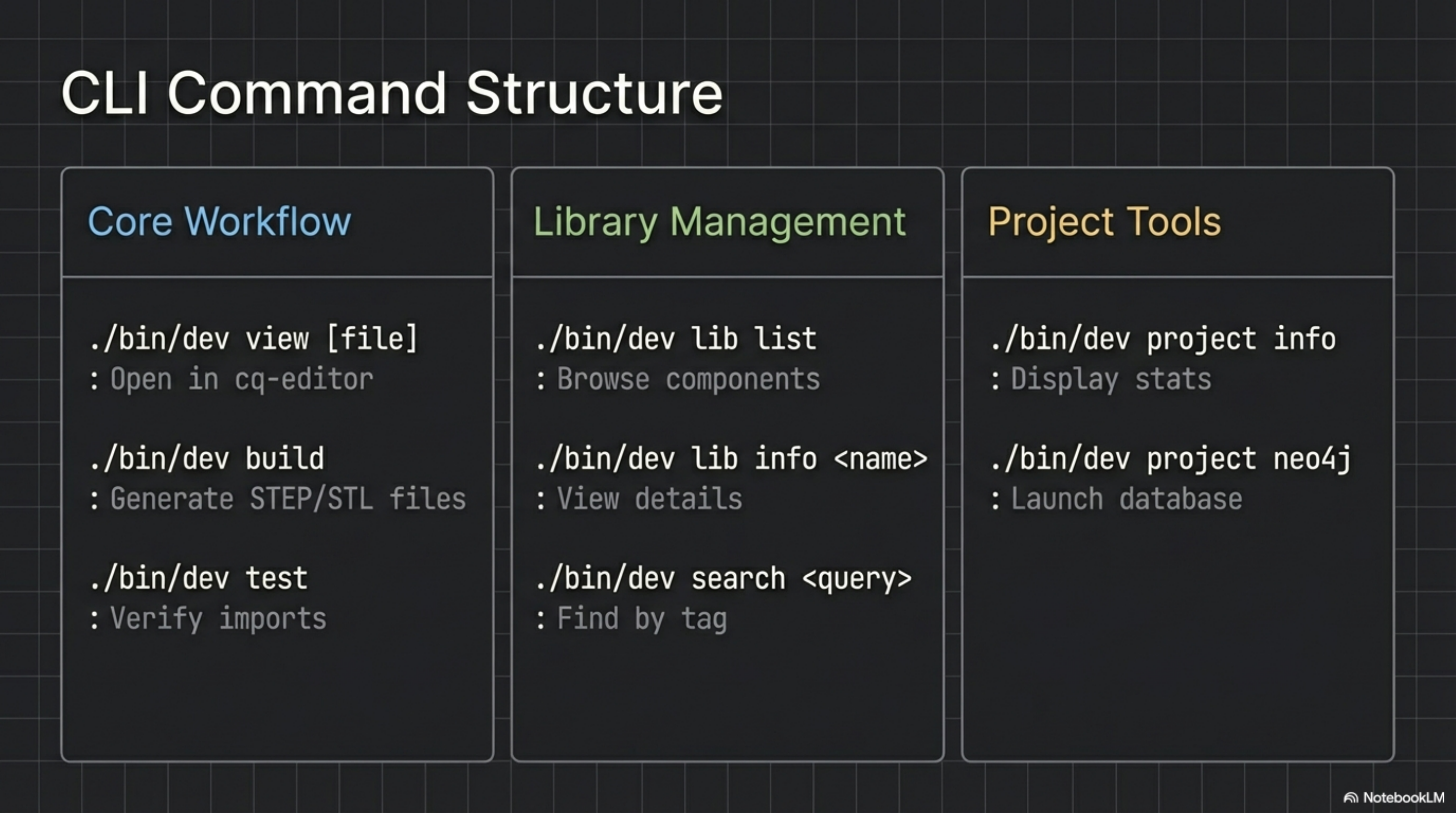
The CLI organizes commands into three categories supporting different workflow stages:
Core Workflow commands handle the build cycle—viewing models in cq-editor, generating output files, running import tests.
Library Management commands help discover and inspect components—listing available parts, viewing component details, searching by tags or names.
Project Tools commands manage project-level concerns—displaying stats, launching the Neo4j browser for relationship visualization.
Directory Structure
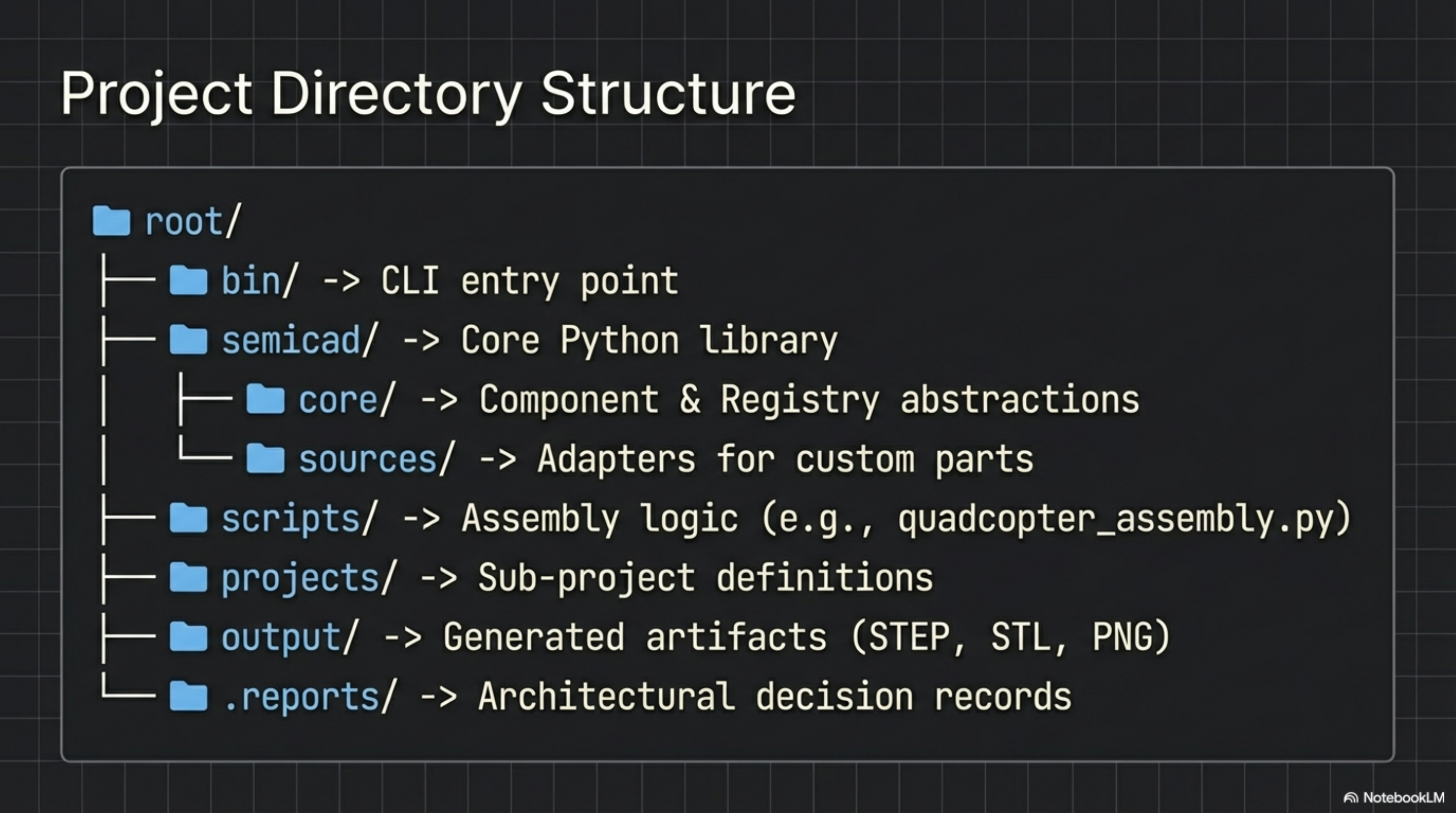
The project follows a modular structure separating concerns:
- bin/ contains the CLI entry point (
./bin/dev) that dispatches to subcommands - semicad/ holds the core Python library with
core/for registry abstractions andsources/for component adapters - scripts/ stores assembly logic like
quadcopter_assembly.pythat combines components into complete models - projects/ defines sub-project configurations for different builds
- output/ receives generated artifacts (STEP, STL, PNG files)
- .reports/ stores architectural decision records and research documentation
Real-World Application: Quadcopter
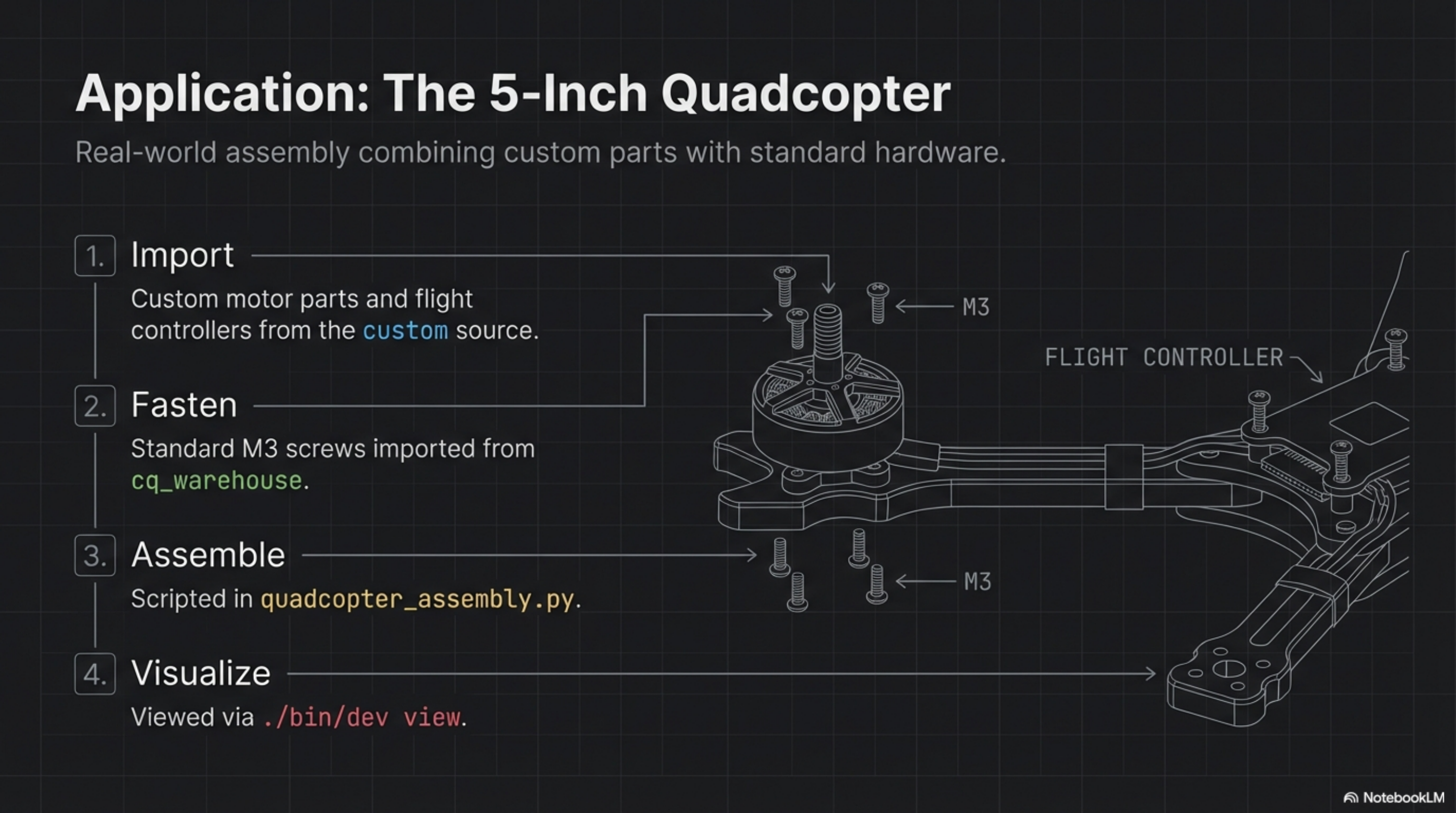
The 5-inch quadcopter demonstrates the full workflow from component selection to final assembly:
- Import pulls custom motor parts and flight controllers from the custom source registry
- Fasten integrates standard M3 screws from cq_warehouse to secure components
- Assemble executes the
quadcopter_assembly.pyscript that positions and joins all parts - Visualize opens the result in cq-editor for inspection and iteration
This workflow produces a complete, manufacturable drone frame with all hardware positions defined and validated.
Quick Start
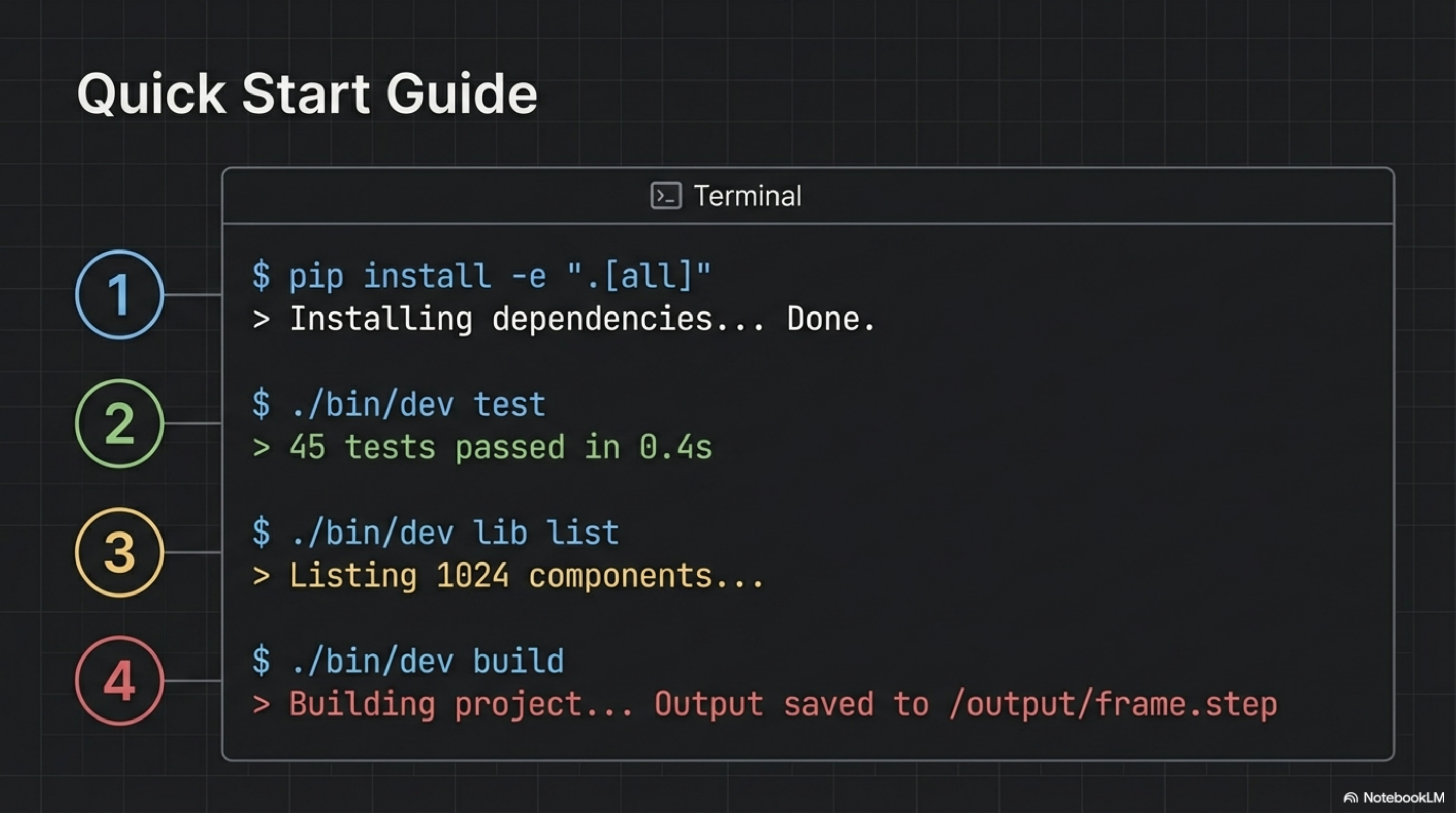
Getting started requires four commands:
- Install the package in development mode with all dependencies
- Run tests to verify the environment (45 tests covering all components)
- List available components to explore the library (1024 total)
- Build the project to generate output files
The entire setup-to-first-build cycle completes in under a minute on modern hardware.
Neo4j Design Memory
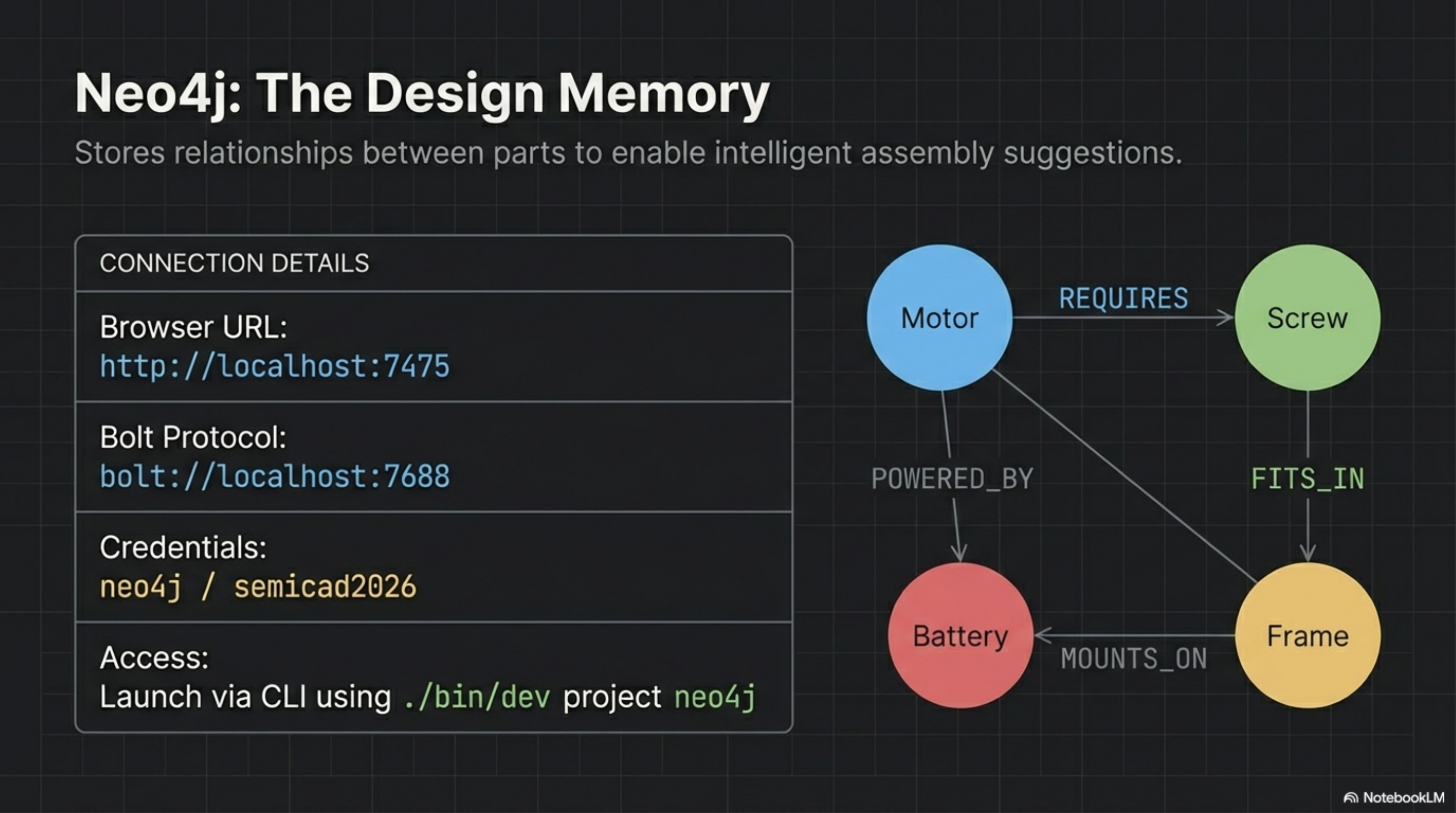
Neo4j stores component relationships as a graph, enabling intelligent queries about compatibility and dependencies.
The graph captures relationships like:
- REQUIRES: A motor requires specific screws for mounting
- FITS_IN: Screws fit into specific frame mounting points
- POWERED_BY: Motors connect to batteries through ESCs
- MOUNTS_ON: Components mount on the frame at defined positions
These relationships enable the AI to suggest compatible parts, warn about mismatches, and generate complete bills of materials automatically.
The Neo4j browser runs locally at http://localhost:7475 for visual graph exploration.
Project Status
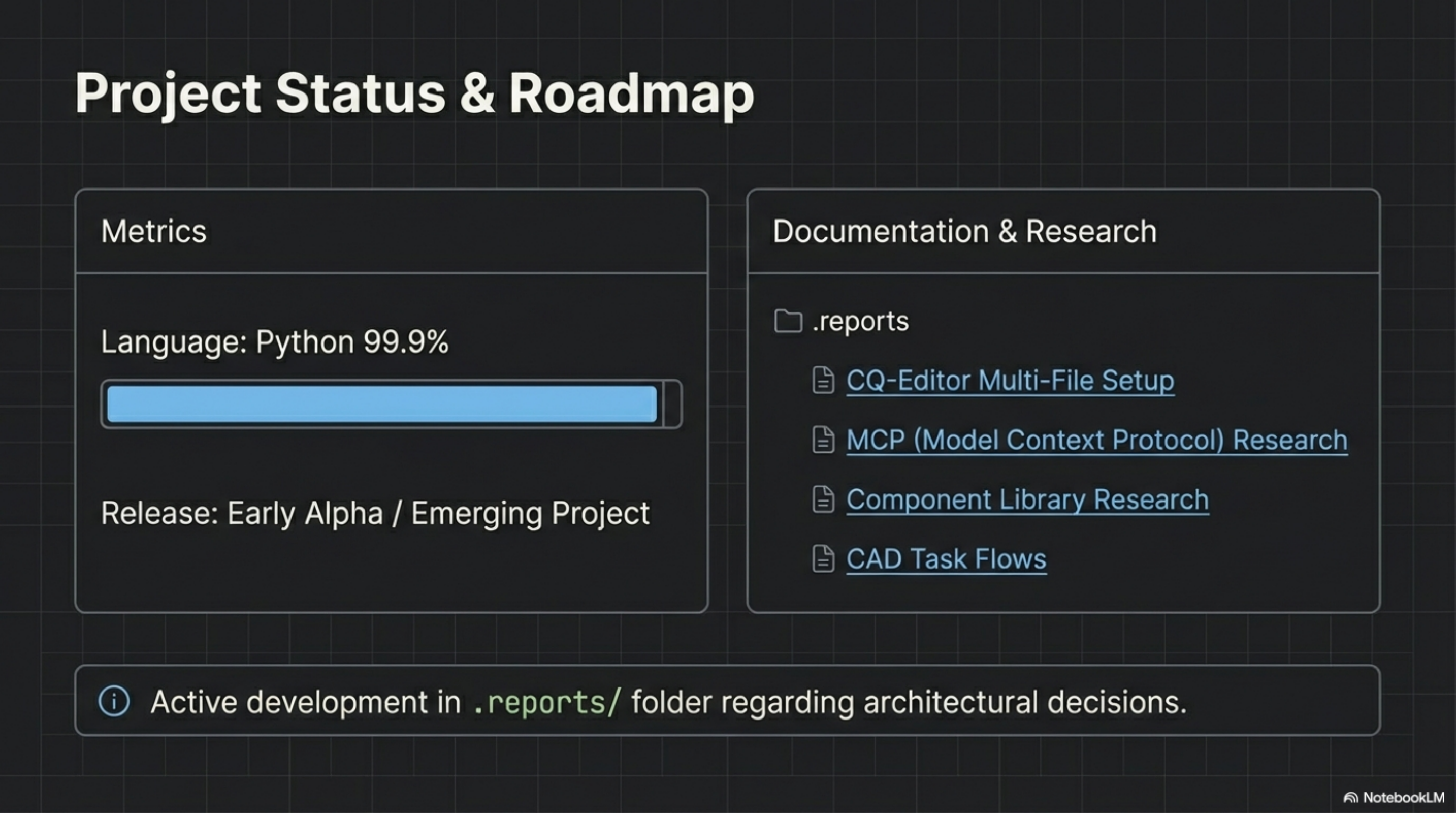
Semi-AutoCAD is in early alpha with active development. The codebase is 99.9% Python, focusing on clean interfaces between components.
The .reports/ folder contains ongoing research into:
- CQ-Editor multi-file setups for complex assemblies
- MCP (Model Context Protocol) integration for Claude Code
- Component library expansion strategies
- CAD task flow optimizations
Contributions are welcome across all areas—from new component definitions to CLI improvements.
Get Involved
Semi-AutoCAD is open source and actively seeking contributors. The vision is a future where CAD is code-driven, AI-assisted, and graph-connected.
Clone the repository, explore the component library, and build something. Whether you’re interested in drone design, mechanical engineering, or AI-assisted tooling, there’s room to contribute.
The future of parametric design is being built now.