cc-cloud
A phone-driven Claude Code box on Fly.io — Nix-defined toolchain, Tailscale-only access, and an always-on Postgres holding the agent's memory
The premise: I want to be able to open a terminal on my phone, land in a real dev box with my whole working tree already there, and run Claude Code against it — without leaving a VM running and billing me while I sleep.
cc-cloud is that box. It’s an on-demand Fly.io machine with a Nix-defined toolchain, reachable only over Tailscale SSH, paired with an always-on Postgres that holds the agent’s long-term memory.
How the box is wired
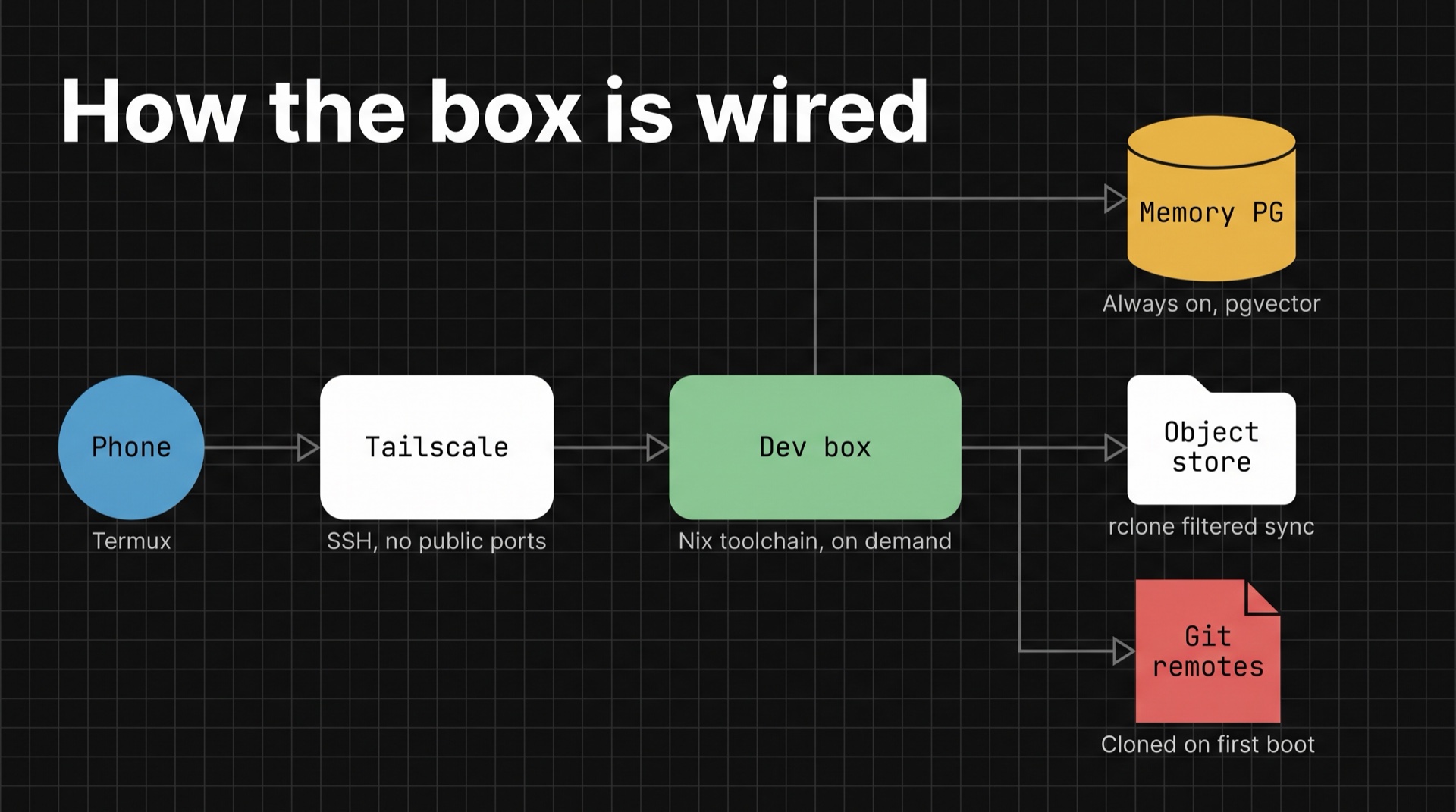
Three decisions carry the whole design.
The toolchain is a Nix flake, not a Dockerfile full of apt install. A flake.nix plus a handful of modules define the CLI, dev, git, and cloud tooling. It’s reproducible, it mirrors my local config, and it builds on Fly’s remote amd64 builder — so there’s no cross-compiling from an ARM Mac.
Access is Tailscale SSH only. No public ports, no exposed SSH, nothing to scan for. The phone is already on the tailnet, so ssh from Termux just works.
Memory is a separate always-on service. Splitting the agent’s long-term memory into its own Postgres makes it the single source of truth regardless of whether the dev box is up. The laptop keeps a local port pointed at it through a fly proxy launchd agent, so nothing on the local side had to change when memory moved to the cloud.
What lives where, and what it costs
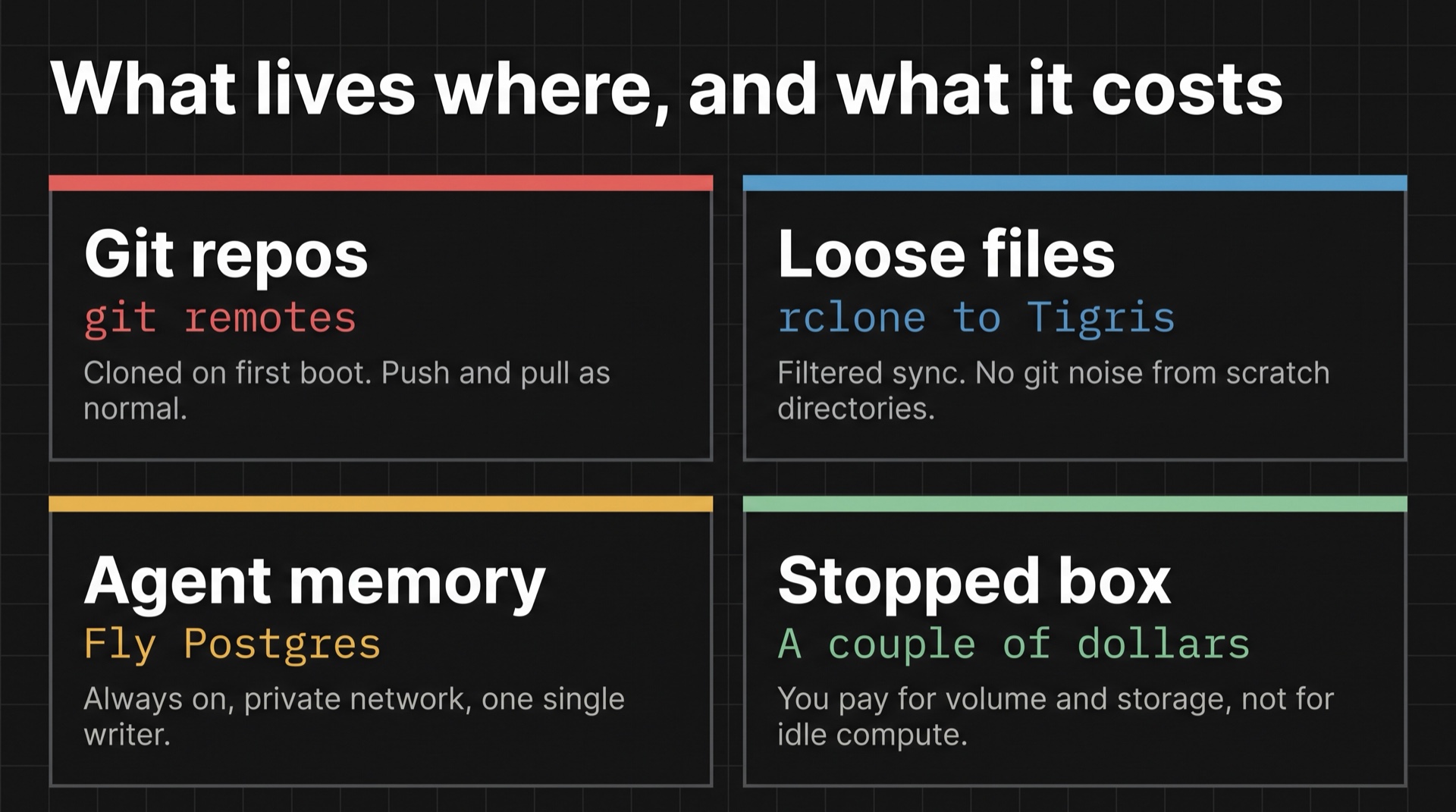
| Thing | Transport | Why |
|---|---|---|
| Git repositories | git remotes | Cloned on first boot; push/pull as normal |
| Loose files, scratch dirs, env files | rclone ↔ object storage | Filtered sync, no git noise |
| Agent memory | Postgres over the private network | Always-on, single writer |
| Shell history, agent sessions | /workspace volume | Persists across stop/start |
The cost posture is what makes this practical rather than a toy. A stopped box costs only the volume, the object storage, and the tiny always-on memory VM — a couple of dollars a month. The dev box is billed per-second while it’s actually up, and cc-up / cc-down are one-word commands that start and stop it. You pay for the hours you’re actually working.
Technical details
- Nix flake with modular toolchain definitions;
flake.lockcommitted for reproducibility - Fly.io machines with per-second billing, persistent volumes, and 6PN private networking
- Postgres 16 with
pgvectorand Apache AGE for vector and graph queries over agent memory - Tailscale SSH for identity-based access; no inbound public ports
- rclone with an explicit filter file for selective sync to S3-compatible object storage
- launchd agent on macOS keeping a stable local port bound to the remote database
- Provisioning, secret seeding, and data migration are scripted end to end
Honest limitations
The setup documents its own rough edges rather than pretending they don’t exist: the proof-of-concept database credentials lean on private-network isolation instead of a real password, some local ingestion services still write to the old local database rather than the cloud one, and the image is fatter than it needs to be until the Nix build switches to a layered-image derivation.
Those are written down as follow-ups in the repo, which is where they belong.