Building CLI Tools for CAD Workflows with Python Click
When building CAD automation tools, a well-designed command-line interface can dramatically improve your workflow. Instead of writing one-off scripts or clicking through GUIs, you can create a unified CLI that handles everything from component browsing to geometry export. In this article, we’ll explore how to build professional CLI tools using Python Click, drawing examples from a real CAD workflow system.
The goal is simple: create a CLI where designers can list components, search libraries, export parts to STEP/STL, and manage sub-projects, all from the terminal with tab completion and structured output.
Why Click for CAD tooling
Python offers several CLI frameworks, but Click stands out for CAD automation projects. Its decorator-based syntax makes command definitions readable, it handles complex nested command groups naturally, and it integrates well with Python’s type system.
import click
@click.group(invoke_without_command=True)@click.option("--project", "-p", type=click.Path(exists=True), help="Project root directory")@click.option("--json", "json_output", is_flag=True, help="Output in JSON format for scripting")@click.option("--verbose", "-v", is_flag=True, help="Enable verbose debug output")@click.pass_contextdef cli(ctx: click.Context, project: str | None, json_output: bool, verbose: bool) -> None:    """Semi-AutoCAD - AI-assisted CAD design system."""    ctx.ensure_object(dict)    ctx.obj["verbose"] = verbose    ctx.obj["json_output"] = json_output
    if ctx.invoked_subcommand is None:        click.echo(ctx.get_help())
The @click.group() decorator creates a command group that can hold subcommands. The invoke_without_command=True parameter lets the group display help when called without arguments. Notice how we store configuration in Click’s context object (ctx.obj), making it available to all subcommands.
Organizing command groups
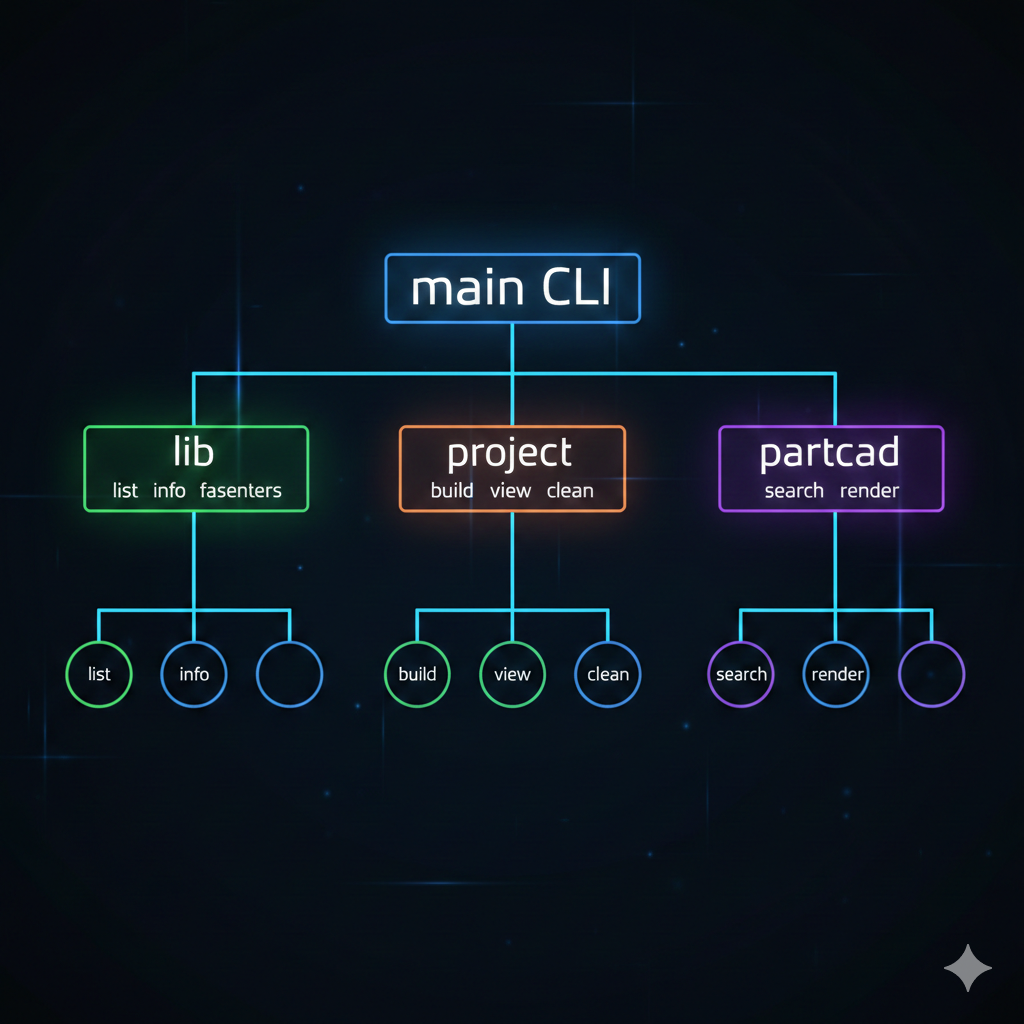
Real CAD workflows involve multiple domains: library browsing, project management, package manager operations. Click’s nested command groups let us organize these naturally.
dev├── lib # Component library operations│ ├── list # List available components│ ├── info # Component details│ ├── fasteners # Available fastener sizes│ ├── bearings # Available bearing sizes│ └── validate # Validate component geometry├── project # Project management│ ├── new # Create from template│ ├── build # Build sub-project│ ├── view # Open in cq-editor│ ├── clean # Remove generated files│ └── export # Export to STEP/STL├── partcad # PartCAD package manager│ ├── search # Search parts index│ ├── list # List packages│ ├── info # Part details│ ├── sizes # Available parametric options│ └── render # Export part to file└── completion # Shell completion setupEach group is defined in its own module and registered with the main CLI:
from semicad.cli.commands import build, completion, library, partcad_cmd, project as proj_cmd, view
cli.add_command(view.view)cli.add_command(build.build)cli.add_command(build.render)cli.add_command(build.export)cli.add_command(library.lib)cli.add_command(library.search)cli.add_command(proj_cmd.project)cli.add_command(completion.completion)cli.add_command(partcad_cmd.partcad)
A subcommand group is just another @click.group():
@click.group()@click.pass_contextdef lib(ctx: click.Context) -> None:    """Component library operations."""    pass
@lib.command("list")@click.option("--source", "-s", help="Filter by source (custom, cq_warehouse, etc.)")@click.option("--category", "-c", help="Filter by category")@click.pass_contextdef list_libs(ctx: click.Context, source: str | None, category: str | None) -> None:    """List available components."""    # Implementation...
The @lib.command("list") decorator adds list as a subcommand of lib. Users run ./bin/dev lib list to invoke it.
Common patterns for CAD commands
Handling parametric components
CAD components often require parameters like dimensions or material properties. Click’s multiple=True option handles repeated KEY=VALUE arguments elegantly:
from typing import Any
def parse_param(    ctx: click.Context, param: click.Parameter | None, value: tuple[str, ...]) -> dict[str, Any]:    """Parse KEY=VALUE parameter pairs into a dictionary."""    if not value:        return {}    params: dict[str, Any] = {}    for item in value:        if "=" not in item:            raise click.BadParameter(f"Invalid parameter format: {item}. Use KEY=VALUE")        key, val = item.split("=", 1)        # Try to convert to appropriate type        try:            params[key] = int(val)        except ValueError:            try:                params[key] = float(val)            except ValueError:                if val.lower() in ("true", "yes", "1"):                    params[key] = True                elif val.lower() in ("false", "no", "0"):                    params[key] = False                else:                    params[key] = val    return params
@click.command()@click.argument("component")@click.option(    "--param", "-p",    multiple=True,    help="Component parameter as KEY=VALUE (can be repeated)",)@click.pass_contextdef export(ctx: click.Context, component: str, param: tuple[str, ...]) -> None:    """Export a component to STEP/STL."""    comp_params = parse_param(ctx, None, param)    # Use comp_params to instantiate the component...
This allows users to export parametric parts like BGA chips:
./bin/dev export BGA -p length=10 -p width=10 -p height=1.4Context passing for global state
Click’s context system propagates configuration through the command hierarchy. A helper function keeps context access clean:
def get_ctx_value(ctx: click.Context, key: str, default: object = None) -> object:    """Safely get a value from the Click context object."""    if ctx.obj is None:        return default    return ctx.obj.get(key, default)
def verbose_echo(ctx: click.Context, msg: str) -> None:    """Print debug message if verbose mode is enabled."""    if ctx.obj and ctx.obj.get("verbose"):        click.echo(click.style(f"[verbose] {msg}", dim=True))
Commands check the context for global flags:
@lib.command("info")@click.argument("component")@click.pass_contextdef info(ctx: click.Context, component: str) -> None:    """Show detailed info about a component."""    verbose_echo(ctx, "Initializing component registry...")    registry = get_registry()    json_output = get_ctx_value(ctx, "json_output", False)
    spec = registry.get_spec(component)
    if json_output:        click.echo(json.dumps(data, indent=2))    else:        click.echo(f"Component: {spec.name}")        click.echo(f"  Source: {spec.source}")        # Human-readable output...
Quality presets with Choice
For commands with discrete options, click.Choice validates input and provides autocomplete:
@click.command()@click.argument("component")@click.option( "--quality", "-q", type=click.Choice(["draft", "normal", "fine", "ultra"]), default="normal", help="STL mesh quality",)@click.option( "--format", "-f", type=click.Choice(["step", "stl", "both"]), default="both", help="Export format",)def export(ctx: click.Context, component: str, quality: str, format: str) -> None: """Export a component to STEP/STL.""" quality_map = { "draft": STLQuality.DRAFT, "normal": STLQuality.NORMAL, "fine": STLQuality.FINE, "ultra": STLQuality.ULTRA, } stl_quality = quality_map[quality]Users get immediate validation: ./bin/dev export motor --quality potato fails with a helpful error.
Output formatting with dual modes
Professional CLIs support both human-readable and machine-parseable output. The --json flag pattern works well:
@lib.command("fasteners")@click.option("--type", "-t", "fastener_type", default="SocketHeadCapScrew", help="Fastener type")@click.pass_contextdef fasteners(ctx: click.Context, fastener_type: str) -> None:    """List available fastener sizes."""    source = WarehouseSource()    json_output = get_ctx_value(ctx, "json_output", False)
    sizes = source.list_fastener_sizes(fastener_type)
    data = {        "fastener_type": fastener_type,        "sizes": sizes,        "example": f'registry.get("{fastener_type}", size="M3-0.5", length=10)',    }
    if json_output:        click.echo(json.dumps(data, indent=2))    else:        click.echo(f"Fastener: {fastener_type}")        click.echo("Available sizes:")        for size in sizes:            click.echo(f"  {size}")        click.echo("\nExample usage:")        click.echo(f'  registry.get("{fastener_type}", size="M3-0.5", length=10)')
The human output is formatted for readability with indentation and examples. The JSON output is structured for scripting and piping to tools like jq.
Pro Tip: Always build your data structure first, then branch on output format. This ensures both modes contain the same information.
For richer terminal output, Click integrates with styling:
if result.is_valid:    click.echo(click.style("\u2713 Geometry is valid", fg="green"))else:    click.echo(click.style("\u2717 Validation failed", fg="red"))
# Colored warningsif issue.severity == IssueSeverity.ERROR:    prefix = click.style("  \u2717 ERROR", fg="red")elif issue.severity == IssueSeverity.WARNING:    prefix = click.style("  \u26a0 WARNING", fg="yellow")else:    prefix = click.style("  \u2139 INFO", fg="blue")
Shell completion setup
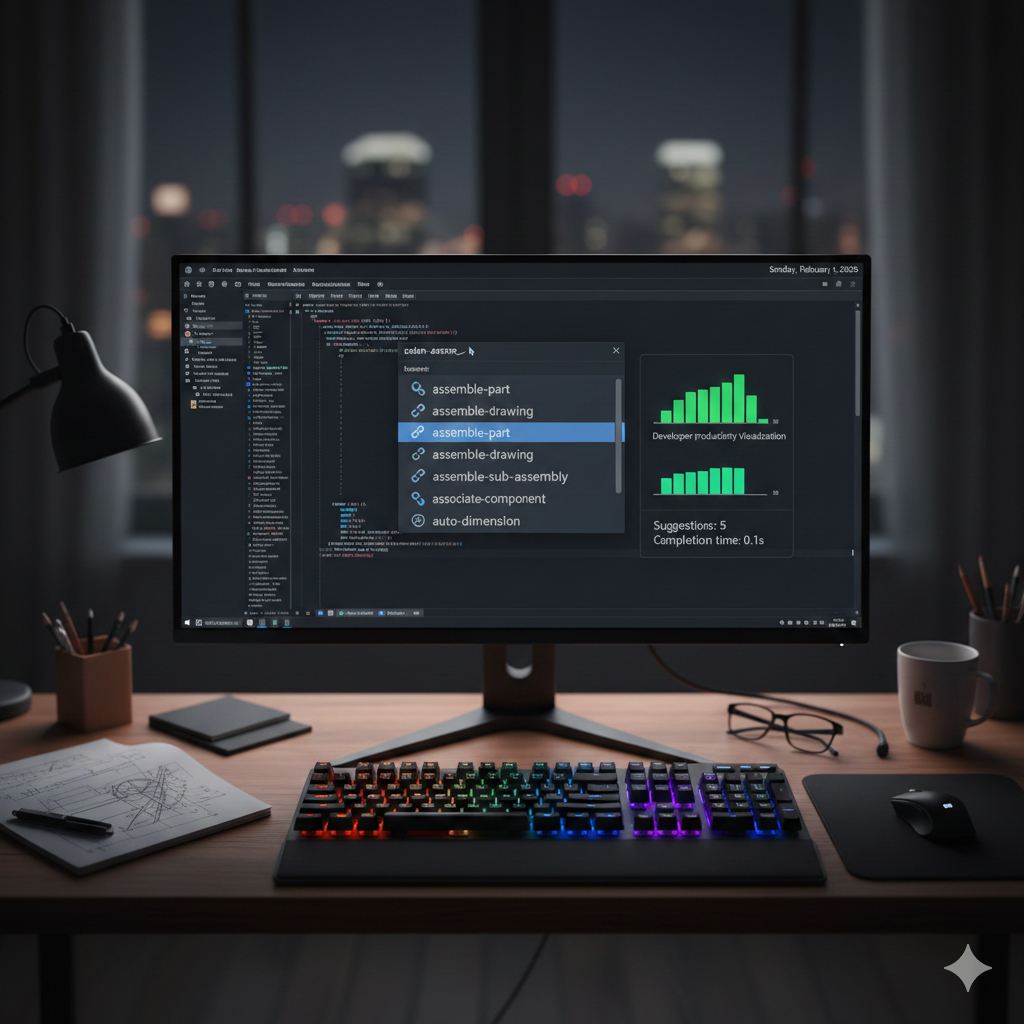
Tab completion transforms CLI usability. Click has built-in support for Bash, Zsh, and Fish:
from click.shell_completion import get_completion_class
SHELLS = ["bash", "zsh", "fish"]
@click.group()def completion() -> None:    """Shell completion utilities."""    pass
@completion.command("show")@click.argument("shell", type=click.Choice(SHELLS))@click.option("--prog-name", default=None, help="Override the program name")def show(shell: str, prog_name: str | None) -> None:    """Output shell completion script."""    from semicad.cli import cli
    if prog_name is None:        prog_name = "dev"
    comp_cls = get_completion_class(shell)    if comp_cls is None:        raise click.ClickException(f"Unsupported shell: {shell}")
    env_var = f"_{prog_name.upper()}_COMPLETE"    comp = comp_cls(cli, {}, prog_name, env_var)
    click.echo(comp.source())
Users enable completion with a single command:
# Bash./bin/dev completion show bash >> ~/.bashrc
# Zsh./bin/dev completion show zsh >> ~/.zshrc
# Fish./bin/dev completion show fish > ~/.config/fish/completions/dev.fish
After sourcing the shell config, pressing Tab completes commands, subcommands, and even --option values for click.Choice parameters.
Testing CLI commands
Click provides CliRunner for testing commands without subprocess overhead:
from click.testing import CliRunnerfrom semicad.cli import cli
def test_lib_list():    runner = CliRunner()    result = runner.invoke(cli, ["lib", "list"])
    assert result.exit_code == 0    assert "Component Libraries:" in result.output
def test_lib_list_json():    runner = CliRunner()    result = runner.invoke(cli, ["--json", "lib", "list"])
    assert result.exit_code == 0    data = json.loads(result.output)    assert "sources" in data
def test_export_missing_params():    runner = CliRunner()    result = runner.invoke(cli, ["export", "BGA"])
    # BGA requires length and width parameters    assert result.exit_code == 1    assert "Required parameters" in result.output
Note: Always test both success and failure paths. CAD commands often fail due to missing parameters or invalid component names.
For integration tests that need the full environment:
import subprocess
def test_version_command():    result = subprocess.run(        ["./bin/dev", "version"],        capture_output=True,        text=True    )    assert result.returncode == 0    assert "semicad" in result.output    assert "cadquery" in result.output
Adding quick aliases
Power users appreciate shortcuts for common operations:
@cli.command("v")@click.argument("file", required=False)@click.pass_contextdef v_alias(ctx: click.Context, file: str | None) -> None:    """Alias for 'view'."""    ctx.invoke(view.view, file=file)
@cli.command("b")@click.pass_contextdef b_alias(ctx: click.Context) -> None:    """Alias for 'build'."""    ctx.invoke(build.build)
@cli.command("l")@click.pass_contextdef l_alias(ctx: click.Context) -> None:    """Alias for 'lib list'."""    ctx.invoke(library.list_libs)
The ctx.invoke() method delegates to another command while preserving context. Now ./bin/dev l does the same as ./bin/dev lib list.
Key takeaways
Building CLI tools for CAD workflows with Click provides several advantages:
- Nested command groups organize complex functionality into logical domains
- Context passing shares configuration (verbose mode, JSON output) across commands
- Dual output modes support both human users and scripting workflows
- Shell completion dramatically improves discoverability and speed
- Type conversion handles parametric component arguments naturally
- CliRunner enables fast, isolated testing without spawning processes
The patterns shown here scale from simple export scripts to full CAD automation suites. Start with a single command group, add subcommands as your workflow grows, and let Click’s decorator system keep the code organized.
For a complete example, explore the semicad CLI at github.com/yourname/semicad, which implements all these patterns for CadQuery-based parametric modeling.