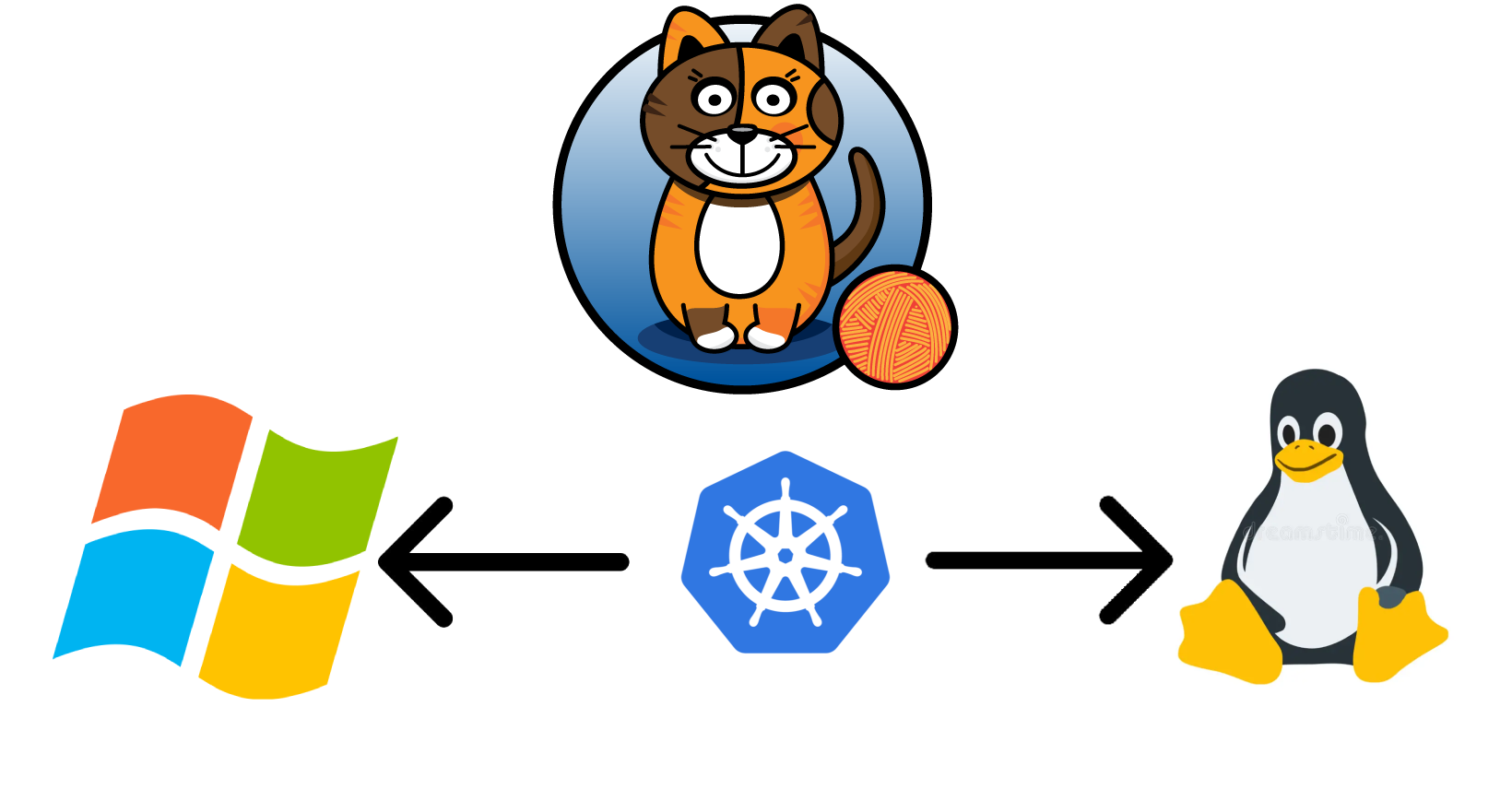
Hybrid Kubernetes Cluster: Detailed Setup with Linux and Windows Nodes
Automating Kubernetes Cluster Deployment on Windows with Calico Networking
Introduction
The automation of Kubernetes deployments is crucial for scaling complex, modern infrastructure environments effectively. This approach minimizes the need for manual configurations, mitigates the risk of human error, and ensures consistency across all environments. In this article, we provide an advanced discussion on the automation of Kubernetes deployments on Windows nodes, using Calico as a networking solution. By the end of this article, you will gain a deep understanding of how to build an efficient, highly scalable Kubernetes cluster that integrates seamlessly across both Linux and Windows nodes.
Kubernetes is a sophisticated container orchestration system that facilitates the management of distributed systems at scale. Calico, an open-source networking and network security solution, enhances Kubernetes by providing a flexible, scalable, and secure networking layer. This article guides you through the intricacies of automating this deployment using Ansible, focusing on the architectural challenges, bottlenecks, and optimal strategies for automating Kubernetes setup in a heterogeneous environment.
Prerequisites
Before proceeding with the deployment, it is imperative to meet the following prerequisites:
- Hardware and Software Requirements: A set of target servers is needed to serve as master and worker nodes. These can be either physical servers or virtual machines, running Windows or Linux. The control machine, responsible for orchestration, should have Ansible installed.
- Installing Ansible and Dependencies: Ansible must be installed on the control machine, which will be responsible for managing remote nodes. Additionally, Python, as a core dependency, should be installed to facilitate Ansible operations.
- Environment Setup: Prepare both the master and worker nodes by updating their operating systems, installing essential packages, and configuring their network settings to support node-to-node communication. Ensure that all necessary firewall rules are configured to facilitate Kubernetes network traffic, specifically between the master and worker nodes.
Setting Up the Master Node
Environment Preparation
To initiate the setup of the master node, essential dependencies must be installed. The following script (master.sh) facilitates the installation of Python and Ansible, as well as the creation of necessary users to orchestrate the cluster effectively:
#!/bin/bashsudo apt updatesudo apt install software-properties-common --yessudo apt-add-repository --yes --update ppa:ansible/ansiblesudo apt updatesudo apt install python ansible -ysudo apt-get install acl -y
sudo useradd -m -s /bin/bash kube-clustersudo passwd kube-cluster -dsudo sed -i '20a kube-cluster  ALL=(ALL:ALL) NOPASSWD: ALL' /etc/sudoerssudo useradd -m -s /bin/bash ansible-control-panelsudo passwd ansible-control-panel -dsudo sed -i '20a ansible-control-panel ALL=(ALL:ALL) NOPASSWD: ALL' /etc/sudoerssudo mkdir /home/ansible-control-panel/.sshsudo chown -R ansible-control-panel:ansible-control-panel /home/ansible-control-panel/.ssh/sudo mkdir /home/ansible-control-panel/ansiblesudo chown -R ansible-control-panel:ansible-control-panel /home/ansible-control-panel/ansible/sudo -u ansible-control-panel ssh-keygen -f /home/ansible-control-panel/.ssh/id_rsa -t rsa -N ''sudo cat /home/ansible-control-panel/.ssh/id_rsa.pub # Copy id_rsa.pub for authorized_keys on worker nodes# Add to authorized_keys in master and worker nodes (can be automated with Ansible)
This script performs the following actions:
- System Update and Package Installation: Updates the system repositories and installs Python and Ansible, which are essential for running Ansible playbooks.
- User Creation: Creates two users,
kube-clusterandansible-control-panel, which will manage Kubernetes operations and Ansible orchestration, respectively. - Passwordless Sudo Access: Grants passwordless sudo privileges to both users by modifying the
/etc/sudoersfile. - SSH Key Generation: Generates SSH keys for the
ansible-control-paneluser to enable secure communication between the control machine and the nodes.
Note: Setting up secure SSH keys is critical for establishing trusted communication between nodes. The script provided facilitates the generation of SSH keys for the
ansible-control-paneluser, which is essential for executing automated tasks across nodes.
Running Playbooks
With the environment prepared, proceed to execute the Ansible playbooks that automate the configuration of the master node.
Distributing SSH Keys
The addkeys.yml playbook distributes SSH keys across all nodes, enabling secure, automated communication between the master and worker nodes:
- hosts: master become: yes become_user: root vars: key: "<worker-public-key>" tasks: - name: Add worker's public key to authorized_keys lineinfile: path: /home/ansible-control-panel/.ssh/authorized_keys line: "{{ key }}" state: presentThis playbook:
- Hosts Definition: Targets the master node.
- Privilege Escalation: Uses
becometo execute tasks with elevated privileges. - SSH Key Distribution: Appends the worker node’s public SSH key to the
authorized_keysfile of theansible-control-paneluser on the master node.
Installing Kubernetes Dependencies
The kube-dependencies.yml playbook installs essential Kubernetes components (kubeadm, kubectl, and kubelet) on the master node:
- hosts: linux_new_qa  become: yes  become_user: root  vars:    kubernetes_version: "1.27.*"
  tasks:    - name: Update APT packages      apt:        update_cache: yes
    - name: Install necessary packages      apt:        name:          - apt-transport-https          - ca-certificates          - curl          - software-properties-common          - gnupg2        state: present
    - name: Disable SWAP and UFW      shell: |        sudo swapoff -a        sudo ufw disable
    - name: Configure iptables to see bridged traffic      shell: |        cat <<EOF | sudo tee /etc/modules-load.d/k8s.conf        overlay        br_netfilter        EOF        sudo modprobe overlay        sudo modprobe br_netfilter        cat <<EOF | sudo tee /etc/sysctl.d/k8s.conf        net.bridge.bridge-nf-call-iptables  = 1        net.bridge.bridge-nf-call-ip6tables = 1        net.ipv4.ip_forward                 = 1        EOF        sudo sysctl --system
    - name: Add Kubernetes apt repository      shell: |        curl https://packages.cloud.google.com/apt/doc/apt-key.gpg | sudo apt-key add -        echo "deb https://apt.kubernetes.io/ kubernetes-xenial main" | sudo tee /etc/apt/sources.list.d/kubernetes.list        sudo apt update
    - name: Install kubelet, kubeadm, and kubectl      apt:        name:          - kubelet={{ kubernetes_version }}          - kubeadm={{ kubernetes_version }}          - kubectl={{ kubernetes_version }}        state: present
    - name: Hold Kubernetes packages at current version      apt:        name:          - kubelet          - kubeadm          - kubectl        state: hold
    - name: Install containerd      shell: |        wget https://github.com/containerd/containerd/releases/download/v1.6.21/containerd-1.6.21-linux-amd64.tar.gz        sudo tar Cxzvf /usr/local containerd-1.6.21-linux-amd64.tar.gz        sudo curl -L https://raw.githubusercontent.com/containerd/containerd/main/containerd.service -o /etc/systemd/system/containerd.service        sudo systemctl daemon-reload        sudo systemctl enable --now containerd        wget https://github.com/opencontainers/runc/releases/download/v1.1.7/runc.amd64        sudo install -m 755 runc.amd64 /usr/local/sbin/runc        sudo mkdir /etc/containerd        containerd config default | sudo tee /etc/containerd/config.toml        sudo sed -i 's/SystemdCgroup = false/SystemdCgroup = true/g' /etc/containerd/config.toml        sudo systemctl restart containerd
    - name: Pull necessary Kubernetes images      command: kubeadm config images pull
This playbook performs several critical steps:
- System Preparation: Updates packages and installs necessary dependencies.
- Kernel Module Configuration: Loads kernel modules and sets system parameters required by Kubernetes.
- Kubernetes Installation: Adds the Kubernetes APT repository and installs
kubelet,kubeadm, andkubectl. - Container Runtime Installation: Installs
containerdand configures it as the container runtime for Kubernetes. - Image Pre-pulling: Pulls Kubernetes control plane images to speed up the cluster initialization process.
Initializing the Kubernetes Control Plane
The master.yml playbook sets up the Kubernetes control plane by initializing the cluster, configuring kubeconfig, and deploying the Calico network plugin:
---- hosts: master  become_user: kube-cluster  become: yes  vars:    user: kube-cluster  tasks:    - name: Initialize the cluster      command: kubeadm init --pod-network-cidr=192.169.0.0/16      args:        creates: /etc/kubernetes/admin.conf
    - name: Create .kube directory      file:        path: /home/{{ user }}/.kube        state: directory        mode: '0755'
    - name: Copy admin.conf to user's kube config      copy:        src: /etc/kubernetes/admin.conf        dest: /home/{{ user }}/.kube/config        owner: "{{ user }}"        mode: '0644'
    - name: Deploy Calico operator      get_url:        url: "https://raw.githubusercontent.com/CPUtester5465/ansible-kubernetes-calico/main/tigera-operator.yaml"        dest: "/home/{{ user }}/tigera-operator.yaml"      become: yes
    - name: Apply Calico operator      shell: "kubectl apply -f /home/{{ user }}/tigera-operator.yaml"      args:        chdir: "/home/{{ user }}/"
    - name: Deploy Calico node      get_url:        url: "https://raw.githubusercontent.com/CPUtester5465/ansible-kubernetes-calico/main/calico-node/calico-node.yaml"        dest: "/home/{{ user }}/calico-node.yaml"      become: yes
    - name: Apply Calico node      shell: "kubectl apply -f /home/{{ user }}/calico-node.yaml"      args:        chdir: "/home/{{ user }}/"
    - name: Create repository directory      become_user: ansible-control-panel      file:        path: /home/ansible-control-panel/repo        state: directory
    - name: Copy kube config to repository      become_user: ansible-control-panel      copy:        src: /home/{{ user }}/.kube/config        dest: /home/ansible-control-panel/repo        owner: ansible-control-panel        mode: '0644'
    - name: Generate kubeadm join command      command: kubeadm token create --print-join-command      register: join_command_output
    - name: Write join command to file      copy:        content: "{{ join_command_output.stdout }}"        dest: /home/{{ user }}/kubeadmtoken/kube-connect        owner: "{{ user }}"        mode: '0755'
    - name: Copy kubeadm token to repository      become_user: ansible-control-panel      copy:        src: /home/{{ user }}/kubeadmtoken/kube-connect        dest: /home/ansible-control-panel/repo        owner: ansible-control-panel        mode: '0755'
Key actions performed by this playbook include:
- Cluster Initialization: Uses
kubeadm initto set up the Kubernetes control plane. - Configuration Setup: Copies the Kubernetes admin configuration to the user’s home directory for easy access.
- Network Plugin Deployment: Deploys Calico using the operator and node manifests.
- Token Generation: Creates a kubeadm join token for worker nodes and stores it for distribution.
Setting Up the Worker Nodes
Environment Preparation
Worker nodes need to be set up by installing the necessary dependencies, which is facilitated using the worker.sh script:
#!/bin/bashsudo apt updatesudo apt install software-properties-common --yessudo apt-add-repository --yes --update ppa:ansible/ansiblesudo apt updatesudo apt install python ansible -ysudo apt-get install acl
sudo useradd -m -s /bin/bash ansiblesudo passwd ansible -dsudo mkdir /home/ansible/.sshsudo chown ansible:ansible /home/ansible/.sshsudo -u ansible ssh-keygen -f /home/ansible/.ssh/id_rsa -t rsa -N ''sudo useradd -m -s /bin/bash kube-clustersudo passwd kube-cluster -dsudo sed -i '20a kube-cluster  ALL=(ALL:ALL) NOPASSWD: ALL' /etc/sudoerssudo sed -i '20a ansible  ALL=(ALL:ALL) NOPASSWD: ALL' /etc/sudoerssudo touch /home/ansible/.ssh/authorized_keyssudo echo "<master-public-key>" >> /home/ansible/.ssh/authorized_keyssudo chown ansible:ansible /home/ansible/.ssh/authorized_keyssudo chmod 600 /home/ansible/.ssh/authorized_keyssudo cat /home/ansible/.ssh/id_rsa.pub
This script:
- System Update and Package Installation: Updates the system and installs Python and Ansible.
- User and SSH Setup: Creates the
ansibleuser, sets up SSH keys, and prepares for secure communication. - Privilege Configuration: Grants passwordless sudo access to necessary users.
Connecting to the Master Node
Execute the worker.yml playbook to join the worker nodes to the Kubernetes cluster:
---- hosts: linux1, linux2  vars:    user: kube-cluster    ipmr: "<master-node-ip>"
  tasks:    - name: Download kubeadm join command      become_user: ansible      shell: |        scp -o StrictHostKeyChecking=no ansible-control-panel@{{ ipmr }}:/home/ansible-control-panel/repo/kube-connect /home/ansible/
    - name: Copy kube-connect file      become: yes      become_user: "{{ user }}"      copy:        src: /home/ansible/kube-connect        dest: /home/{{ user }}/        mode: '0755'        remote_src: yes
    - name: Join the cluster      become: yes      become_user: "{{ user }}"      shell: |        sudo /home/{{ user }}/kube-connect
This playbook:
- File Transfer: Copies the kubeadm join command from the master to the worker node.
- Cluster Joining: Executes the join command to add the worker node to the cluster.
Configuring Windows Server Nodes
Dependency Installation and Configuration
Windows nodes require additional configuration steps to be compatible with Kubernetes. Use the w1.yml playbook to install necessary Windows features such as Containers and Hyper-V to support containerization on Windows:
---- name: Install dependencies and configure Kubernetes on Windows Server  hosts: windows_new_qa  become_method: runas  gather_facts: false  vars:    ipmr: "<master-node-ip>"
  tasks:    - name: Set firewall and install Containers feature      win_shell: |        Set-NetFirewallProfile -Profile Domain, Public, Private -Enabled false        Install-WindowsFeature Containers
    - name: Format IP Address for Machine Name      win_shell: |        $ipAddress = (Get-NetIPAddress | Where-Object {$_.InterfaceAlias -like "*Ethernet*" -and $_.AddressFamily -eq "IPv4"}).IPAddress        $formattedIpAddress = "ip-" + $ipAddress.Replace('.', '-')        Rename-Computer -NewName "$formattedIpAddress" -Force -PassThru
    - name: Reboot the machine      win_reboot:        reboot_timeout: 300        msg: "Rebooting the machine"
    - name: Install containerd      win_shell: |        Invoke-WebRequest https://docs.tigera.io/calico/3.25/scripts/Install-Containerd.ps1 -OutFile c:\Install-Containerd.ps1        [System.Environment]::SetEnvironmentVariable('CNI_BIN_DIR', 'c:\Program Files\containerd\cni\bin')        [System.Environment]::SetEnvironmentVariable('CNI_CONF_DIR', 'c:\Program Files\containerd\cni\conf')        c:\Install-Containerd.ps1 -ContainerDVersion 1.6.16 -CNIConfigPath "c:/Program Files/containerd/cni/conf" -CNIBinPath "c:/Program Files/containerd/cni/bin"        curl.exe -LO https://github.com/kubernetes-sigs/cri-tools/releases/download/v1.26.0/crictl-v1.26.0-windows-amd64.tar.gz        tar xvf crictl-v1.26.0-windows-amd64.tar.gz        Move-Item -Path C:\Users\ansible\crictl.exe -Destination C:\Program Files\containerd\crictl.exe
    - name: Create necessary directories and download configurations      win_file:        path: C:\k        state: directory
    - name: Copy kubeconfig from master      win_shell: |        scp -o StrictHostKeyChecking=no ansible-control-panel@{{ ipmr }}:/home/ansible-control-panel/repo/config C:\Users\ansible\repo        Move-Item -Path C:\Users\ansible\repo\config -Destination C:\k
    - name: Download and install Calico      win_shell: |        curl.exe -LO https://github.com/projectcalico/calico/releases/download/v3.25.0/calicoctl-windows-amd64.exe        Move-Item -Path calicoctl-windows-amd64.exe -Destination C:\Windows\calicoctl.exe        Invoke-WebRequest https://github.com/projectcalico/calico/releases/download/v3.25.0/install-calico-windows.ps1 -OutFile c:\install-calico-windows.ps1        Start-Transcript -Path 'C:\Users\ansible\Desktop\install_calico.log'        c:\install-calico-windows.ps1 -KubeVersion 1.24.10 -Datastore kubernetes -ServiceCidr 10.96.0.0/16 -DNSServerIPs 10.96.0.10 -CalicoBackend vxlan
This playbook performs the following:
- Firewall Configuration: Disables firewall profiles to ensure seamless communication.
- Feature Installation: Installs necessary Windows features for containerization.
- Machine Renaming: Renames the machine based on its IP address for consistency.
- Container Runtime Setup: Installs
containerdand configures environment variables. - Calico Deployment: Downloads and installs Calico for networking.
Installing Kubernetes Services
To start Kubernetes services like kubelet and kube-proxy on Windows nodes, use the following tasks in the w1.yml playbook:
---- name: Install and run kube services on Windows Server  hosts: windows_new_qa  gather_facts: false
  tasks:    - name: Delete existing kubelet-service.ps1      win_file:        path: C:\CalicoWindows\kubernetes\kubelet-service.ps1        state: absent
    - name: Download kubelet-service script      win_shell: |        scp -o StrictHostKeyChecking=no ansible-control-panel@{{ ipmr }}:/home/ansible-control-panel/repo/kubelet-service.ps1 C:\CalicoWindows\kubernetes
    - name: Install kubelet and kube-proxy      win_shell: |        C:\CalicoWindows\kubernetes\install-kube-services.ps1        Start-Service -Name kubelet        Start-Service -Name kube-proxy
These tasks:
- Script Management: Ensures the latest
kubelet-service.ps1script is used. - Service Installation: Installs and starts the
kubeletandkube-proxyservices.
Deploying Calico on Windows Nodes
To configure Calico networking on Windows nodes, use the win-init.ps1 script to establish VXLAN as the networking backend:
$Username = "ansible"$Password = ""
$SecurePassword = ConvertTo-SecureString $Password -AsPlainText -Force$Credential = New-Object System.Management.Automation.PSCredential ($Username, $SecurePassword)
Start-Transcript -Path "C:\Users\$Username\Desktop\init_ps.log"Invoke-WebRequest -Uri 'https://raw.githubusercontent.com/ansible/ansible/stable-2.10/examples/scripts/ConfigureRemotingForAnsible.ps1' -OutFile "C:\Users\$Username\Desktop\ConfigureRemotingForAnsible.ps1"Start-Process PowerShell -Credential $Credential -ArgumentList "-NoProfile -ExecutionPolicy Bypass -File C:\Users\$Username\Desktop\ConfigureRemotingForAnsible.ps1"$scriptBlock = {    Set-ExecutionPolicy Bypass -Scope Process -Force    iwr https://community.chocolatey.org/install.ps1 -UseBasicParsing | iex    choco install git -yes    Import-Module $env:ChocolateyInstall\helpers\chocolateyProfile.psm1    RefreshEnv}
Start-Process PowerShell -Credential $Credential -ArgumentList "-NoProfile -ExecutionPolicy Bypass -Command $scriptBlock"mkdir C:\Users\$Username\.ssh
ssh-keygen -f C:\Users\$Username\.ssh\id_rsa -t rsa -N ''mkdir C:\Users\$Username\repo
This script:
- PowerShell Remoting Configuration: Sets up the system for remote management via Ansible.
- Package Manager Installation: Installs Chocolatey for package management.
- Git Installation: Installs Git, which may be necessary for pulling configurations.
- SSH Key Generation: Generates SSH keys for secure communication.
Challenges and Bottlenecks
Token Expiry
The join token used for adding worker nodes to the cluster has a limited validity period. If the token expires, generate a new one using kubeadm token create.
Network Configuration
Worker nodes must be able to reach the master node. Verify IP reachability, ensure firewall rules are configured correctly, and check DNS settings to mitigate potential issues.
Service Start Failure
If kubelet or kube-proxy services fail to start, ensure configuration files are properly set up and network paths are accurate.
Note: All the code snippets and scripts provided in this article are integral parts of the deployment process. Ensure to customize variables like IP addresses and user credentials according to your environment before executing them.
This article is still in draft - there will be more changes.