
GitLab with Rancher: Building a Production-Ready GitOps Pipeline for Multi-Cluster Kubernetes
Your GitLab pipelines deploy successfully, but managing configurations across five Kubernetes clusters with different environments feels like juggling chainsaws. Every cluster drift, every manual kubectl fix, every “it works on staging” moment erodes trust in your deployment process.
You started with a single cluster. GitLab’s built-in Kubernetes integration worked fine—connect the cluster, add some CI/CD variables, deploy with kubectl. Then came the second cluster for production isolation. Then regional clusters for latency. Then a dedicated cluster for data processing workloads. Suddenly you’re maintaining five nearly-identical-but-not-quite pipeline configurations, and someone just force-pushed a hotfix directly to the production cluster because “the pipeline was too slow.”
The symptoms are familiar: Helm values that diverged three months ago and nobody noticed. Secrets that exist in staging but mysteriously vanished from one production cluster. That one namespace someone created manually to “just test something” that’s now running customer traffic. Your GitLab pipelines report green checkmarks while reality drifts further from your repository.
Traditional CI/CD pipelines treat Kubernetes as a deployment target—push changes, apply manifests, move on. This works until it doesn’t. At multi-cluster scale, you need the inverse: clusters that continuously reconcile themselves against a declared state, with visibility into what’s actually running versus what should be running.
This is where GitOps stops being a buzzword and becomes a necessity. Specifically, combining GitLab Agent for Kubernetes with Rancher Fleet creates a pipeline architecture that treats your Git repository as the single source of truth across every cluster in your fleet.
Let’s start with why this problem exists in the first place.
The Multi-Cluster Deployment Problem
Modern platform teams rarely operate a single Kubernetes cluster. Production workloads span multiple regions for latency optimization, compliance requirements mandate data residency in specific geographies, and disaster recovery demands geographically distributed infrastructure. What starts as a straightforward CI/CD pipeline quickly becomes an operational burden when you’re deploying the same application across five, ten, or fifty clusters.

When Traditional CI/CD Breaks Down
The conventional approach—scripting kubectl apply commands in your pipeline for each target cluster—works until it doesn’t. Each cluster requires its own credentials, connection configuration, and deployment logic. Pipeline files balloon with repetitive stages, and a single cluster connectivity issue blocks your entire deployment. Teams end up maintaining separate pipelines per environment, duplicating logic and introducing subtle inconsistencies.
The debugging experience becomes particularly painful. When a deployment succeeds in staging but fails in production-east, you’re left comparing YAML files line by line, hunting for the environment-specific override that someone added six months ago and forgot to document.
Configuration Drift: The Silent Killer
Configuration drift compounds the problem exponentially. An engineer manually patches a production issue at 2 AM. A cluster gets upgraded independently. Someone tests a new resource limit and forgets to revert it. Without continuous reconciliation, your clusters gradually diverge from their intended state—and from each other.
This drift creates false confidence. Your Git repository shows a clean, consistent configuration, but the actual cluster state tells a different story. Incidents become harder to reproduce, rollbacks fail unexpectedly, and your “identical” environments behave differently under load.
The Gap in GitLab’s Native Capabilities
GitLab’s Kubernetes integration handles single-cluster deployments effectively. The GitLab Agent provides secure, pull-based connectivity without exposing your cluster’s API server. However, GitLab lacks native fleet management capabilities—there’s no built-in mechanism for defining cluster groups, managing deployment ordering across environments, or handling cluster-specific customizations at scale.
This is precisely where Rancher Fleet enters the architecture. By combining GitLab’s CI/CD orchestration and container registry with Rancher’s fleet-scale GitOps engine, you gain both worlds: familiar GitLab workflows and enterprise-grade multi-cluster management.
Let’s examine how these components fit together architecturally.
Architecture: GitLab Agent Meets Rancher Fleet
Understanding how GitLab Agent and Rancher Fleet complement each other is essential before diving into implementation. These tools solve different problems in the multi-cluster deployment chain, and recognizing their boundaries prevents architectural confusion and operational overhead.
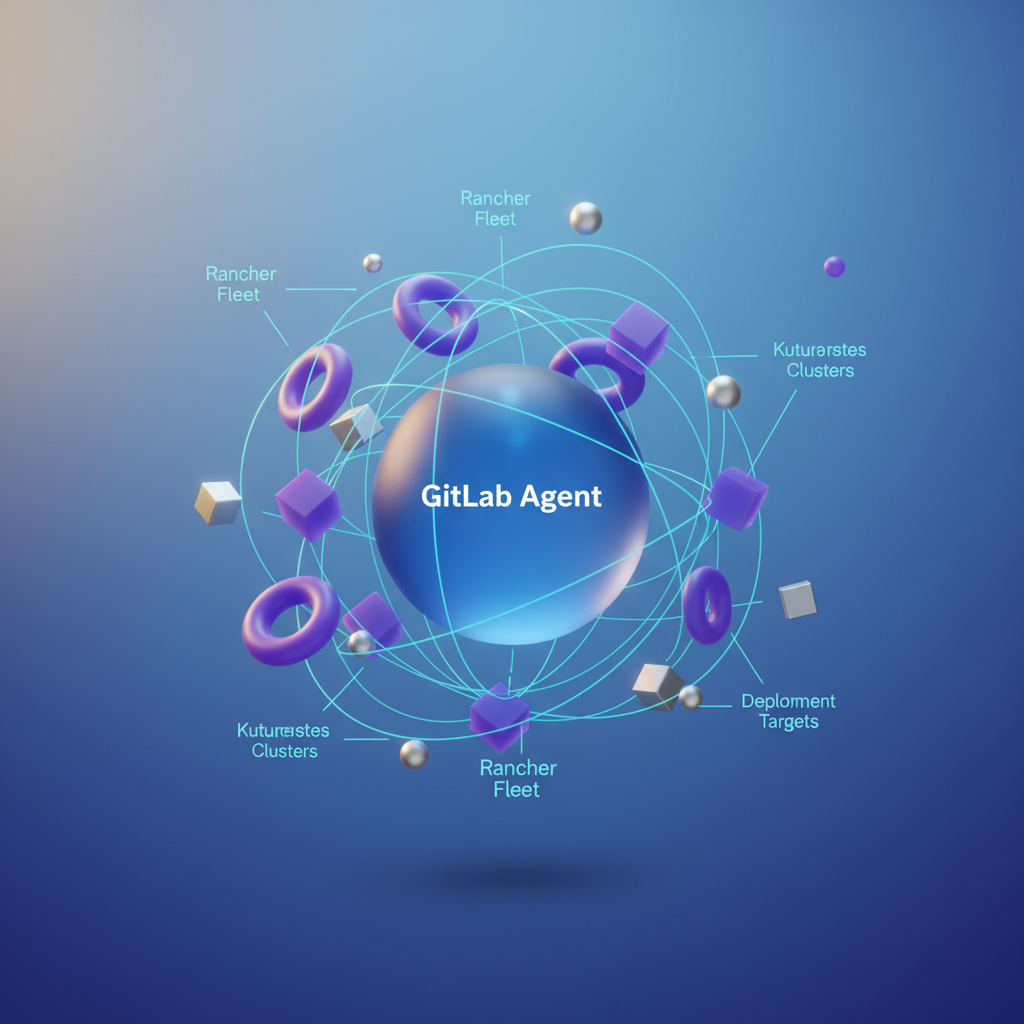
GitLab Agent: Secure Cluster Connectivity
The GitLab Agent for Kubernetes establishes a secure, pull-based connection between your clusters and GitLab. Unlike traditional approaches that require exposing the Kubernetes API server to the internet, the agent runs inside your cluster and initiates an outbound connection to GitLab’s infrastructure.
This architecture provides several advantages for enterprise environments:
- No inbound firewall rules required — the agent maintains a persistent gRPC tunnel to GitLab
- Cluster credentials never leave the cluster — GitLab sends commands through the tunnel rather than authenticating directly
- Per-project or per-group agent sharing — a single agent can serve multiple repositories within your GitLab hierarchy
The agent handles authentication, authorization, and secure command execution. When your CI/CD pipeline needs to interact with a cluster, it communicates through this established tunnel rather than managing kubeconfig files or service account tokens in pipeline variables.
Rancher Fleet: Multi-Cluster Orchestration
While GitLab Agent solves the connectivity problem, Rancher Fleet addresses multi-cluster configuration management. Fleet operates as a GitOps engine that continuously reconciles your desired state (defined in Git repositories) with the actual state across your cluster fleet.
Fleet excels at:
- Cluster grouping and targeting — deploy to clusters based on labels, regions, or environments
- Configuration overlays — maintain a single source of truth with per-cluster customizations
- Dependency ordering — ensure infrastructure components deploy before applications
- Drift detection and remediation — automatically correct configuration changes made outside Git
Division of Responsibilities
The cleanest integration pattern assigns distinct responsibilities to each tool:
| Concern | Tool |
|---|---|
| Container builds, testing, security scanning | GitLab CI/CD |
| Artifact storage and promotion | GitLab Container Registry |
| Cluster authentication and pipeline access | GitLab Agent |
| Manifest deployment and synchronization | Rancher Fleet |
| Multi-cluster state management | Rancher Fleet |
GitLab CI/CD handles everything up to producing deployment-ready artifacts and updating manifests in your GitOps repository. Fleet takes over from there, detecting changes and rolling them out according to your defined policies.
💡 Pro Tip: Avoid the temptation to have GitLab CI/CD apply manifests directly via kubectl, even though the agent makes this possible. Letting Fleet handle all deployments maintains a single source of truth and preserves your audit trail.
With this architectural foundation in place, let’s configure the GitLab Agent to establish secure connectivity with your first cluster.
Setting Up the GitLab Agent for Secure Cluster Access
The GitLab Agent for Kubernetes eliminates the need to expose cluster API endpoints or store long-lived credentials in CI/CD variables. Instead, the agent establishes an outbound connection from your cluster to GitLab, creating a secure tunnel for deployments. When combined with Rancher-managed clusters, this approach scales elegantly across your entire fleet while maintaining strict security boundaries between environments.
Installing the Agent in Rancher-Managed Clusters
Begin by registering an agent in your GitLab project. Navigate to Operate > Kubernetes clusters and select Connect a cluster. GitLab generates a unique agent token—store this securely, as you’ll need it for the Helm installation. Each agent registration creates a distinct identity that GitLab uses to authorize CI/CD access requests, so plan your agent topology before proceeding.
For Rancher-managed clusters, deploy the agent through the Rancher UI or via Helm directly. The Helm approach provides better reproducibility and integrates seamlessly with GitOps workflows:
config:  token: glpat-ABCdef123456789_token  kasAddress: wss://kas.gitlab.com
rbac:  create: true
serviceAccount:  create: true  name: gitlab-agent
resources:  limits:    cpu: 100m    memory: 128Mi  requests:    cpu: 50m    memory: 64Mi
Install the agent into each cluster:
helm repo add gitlab https://charts.gitlab.iohelm repo update
helm install gitlab-agent gitlab/gitlab-agent \  --namespace gitlab-agent \  --create-namespace \  --values gitlab-agent-values.yaml
After installation, verify the agent connection by checking the pod status and reviewing the agent’s registration in the GitLab UI. A healthy agent appears with a green connection indicator within seconds of deployment.
Configuring CI/CD Access with Scoped RBAC
The agent’s power lies in its granular access control. Create an agent configuration file in your repository at .gitlab/agents/<agent-name>/config.yaml. This file defines which projects and groups can use this agent for deployments, establishing a clear authorization boundary:
ci_access:  projects:    - id: platform-team/infrastructure    - id: platform-team/application-deployments  groups:    - id: platform-team      default_namespace: production
user_access:  projects:    - id: platform-team/infrastructure      access_as:        agent: {}
The ci_access block determines which pipelines can authenticate through this agent, while user_access controls interactive access for debugging and troubleshooting sessions. Separating these concerns allows you to grant broad deployment permissions to automated pipelines while restricting human access to specific teams.
For production environments, restrict the agent’s Kubernetes permissions using a dedicated ClusterRole:
apiVersion: rbac.authorization.k8s.io/v1kind: ClusterRolemetadata: name: gitlab-agent-deployerrules: - apiGroups: ["apps"] resources: ["deployments", "statefulsets", "daemonsets"] verbs: ["get", "list", "watch", "create", "update", "patch"] - apiGroups: [""] resources: ["services", "configmaps", "secrets"] verbs: ["get", "list", "watch", "create", "update", "patch"] - apiGroups: ["networking.k8s.io"] resources: ["ingresses"] verbs: ["get", "list", "watch", "create", "update", "patch"]---apiVersion: rbac.authorization.k8s.io/v1kind: ClusterRoleBindingmetadata: name: gitlab-agent-deployer-bindingsubjects: - kind: ServiceAccount name: gitlab-agent namespace: gitlab-agentroleRef: kind: ClusterRole name: gitlab-agent-deployer apiGroup: rbac.authorization.k8s.ioNote that this ClusterRole deliberately omits destructive verbs like delete for most resources. Pipelines can create and update deployments but cannot remove them directly—a safeguard that prevents accidental or malicious resource deletion from CI/CD jobs.
💡 Pro Tip: Create namespace-scoped RoleBindings instead of ClusterRoleBindings when your CI/CD pipelines only need access to specific namespaces. This follows the principle of least privilege and limits blast radius during incident scenarios.
Managing Multiple Agents Across Cluster Groups
In multi-cluster environments, organize agents by cluster purpose rather than individual cluster identity. A typical pattern uses three agent configurations:
development-clusters— shared agent for all dev environmentsstaging-clusters— pre-production validation environmentsproduction-clusters— separate agents per region for isolation
This organization aligns agent boundaries with your deployment promotion workflow. Development clusters share an agent because blast radius is acceptable, while production clusters receive individual agents to maintain strict isolation between regions or availability zones.
Reference specific agents in your .gitlab-ci.yml using the KUBE_CONTEXT variable:
variables:  KUBE_CONTEXT: platform-team/infrastructure:production-us-east
deploy:production:  script:    - kubectl config use-context $KUBE_CONTEXT    - kubectl apply -f manifests/
This context-based approach allows a single pipeline to target multiple clusters without credential management overhead. The agent handles authentication transparently, and Rancher’s cluster grouping provides the organizational layer for fleet-wide policies. When adding new clusters to a group, simply install the shared agent—no pipeline modifications required.
With secure cluster connectivity established, the next step is configuring Rancher Fleet to synchronize your GitOps repositories across the cluster fleet.
Configuring Rancher Fleet for GitOps Synchronization
With the GitLab Agent providing secure cluster connectivity, Fleet handles the continuous synchronization between your Git repositories and target clusters. Fleet operates on a pull-based model—clusters actively reconcile their state against Git rather than receiving pushes from CI pipelines. This architectural choice eliminates the need for inbound cluster access from your CI system and ensures clusters remain self-healing even when connectivity to GitLab is temporarily interrupted.
Creating Fleet GitRepos
Fleet GitRepos define which repositories to monitor and how to deploy their contents. The GitRepo custom resource serves as the primary interface between Fleet and your version control system, specifying the repository URL, branch to track, authentication credentials, and deployment targets.
Create a GitRepo resource that references your GitLab repository:
apiVersion: fleet.cattle.io/v1alpha1kind: GitRepometadata: name: platform-services namespace: fleet-defaultspec: repo: https://gitlab.com/acme-corp/platform-services.git branch: main clientSecretName: gitlab-auth paths: - /manifests targets: - name: production clusterSelector: matchLabels: environment: production - name: staging clusterSelector: matchLabels: environment: stagingThe paths field restricts Fleet’s scope to specific directories, preventing unintended deployments from documentation or tooling directories that may exist in the same repository. The targets array maps cluster labels to deployment configurations, enabling a single GitRepo to manage deployments across your entire fleet.
The clientSecretName references a Kubernetes secret containing your GitLab credentials. For private repositories, create this secret in the fleet-default namespace:
apiVersion: v1kind: Secretmetadata: name: gitlab-auth namespace: fleet-defaulttype: kubernetes.io/basic-authstringData: username: gitlab-ci-token password: glpat-a7b2c9d4e5f6g8h1i0j3💡 Pro Tip: Use GitLab project access tokens with
read_repositoryscope rather than personal access tokens. Project tokens provide better audit trails and can be rotated without affecting other integrations.
Structuring Repositories for Multi-Environment Deployments
Fleet expects a specific repository structure to apply environment-specific configurations. The recommended approach separates base manifests from environment overlays, keeping common configurations DRY while allowing targeted customizations per deployment target.
Organize your repository with base manifests and environment overlays:
platform-services/├── fleet.yaml├── manifests/│ ├── base/│ │ ├── deployment.yaml│ │ ├── service.yaml│ │ └── configmap.yaml│ └── overlays/│ ├── staging/│ │ └── kustomization.yaml│ └── production/│ └── kustomization.yamlThe base directory contains your canonical resource definitions—the configuration that represents your application’s default state. Overlay directories layer environment-specific modifications on top of these base resources without duplicating entire manifests. This structure scales effectively as you add clusters, since new environments require only a new overlay rather than a complete copy of all manifests.
The fleet.yaml file at the repository root controls how Fleet processes your manifests:
defaultNamespace: platform-serviceshelm: releaseName: platform-servicestargetCustomizations: - name: staging clusterSelector: matchLabels: environment: staging kustomize: dir: manifests/overlays/staging - name: production clusterSelector: matchLabels: environment: production kustomize: dir: manifests/overlays/productionUsing Fleet’s Overlay System
Each overlay directory contains a kustomization.yaml that patches base resources for the target environment. This approach keeps environment differences explicit and version-controlled, making it straightforward to audit exactly what differs between staging and production deployments.
apiVersion: kustomize.config.k8s.io/v1beta1kind: Kustomizationresources: - ../../basereplicas: - name: api-server count: 5patches: - patch: |- - op: replace path: /spec/template/spec/containers/0/resources/limits/memory value: 2Gi target: kind: Deployment name: api-serverimages: - name: api-server newTag: v2.4.1Fleet evaluates cluster labels against your targetCustomizations and applies the matching overlay. When a commit lands on the monitored branch, Fleet detects the change within its polling interval (default 15 seconds) and initiates synchronization across all matched clusters. The polling interval is configurable per GitRepo if your deployment cadence requires faster or slower detection.
For clusters requiring unique configurations beyond environment differences—such as region-specific settings or compliance requirements—add additional labels and create corresponding overlay directories. Fleet’s selector system supports complex label expressions, enabling precise targeting without proliferating GitRepo resources:
targets: - name: eu-production clusterSelector: matchExpressions: - key: environment operator: In values: ["production"] - key: region operator: In values: ["eu-west-1", "eu-central-1"]This configuration ensures EU production clusters receive both production settings and region-specific compliance configurations. The label-based targeting model decouples cluster identity from repository structure—you can onboard new clusters simply by applying the appropriate labels, and Fleet automatically includes them in the correct synchronization targets.
With Fleet now synchronizing your manifests across clusters, the next step involves building the GitLab CI/CD pipeline that validates changes, builds artifacts, and triggers Fleet reconciliation through Git commits.
Building the GitLab CI/CD Pipeline
With Fleet configured and the GitLab Agent establishing secure cluster connectivity, the next step is constructing a CI/CD pipeline that orchestrates the entire workflow. This pipeline builds container images, updates manifests, and triggers Fleet synchronization across your cluster fleet. The architecture separates concerns cleanly: GitLab handles artifact creation and manifest updates while Fleet manages the actual deployment mechanics.
Pipeline Structure for Fleet-Based Deployments
The pipeline follows a clear progression: build artifacts, update GitOps manifests, and let Fleet handle the actual deployment. This separation keeps your CI pipeline focused on artifact creation while Fleet manages cluster state. Each stage serves a distinct purpose, making the pipeline easier to debug and maintain.
stages: - build - test - publish - deploy-staging - deploy-production
variables: REGISTRY: registry.gitlab.com IMAGE_NAME: $CI_PROJECT_PATH FLEET_REPO: fleet-manifests
build: stage: build image: docker:24.0 services: - docker:24.0-dind script: - docker build -t $REGISTRY/$IMAGE_NAME:$CI_COMMIT_SHA . - docker push $REGISTRY/$IMAGE_NAME:$CI_COMMIT_SHA rules: - if: $CI_COMMIT_BRANCH == $CI_DEFAULT_BRANCH
update-staging-manifests: stage: deploy-staging image: alpine:3.19 before_script: - apk add --no-cache git yq - git config --global user.name "GitLab CI" script: - git clone https://gitlab-ci-token:${FLEET_TOKEN}@gitlab.com/infrastructure/${FLEET_REPO}.git - cd $FLEET_REPO - yq -i '.spec.values.image.tag = strenv(CI_COMMIT_SHA)' clusters/staging/apps/web-service/values.yaml - git add . - git commit -m "Update staging image to ${CI_COMMIT_SHA}" - git push origin main environment: name: staging kubernetes: namespace: web-service rules: - if: $CI_COMMIT_BRANCH == $CI_DEFAULT_BRANCHThe pipeline updates manifest files in a separate Fleet repository, which triggers automatic synchronization. Fleet detects the commit and rolls out changes to the staging cluster within its polling interval. Using the commit SHA as the image tag creates an immutable reference, ensuring reproducible deployments and simplifying rollback scenarios.
Environment Tracking with Kubernetes Integration
GitLab environments provide deployment visibility when connected to your clusters through the agent. Configure environment-specific settings to track deployment status directly in the GitLab UI. This integration surfaces pod health, replica counts, and deployment history without requiring manual cluster inspection.
The Kubernetes integration also enables GitLab to display environment-specific metrics and logs when configured with appropriate monitoring. Teams can trace deployments from merge request through production without leaving the GitLab interface, streamlining incident response and deployment verification.
deploy-production: stage: deploy-production image: alpine:3.19 before_script: - apk add --no-cache git yq - git config --global user.name "GitLab CI" script: - git clone https://gitlab-ci-token:${FLEET_TOKEN}@gitlab.com/infrastructure/${FLEET_REPO}.git - cd $FLEET_REPO - | for cluster in us-east-1 eu-west-1 ap-southeast-1; do yq -i '.spec.values.image.tag = strenv(CI_COMMIT_SHA)' clusters/production/${cluster}/apps/web-service/values.yaml done - git add . - git commit -m "Promote ${CI_COMMIT_SHA} to production clusters" - git push origin main environment: name: production kubernetes: namespace: web-service deployment_tier: production rules: - if: $CI_COMMIT_BRANCH == $CI_DEFAULT_BRANCH when: manualThe when: manual directive creates an approval gate requiring explicit human action before production deployment. GitLab records who triggered the deployment, providing an audit trail that satisfies compliance requirements. The deployment_tier: production setting ensures GitLab applies appropriate protection rules and displays the environment prominently in dashboards.
Implementing Environment Promotion
For controlled rollouts across multiple environments, add verification steps between stages. These gates confirm that deployments succeed before allowing promotion to the next environment. The verification job polls the cluster until the deployment reaches a healthy state or times out:
verify-staging: stage: deploy-staging image: bitnami/kubectl:1.29 needs: [update-staging-manifests] script: - | for i in $(seq 1 30); do STATUS=$(kubectl get deployment web-service -n web-service -o jsonpath='{.status.conditions[?(@.type=="Available")].status}') if [ "$STATUS" = "True" ]; then echo "Deployment healthy" exit 0 fi sleep 10 done exit 1 environment: name: staging action: verifyThe needs keyword ensures the verification job waits for manifest updates before checking deployment status. This prevents race conditions where verification might check the previous deployment state. Consider extending verification to include smoke tests, synthetic monitoring checks, or integration test suites depending on your application requirements.
💡 Pro Tip: Store the
FLEET_TOKENas a protected CI/CD variable with repository write permissions. Use a project access token scoped specifically to the Fleet manifests repository rather than a personal access token. This limits blast radius if credentials are compromised and simplifies token rotation.
This pipeline structure maintains clear separation between CI (building and testing) and CD (Fleet-managed deployment). The GitOps manifests repository becomes the single source of truth, with GitLab providing the orchestration layer and Fleet handling cluster synchronization. Failed deployments automatically surface in GitLab’s environment history, making it straightforward to identify which commit introduced issues.
With deployments flowing through this pipeline, the next challenge is maintaining visibility into what’s actually running. Drift detection and observability become essential for ensuring your clusters stay synchronized with your declared state.
Observability and Drift Detection
Deploying across multiple clusters introduces a critical challenge: maintaining visibility into what’s actually running versus what should be running. A GitOps pipeline is only as valuable as your ability to detect when reality diverges from your declared state. Without robust observability, configuration drift can accumulate silently until it manifests as unexpected behavior in production—often at the worst possible moment.
Monitoring Fleet Bundle Status from GitLab
Rancher Fleet exposes bundle status through its API, which you can query directly from your GitLab pipelines. Create a dedicated monitoring job that runs on a schedule to continuously validate that your clusters match their intended state:
fleet-status-check: stage: monitor image: bitnami/kubectl:1.28 rules: - if: $CI_PIPELINE_SOURCE == "schedule" script: - | kubectl get bundles -A -o json | jq -r ' .items[] | select(.status.conditions[] | select(.type=="Ready" and .status!="True")) | "\(.metadata.namespace)/\(.metadata.name): \(.status.conditions[].message)" ' > drift-report.txt - | if [ -s drift-report.txt ]; then echo "Configuration drift detected:" cat drift-report.txt exit 1 fi artifacts: paths: - drift-report.txt when: on_failureThis job queries all Fleet bundles across namespaces and flags any that aren’t in a Ready state. Failed runs generate artifacts for investigation, providing an audit trail that proves invaluable during incident response. Schedule this job to run every 15 minutes during business hours and hourly overnight—frequent enough to catch drift quickly while avoiding excessive API load on your Fleet controller.
For more granular visibility, extend the script to categorize bundles by cluster and deployment status. This enables trend analysis over time, helping you identify clusters or applications that frequently drift and may require architectural attention.
Configuring Alerts for Drift and Sync Failures
Integrate Fleet’s Prometheus metrics with GitLab’s alerting capabilities for real-time notification of synchronization issues. Fleet exposes fleet_bundle_desired_ready and fleet_bundle_state metrics that track synchronization health across your entire fleet:
apiVersion: monitoring.coreos.com/v1kind: PrometheusRulemetadata: name: fleet-drift-alerts namespace: cattle-fleet-systemspec: groups: - name: fleet-sync rules: - alert: FleetBundleOutOfSync expr: fleet_bundle_state{state="OutOfSync"} > 0 for: 5m labels: severity: warning annotations: summary: "Fleet bundle {{ $labels.name }} out of sync" description: "Bundle has been out of sync for 5+ minutes in cluster {{ $labels.cluster }}" - alert: FleetBundleDeploymentFailed expr: fleet_bundle_state{state="ErrApplied"} > 0 for: 2m labels: severity: critical annotations: summary: "Fleet bundle {{ $labels.name }} failed to apply"The timing thresholds matter significantly. The 5-minute window for out-of-sync alerts accommodates temporary network partitions and brief reconciliation delays without generating noise. The 2-minute threshold for failed applications catches genuine deployment failures quickly enough for timely intervention. Tune these values based on your operational SLAs and the typical reconciliation time for your largest bundles.
💡 Pro Tip: Route these alerts to a dedicated Slack channel that includes your GitLab webhook. This creates a feedback loop where drift alerts link directly to the commit history that should have prevented them.
Correlating Rancher Dashboards with GitLab Deployments
Rancher’s cluster explorer provides real-time workload visibility, but lacks deployment provenance by default. Bridge this gap by annotating your deployments with GitLab metadata, creating a traceable link between running workloads and their source:
helm: values: podAnnotations: gitlab.com/pipeline-url: "${CI_PIPELINE_URL}" gitlab.com/commit-sha: "${CI_COMMIT_SHA}" gitlab.com/environment: "${CI_ENVIRONMENT_NAME}"These annotations surface in Rancher’s workload details, giving operators a direct link back to the pipeline and commit that produced each deployment. When investigating an issue, operators can immediately trace from a misbehaving pod to the exact code change and pipeline execution that deployed it—eliminating guesswork and accelerating mean time to resolution.
Consider extending this pattern to include additional context such as the merge request URL, the deploying user, and relevant issue tracker links. This metadata transforms Rancher from a pure operations tool into a deployment audit system that satisfies compliance requirements while improving operational efficiency.
With observability in place, you can confidently manage production workloads. The final section covers hardening your setup for enterprise environments and troubleshooting common failure modes.
Production Hardening and Troubleshooting
A GitOps pipeline is only as reliable as your ability to diagnose and recover from failures. After running this architecture across dozens of clusters, several patterns emerge for keeping synchronization healthy under real-world conditions.
Common Failure Modes
Agent connectivity issues represent the most frequent source of problems. When clusters stop receiving updates, check the agent pod logs first. Network policies, expired tokens, and certificate rotation are the usual suspects. The GitLab Agent uses gRPC streaming connections, making it sensitive to proxy timeouts—ensure any intermediate load balancers allow long-lived connections.
Fleet bundle failures often stem from Helm value conflicts or missing dependencies. Rancher Fleet provides detailed status through kubectl get bundles -A, showing exactly which clusters failed and why. Pay attention to the NotReady and ErrApplied states, which indicate configuration issues rather than transient network problems.
Drift reconciliation loops occur when external processes modify resources that Fleet manages. If you see repeated apply operations on the same resources, investigate cluster-side operators or admission controllers that mutate objects after deployment.
Scaling Considerations
For fleets exceeding 50 clusters, shard your GitLab Agents by region or environment. A single agent instance handles approximately 100 cluster connections before performance degrades. Run multiple agent deployments in your management cluster, each responsible for a subset of target clusters.
Fleet’s bundle processing becomes CPU-bound with large repositories. Keep your fleet configuration repository focused—split application definitions across multiple repos rather than consolidating everything into a monolithic structure.
Recovery Procedures
When synchronization fails completely, resist the urge to manually apply resources. Instead, force Fleet to re-evaluate by annotating the GitRepo resource:
Delete the bundle’s status conditions to trigger a fresh reconciliation cycle. For agent-side failures, rolling restart the agent deployment restores connection state without losing configuration.
💡 Pro Tip: Maintain a separate “break glass” kubeconfig for each cluster, stored securely outside the GitOps pipeline. When the agent connection fails during an incident, you need direct access for emergency remediation.
With these hardening patterns in place, your pipeline handles the inevitable failures gracefully, keeping multi-cluster deployments synchronized even as infrastructure evolves.
Key Takeaways
- Install the GitLab Agent in each Rancher-managed cluster with scoped RBAC to enable secure CI/CD access without exposing kubeconfig files
- Structure your GitLab repository with Fleet-compatible overlays to manage environment-specific configurations declaratively
- Configure Fleet GitRepos to watch your GitLab repository branches, letting Fleet handle the continuous reconciliation while GitLab handles the CI
- Implement drift detection alerts using Fleet bundle status queries to catch and remediate configuration divergence before it causes incidents