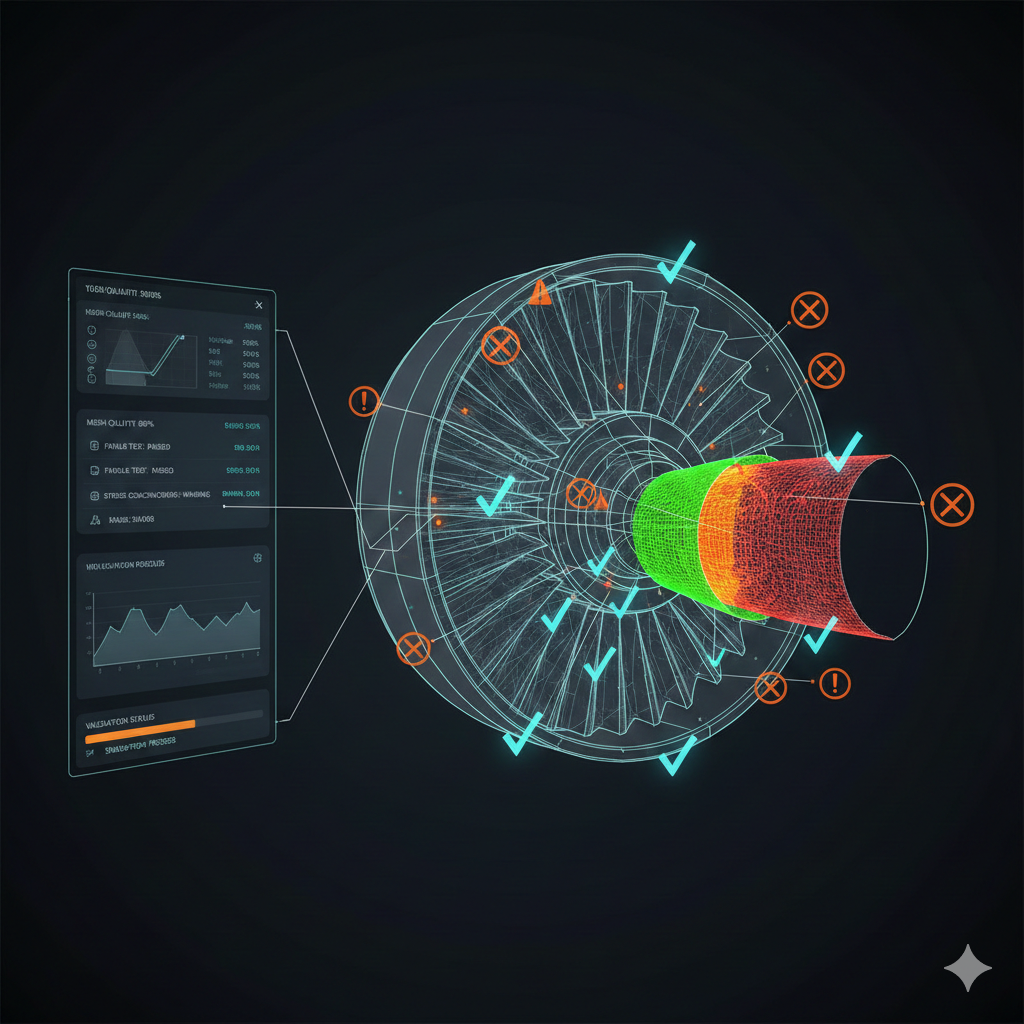
Geometry Validation and Quality Checking in Parametric CAD
A parametric CAD model might look perfect on screen, but that visual representation hides potential problems that only surface during manufacturing. Your 3D printer fails mid-print because the model has invisible gaps. Your CNC machine crashes because surfaces self-intersect. Your assembly simulation reports impossible collisions because components have invalid topology.
These failures share a common cause: geometry that is visually correct but topologically broken. The fix is not better visualization - it is systematic validation that catches problems before they escape the design phase.
This article explores geometry validation in parametric CAD systems using CadQuery and Open CASCADE. You will learn to detect common issues like non-manifold edges and open shells, implement validation pipelines that run automatically during export, and apply repair strategies when validation fails.
Why geometry validation matters
CAD geometry exists as mathematical representations - NURBS surfaces, B-Rep solids, and topological structures that define how faces, edges, and vertices connect. Manufacturing processes interpret these representations literally. When the math is inconsistent, manufacturing fails.
Consider the three main use cases:
3D Printing (FDM/SLA) requires watertight meshes. The slicer generates toolpaths by computing where horizontal planes intersect your model. Open shells, inverted normals, or self-intersecting surfaces create ambiguous intersection calculations. The result: missing layers, infinite loops, or complete slicer failures.
CNC Machining relies on consistent surface normals to determine material removal direction. Non-manifold edges (where more than two faces share an edge) create undefined machining directions. The toolpath generator cannot determine which side is material and which is void.
Assembly Simulation performs collision detection and constraint solving. Invalid topology causes interference calculations to report false positives or miss actual collisions entirely. Your carefully designed snap-fit fails because the simulation cannot correctly determine surface boundaries.
Common geometry issues
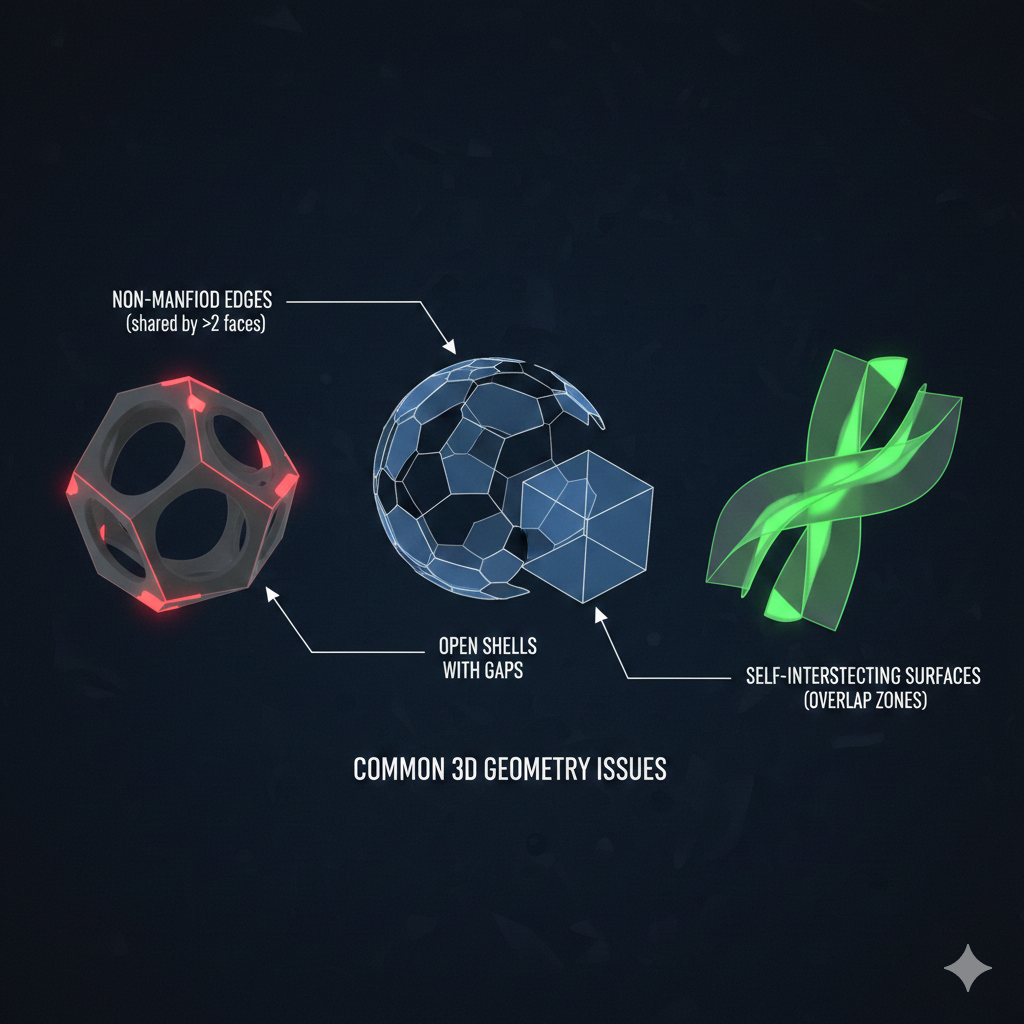
Understanding what can go wrong helps you design validation checks that catch real problems. The most common issues fall into three categories.
Non-manifold geometry
A manifold solid has a simple property: every edge belongs to exactly two faces. Non-manifold edges violate this rule. They occur when:
- Three or more faces share a single edge (a “T-junction”)
- An edge has only one face (a dangling edge)
- Faces share a single vertex but no edge
import cadquery as cq
# This creates a non-manifold edge where the boxes touchbox1 = cq.Workplane("XY").box(10, 10, 10)box2 = cq.Workplane("XY").center(5, 0, 0).box(10, 10, 10)
# Union should fix it, but sometimes creates T-junctions insteadresult = box1.union(box2)
Non-manifold geometry often results from boolean operations between shapes that share faces or edges at exactly coincident positions. The CAD kernel cannot determine the intended topology at those boundaries.
Self-intersecting surfaces
Self-intersection occurs when a surface crosses through itself. This creates ambiguous inside/outside regions that manufacturing processes cannot interpret. Common causes include:
- Sweeping a profile along a path with too-tight curves
- Lofting between profiles with incompatible topology
- Offset operations that invert in tight corners
import cadquery as cq
# A sharp offset on a small radius creates self-intersectionprofile = cq.Workplane("XY").circle(5)# Offsetting inward by more than the radius inverts the geometrydangerous = profile.offset2D(-6)  # Likely to self-intersect
Open shells
A closed solid completely encloses its interior volume. Open shells have gaps - missing faces that create holes in the boundary. Slicers cannot determine inside from outside because the boundary is incomplete.
import cadquery as cq
# Building a box face-by-face risks leaving gapsfaces = []faces.append(cq.Workplane("XY").rect(10, 10))  # Bottomfaces.append(cq.Workplane("XZ").rect(10, 10))  # Front# Forgot the other faces - this is an open shell
Implementing validation checks
Validation should run automatically and report issues with enough detail to guide repairs. The following implementation uses a structured approach with severity levels and detailed diagnostics.
from dataclasses import dataclass, fieldfrom enum import Enumfrom typing import Anyimport cadquery as cq
class IssueSeverity(Enum):    """Severity level for validation issues."""    ERROR = "error"      # Geometry likely will not work    WARNING = "warning"  # Potential issues    INFO = "info"        # Informational only
@dataclassclass ValidationIssue:    """A single validation issue found during geometry checks."""    severity: IssueSeverity    code: str    message: str    details: dict[str, Any] = field(default_factory=dict)
@dataclassclass ValidationResult:    """Result of validating a component's geometry."""    component_name: str    is_valid: bool    issues: list[ValidationIssue] = field(default_factory=list)    bbox_size: tuple[float, float, float] | None = None    solid_count: int = 0    face_count: int = 0
    @property    def has_errors(self) -> bool:        return any(i.severity == IssueSeverity.ERROR for i in self.issues)
    @property    def has_warnings(self) -> bool:        return any(i.severity == IssueSeverity.WARNING for i in self.issues)
The ValidationResult class captures both pass/fail status and detailed metrics. Separating ERROR, WARNING, and INFO levels allows pipelines to fail on critical issues while still reporting less severe concerns.
Core validation function
The main validation function performs multiple checks and aggregates results:
MAX_DIMENSION = 2000.0  # Maximum reasonable dimension in mmMIN_DIMENSION = 0.01    # Minimum reasonable dimension in mm
def validate_geometry(    geometry: cq.Workplane,    name: str = "component",    max_dimension: float = MAX_DIMENSION,    min_dimension: float = MIN_DIMENSION,) -> ValidationResult:    """Validate CadQuery geometry for manufacturing readiness."""    issues: list[ValidationIssue] = []    bbox_size = None    solid_count = 0    face_count = 0
    # Check 1: Geometry contains shapes    try:        vals = geometry.vals()        if not vals:            issues.append(ValidationIssue(                severity=IssueSeverity.ERROR,                code="EMPTY_GEOMETRY",                message="Geometry contains no shapes",            ))            return ValidationResult(                component_name=name,                is_valid=False,                issues=issues,            )        shape = geometry.val()    except Exception as e:        issues.append(ValidationIssue(            severity=IssueSeverity.ERROR,            code="GEOMETRY_ACCESS_FAILED",            message=f"Failed to access geometry: {e}",        ))        return ValidationResult(component_name=name, is_valid=False, issues=issues)
    # Check 2: Solid body count    try:        solids = shape.Solids()        solid_count = len(solids)        if solid_count == 0:            issues.append(ValidationIssue(                severity=IssueSeverity.ERROR,                code="NO_SOLIDS",                message="Geometry has no solid bodies",            ))    except Exception:        pass  # Some shapes may not support Solids()
    # Check 3: Face count    try:        faces = shape.Faces()        face_count = len(faces)        if face_count == 0 and solid_count > 0:            issues.append(ValidationIssue(                severity=IssueSeverity.WARNING,                code="NO_FACES",                message="Solid has no faces",            ))    except Exception:        pass
    # Check 4: Bounding box sanity    try:        bbox = shape.BoundingBox()        bbox_size = (bbox.xlen, bbox.ylen, bbox.zlen)
        max_dim = max(bbox_size)        if max_dim > max_dimension:            issues.append(ValidationIssue(                severity=IssueSeverity.WARNING,                code="OVERSIZED",                message=f"Dimension ({max_dim:.1f}mm) exceeds {max_dimension}mm",                details={"max_dimension": max_dim},            ))
        min_dim = min(bbox_size)        if min_dim < min_dimension:            issues.append(ValidationIssue(                severity=IssueSeverity.WARNING,                code="UNDERSIZED",                message=f"Dimension ({min_dim:.4f}mm) below {min_dimension}mm",                details={"min_dimension": min_dim},            ))    except Exception as e:        issues.append(ValidationIssue(            severity=IssueSeverity.WARNING,            code="BBOX_FAILED",            message=f"Could not compute bounding box: {e}",        ))
    is_valid = not any(i.severity == IssueSeverity.ERROR for i in issues)    return ValidationResult(        component_name=name,        is_valid=is_valid,        issues=issues,        bbox_size=bbox_size,        solid_count=solid_count,        face_count=face_count,    )
This implementation checks for empty geometry, missing solids, and unreasonable dimensions. Each check is wrapped in try/except to ensure one failing check does not prevent subsequent checks from running.
Using BRepCheck from Open CASCADE
For deeper topology validation, CadQuery’s underlying Open CASCADE kernel provides BRepCheck_Analyzer. This tool detects issues that geometric checks miss: invalid edge curves, self-intersecting faces, and topology inconsistencies.
def validate_with_occ(geometry: cq.Workplane, name: str = "component") -> ValidationResult:    """Deep validation using Open CASCADE BRepCheck_Analyzer."""    issues: list[ValidationIssue] = []
    try:        shape = geometry.val()        occ_shape = shape.wrapped  # Get underlying OCC TopoDS_Shape
        from OCC.Core.BRepCheck import BRepCheck_Analyzer
        analyzer = BRepCheck_Analyzer(occ_shape)
        if not analyzer.IsValid():            issues.append(ValidationIssue(                severity=IssueSeverity.ERROR,                code="INVALID_SHAPE",                message="OCC reports shape is invalid (possible self-intersections)",            ))
    except ImportError:        issues.append(ValidationIssue(            severity=IssueSeverity.INFO,            code="OCC_NOT_AVAILABLE",            message="OCC.Core not available for direct import",        ))    except Exception as e:        issues.append(ValidationIssue(            severity=IssueSeverity.WARNING,            code="OCC_CHECK_FAILED",            message=f"OCC validity check failed: {e}",        ))
    is_valid = not any(i.severity == IssueSeverity.ERROR for i in issues)    return ValidationResult(component_name=name, is_valid=is_valid, issues=issues)
Note: Direct OCC imports require the
pythonocc-corepackage. CadQuery bundles OCC but does not always expose theBRepCheckmodule directly. Check your environment if imports fail.
For more detailed diagnostics, you can query the analyzer for specific issues:
from OCC.Core.BRepCheck import BRepCheck_Analyzer, BRepCheck_Statusfrom OCC.Core.TopAbs import TopAbs_FACE, TopAbs_EDGE
def get_detailed_issues(occ_shape) -> list[str]:    """Extract detailed issue descriptions from BRepCheck."""    analyzer = BRepCheck_Analyzer(occ_shape)    issues = []
    if not analyzer.IsValid():        # Check individual faces        result = analyzer.Result(occ_shape)        if result:            status_list = result.Status()            for status in status_list:                if status != BRepCheck_Status.BRepCheck_NoError:                    issues.append(f"Shape issue: {status.name}")
    return issues
Volume and closure checks
Beyond topology, physical properties provide additional validation signals:
def check_physical_properties(geometry: cq.Workplane) -> list[ValidationIssue]:    """Validate physical properties like volume and closure."""    issues = []    shape = geometry.val()
    # Volume check - closed solids have positive volume    try:        from OCC.Core.GProp import GProp_GProps        from OCC.Core.BRepGProp import brepgprop_VolumeProperties
        props = GProp_GProps()        brepgprop_VolumeProperties(shape.wrapped, props)        volume = props.Mass()
        if volume <= 0:            issues.append(ValidationIssue(                severity=IssueSeverity.ERROR,                code="ZERO_VOLUME",                message="Solid has zero or negative volume (likely not closed)",                details={"volume": volume},            ))        elif volume < 0.001:  # Less than 1 cubic mm            issues.append(ValidationIssue(                severity=IssueSeverity.WARNING,                code="TINY_VOLUME",                message=f"Volume ({volume:.6f} mm^3) is extremely small",                details={"volume": volume},            ))    except Exception as e:        issues.append(ValidationIssue(            severity=IssueSeverity.WARNING,            code="VOLUME_CHECK_FAILED",            message=f"Could not compute volume: {e}",        ))
    return issues
A solid with zero or negative volume almost certainly has topology problems. This check catches open shells and inverted surfaces that other checks might miss.
Repair strategies
When validation fails, you have several repair options depending on the issue type.
Healing operations
Open CASCADE provides ShapeFix classes for automatic repair:
from OCC.Core.ShapeFix import ShapeFix_Shape, ShapeFix_Solid
def attempt_repair(geometry: cq.Workplane) -> cq.Workplane:    """Attempt to repair invalid geometry using OCC ShapeFix."""    shape = geometry.val()    occ_shape = shape.wrapped
    fixer = ShapeFix_Shape(occ_shape)    fixer.Perform()    fixed_shape = fixer.Shape()
    # Wrap back into CadQuery    from cadquery.occ_impl.shapes import Shape    return cq.Workplane(Shape(fixed_shape))
Warning: Automatic repair changes your geometry. Always validate the repaired result and visually inspect critical features. Repair operations may fill gaps incorrectly or alter dimensions.
Boolean cleanup
For non-manifold geometry from boolean operations, try re-running with fuzziness:
def robust_union(shape1: cq.Workplane, shape2: cq.Workplane) -> cq.Workplane: """Union with fuzzy tolerance to avoid non-manifold edges.""" # Slight offset prevents exact-coincident faces tolerance = 0.001 # 1 micron return shape1.union(shape2, tol=tolerance)Regeneration
Sometimes the best repair is regenerating the geometry with adjusted parameters:
def generate_with_validation(params: dict) -> cq.Workplane:    """Generate geometry with automatic validation and retry."""    max_attempts = 3
    for attempt in range(max_attempts):        geometry = generate_part(**params)        result = validate_geometry(geometry)
        if result.is_valid:            return geometry
        # Adjust parameters for next attempt        if "UNDERSIZED" in [i.code for i in result.issues]:            params["min_thickness"] = params.get("min_thickness", 1.0) * 1.5
    raise ValueError(f"Could not generate valid geometry after {max_attempts} attempts")
Integration with export pipeline
Validation should be a mandatory step in your export process. Here is how to integrate it:
from pathlib import Path
def export_with_validation(    geometry: cq.Workplane,    name: str,    output_dir: Path,    formats: list[str] = ["step", "stl"],) -> dict[str, Path]:    """Export geometry only if validation passes."""
    # Run validation    result = validate_geometry(geometry, name)
    if result.has_errors:        error_messages = [            f"  [{i.code}] {i.message}"            for i in result.issues            if i.severity == IssueSeverity.ERROR        ]        raise ValueError(            f"Validation failed for {name}:\n" + "\n".join(error_messages)        )
    # Log warnings but continue    if result.has_warnings:        for issue in result.issues:            if issue.severity == IssueSeverity.WARNING:                print(f"Warning [{issue.code}]: {issue.message}")
    # Export to requested formats    exported = {}    output_dir.mkdir(parents=True, exist_ok=True)
    if "step" in formats:        step_path = output_dir / f"{name}.step"        cq.exporters.export(geometry, str(step_path))        exported["step"] = step_path
    if "stl" in formats:        stl_path = output_dir / f"{name}.stl"        cq.exporters.export(geometry, str(stl_path))        exported["stl"] = stl_path
    print(f"Exported {name}: {result.solid_count} solids, {result.face_count} faces")    return exported
This pattern ensures that invalid geometry never reaches manufacturing. The validation gate catches problems during development when they are cheapest to fix.
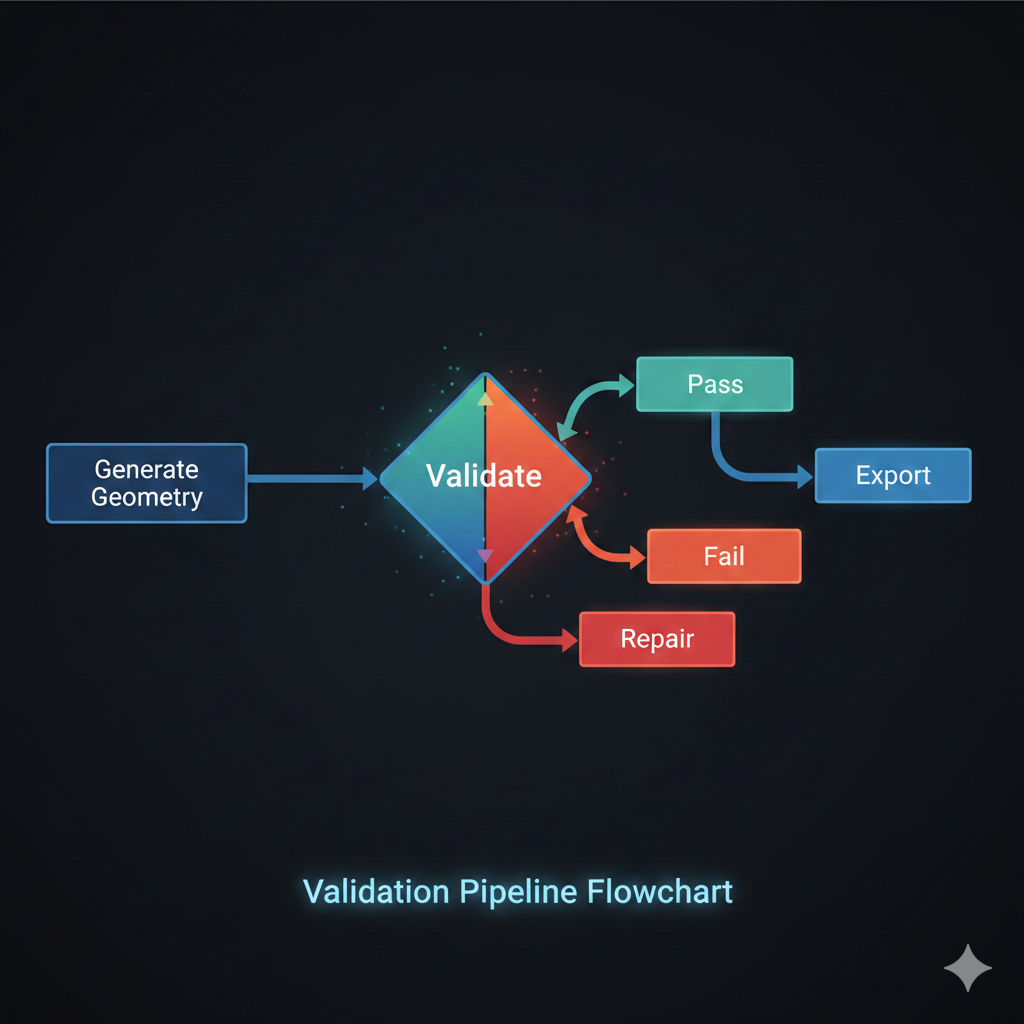
Validation pipeline architecture
A complete validation pipeline processes components through multiple checks:
┌─────────────────┐ ┌─────────────────┐ ┌─────────────────┐│ Generate │────▶│ Validate │────▶│ Export ││ Geometry │ │ Geometry │ │ STEP / STL │└─────────────────┘ └────────┬────────┘ └─────────────────┘ │ ┌────────▼────────┐ │ Pass / Fail │ └────────┬────────┘ │ ┌──────────────────┼──────────────────┐ ▼ ▼ ▼ ┌──────────┐ ┌──────────┐ ┌──────────┐ │ Pass │ │ Warning │ │ Fail │ │ Continue │ │ Log │ │ Repair │ └──────────┘ └──────────┘ └────┬─────┘ │ ┌──────▼──────┐ │ Re-validate │ └─────────────┘Each component passes through validation before export. Failures trigger repair attempts, which then re-validate. This loop continues until validation passes or repair options are exhausted.
Key takeaways
Implementing geometry validation in parametric CAD systems yields several benefits:
- Early detection catches topology issues during development, not during manufacturing when failures are expensive
- Structured results with severity levels and error codes enable automated pipelines to make intelligent decisions
- BRepCheck from Open CASCADE provides deep topology validation beyond simple geometric checks
- Physical property checks like volume computation catch open shells that visual inspection misses
- Repair strategies range from automatic healing to parameter adjustment and regeneration
- Export integration ensures invalid geometry never reaches manufacturing tools
The investment in validation infrastructure pays off quickly. A single caught error that would have failed a 3D print or crashed a CNC machine justifies the implementation effort. More importantly, validation creates confidence that your parametric designs will actually work in the physical world.