Container Security from Build to Runtime: A Practical Hardening Guide
Your container passed the vulnerability scan, got deployed to production, and promptly got compromised through a misconfigured runtime policy. The security team had checked every box—base image updated, no critical CVEs, signed and pushed to a private registry. Yet an attacker pivoted from a compromised pod to exfiltrate secrets from the Kubernetes API, all because the container ran as root with unrestricted network egress.
This scenario plays out more often than security vendors want to admit. Static vulnerability scanning has become table stakes, a checkbox that gives teams false confidence while ignoring the attack surface that actually matters. CVE databases catalog known vulnerabilities in known packages, but they tell you nothing about whether your container can write to the host filesystem, communicate with the metadata service, or spawn privileged child processes.
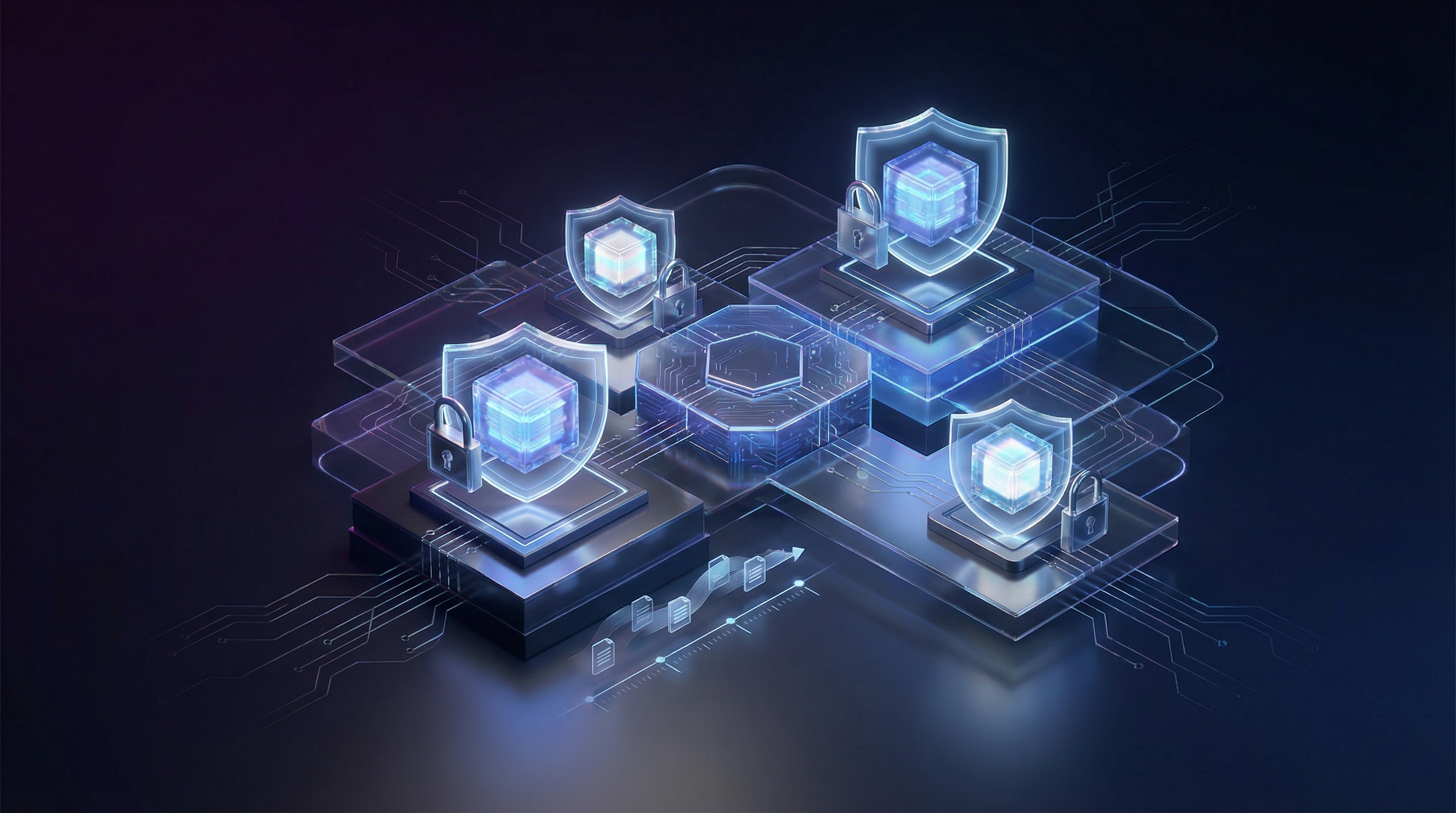
Container security operates across four distinct layers, each with its own failure modes and mitigations: the image itself, the registry and supply chain, runtime execution policies, and network segmentation. A breach at any layer can compromise the others. An outdated base image introduces known exploits. A poisoned registry artifact bypasses all downstream controls. Permissive runtime settings let attackers escape container isolation. Flat network policies enable lateral movement that turns a single compromised pod into cluster-wide access.
The path to production-grade container security requires treating each layer as a defense that will eventually fail, then building the next layer to contain that failure. Static scanning remains necessary—but it addresses roughly twenty percent of the attack surface that matters in a running Kubernetes cluster.
The Container Security Attack Surface
Production container breaches share a common pattern: organizations invested heavily in vulnerability scanning, yet attackers still compromised their workloads. The 2024 Datadog State of Cloud Security report revealed that 63% of container security incidents occurred in environments with active scanning tools. Scanning identifies known CVEs in image layers, but containers face threats that never appear in vulnerability databases.

Attackers exploit misconfigurations, overly permissive network policies, exposed secrets, and runtime privilege escalation paths. A container running as root with host namespace access presents a greater immediate risk than an unpatched library with a theoretical exploit chain. Security requires addressing the complete attack surface, not just the scannable portions.
The Four Layers of Container Security
Container security operates across four distinct layers, each requiring specific controls:
Image security starts at build time. Base image selection, dependency management, and build configuration determine the attack surface before a container ever runs. Vulnerabilities introduced here propagate through every deployment.
Registry security governs what images enter your environment. Without signature verification and admission controls, compromised or malicious images bypass all upstream security work. The registry acts as your last checkpoint before deployment.
Runtime security enforces constraints on executing containers. Privilege restrictions, capability dropping, read-only filesystems, and seccomp profiles limit what a compromised container can do. Strong runtime policies contain breaches that bypass other layers.
Network security controls lateral movement. Default Kubernetes networking allows any pod to communicate with any other pod. Without segmentation, a single compromised container becomes a beachhead for cluster-wide attacks.
Common Attack Vectors
Container environments face predictable attack patterns. Cryptomining through exposed container APIs remains prevalent, with attackers targeting misconfigured Docker sockets and Kubernetes API servers. Supply chain attacks inject malicious code into base images or dependencies before your build process ever runs.
Container escape vulnerabilities let attackers break out of container isolation to access the host node. Once on the node, they access secrets, pivot to other containers, or compromise the container runtime itself. Exposed sensitive data in environment variables, mounted secrets, or application logs provides credentials for further lateral movement.
💡 Pro Tip: Map your current security controls against all four layers. Most organizations discover significant gaps in runtime and network security despite mature scanning practices.
Defense in depth across these layers transforms container security from checkbox compliance into actual breach prevention. The following sections provide implementation details for each layer, starting with building secure images from the ground up.
Building Secure Container Images
The container image is your first line of defense. Every unnecessary package, library, and binary you include expands your attack surface and introduces potential vulnerabilities. A production image should contain exactly what your application needs to run—nothing more. Understanding and applying image hardening techniques dramatically reduces the attack vectors available to malicious actors.
Multi-Stage Builds for Minimal Images
Multi-stage builds separate your build environment from your runtime environment. Your build stage includes compilers, package managers, and development dependencies. Your final stage contains only the compiled application and its runtime requirements. This separation ensures that build-time tools never ship to production.
## Build stage with full toolchainFROM golang:1.22-alpine AS builder
WORKDIR /srcCOPY go.mod go.sum ./RUN go mod download
COPY . .RUN CGO_ENABLED=0 GOOS=linux go build -ldflags="-w -s" -o /app/server ./cmd/server
## Runtime stage - minimal attack surfaceFROM gcr.io/distroless/static-debian12:nonroot
COPY --from=builder /app/server /server
USER 65532:65532ENTRYPOINT ["/server"]
This pattern reduces a typical Go application image from 800MB to under 10MB. More importantly, it eliminates the Go toolchain, shell, package manager, and hundreds of binaries that attackers could exploit. The -ldflags="-w -s" flags strip debugging information and symbol tables, further reducing binary size and removing metadata that could aid reverse engineering.
Choosing and Verifying Base Images
Your base image choice directly impacts your security posture. Official images from Docker Hub, verified publishers, and distributions like Chainguard provide signed, regularly updated foundations. Evaluate base images based on update frequency, CVE response time, and the maintainer’s security track record.
Verify image signatures before building:
cosign verify --key https://example.com/release.pub gcr.io/distroless/static-debian12:nonrootPin images to specific digests rather than mutable tags. The latest tag changes without warning—a digest guarantees reproducibility and prevents supply chain attacks where a compromised tag could inject malicious code:
FROM gcr.io/distroless/static-debian12:nonroot@sha256:3f6c7d4e5a8b9c2d1e0f7a6b5c4d3e2f1a0b9c8d7e6f5a4b3c2d1e0f9a8b7c6d5Establish a process for regularly updating pinned digests as new security patches become available. Automated dependency update tools can monitor for new base image releases and create pull requests when updates are published.
Running as Non-Root
Running containers as root grants attackers immediate elevated privileges upon compromise. Configure your images to run as unprivileged users from the start:
FROM node:22-alpine
RUN addgroup -g 1001 appgroup && \    adduser -u 1001 -G appgroup -D appuser
WORKDIR /appCOPY --chown=appuser:appgroup package*.json ./RUN npm ci --only=production
COPY --chown=appuser:appgroup . .
USER appuserEXPOSE 3000CMD ["node", "server.js"]
💡 Pro Tip: Use numeric UIDs (65532) instead of usernames in production. Some minimal images lack
/etc/passwd, causing username lookups to fail at runtime. The UID 65532 is conventionally used by distroless images for the nonroot user.
Distroless and Scratch Images
Distroless images from Google contain only your application and its runtime dependencies—no shell, no package manager, no unnecessary utilities. For static binaries, scratch images provide an empty filesystem:
FROM scratch
COPY --from=builder /etc/ssl/certs/ca-certificates.crt /etc/ssl/certs/COPY --from=builder /app/server /server
USER 65532:65532ENTRYPOINT ["/server"]
Scratch images make interactive exploitation nearly impossible. Without a shell, attackers cannot execute arbitrary commands even if they achieve code execution. However, this also complicates debugging—consider maintaining a separate debug image with diagnostic tools for development environments only.
Dropping Capabilities
Linux capabilities provide granular privilege control beyond the binary root/non-root distinction. Drop all capabilities and add only what your application requires:
## In your Kubernetes deployment, not Dockerfile## securityContext:## capabilities:## drop: ["ALL"]## add: ["NET_BIND_SERVICE"] # Only if binding to ports < 1024Common capabilities to evaluate include NET_BIND_SERVICE for low-numbered ports, CHOWN for file ownership changes, and SETUID/SETGID for user switching. Most applications require none of these—when in doubt, drop everything and add back only what fails.
The combination of minimal base images, non-root users, and dropped capabilities creates defense in depth. An attacker who compromises your application finds themselves in a restricted environment with no tools to escalate privileges or move laterally. Each layer of protection compounds the difficulty of successful exploitation.
These hardened images form the foundation of your security posture, but building secure images is only effective when you verify them continuously. Integrating automated scanning into your CI/CD pipeline ensures vulnerabilities are caught before they reach production.
Integrating Security Scanning into CI/CD
Catching vulnerabilities before they reach production requires embedding security scanning directly into your deployment pipeline. A well-designed CI/CD security gate acts as an automated checkpoint that blocks problematic images while allowing secure workloads to flow through without friction. The key is building layers of verification—vulnerability scanning, policy enforcement, cryptographic signing, and supply chain transparency—that work together to establish trust in your container images.
Vulnerability Scanning Before Registry Push
Trivy has become the de facto standard for container vulnerability scanning due to its speed, accuracy, and zero-configuration setup. Integrate it as a pipeline stage that runs after image building but before pushing to your registry. This positioning ensures that vulnerable images never enter your registry in the first place, reducing your attack surface and preventing downstream consumers from accidentally pulling compromised images.
scan-image: stage: security image: aquasec/trivy:latest script: - trivy image --exit-code 1 --severity CRITICAL,HIGH --ignore-unfixed --format table $CI_REGISTRY_IMAGE:$CI_COMMIT_SHA allow_failure: false artifacts: reports: container_scanning: trivy-results.jsonThe --exit-code 1 flag causes the pipeline to fail when vulnerabilities matching your severity threshold are detected. The --ignore-unfixed flag prevents blocking on vulnerabilities that have no available patch, keeping your pipeline practical rather than perpetually broken. Consider also adding --timeout 15m for larger images, as comprehensive scanning of images with many layers can exceed default timeouts.
Policy Gates for Vulnerability Thresholds
Raw scanning results need policy enforcement to become actionable. Define explicit thresholds that match your organization’s risk tolerance. Different environments may warrant different policies—development branches might allow more latitude while production releases demand zero critical vulnerabilities.
- name: Evaluate Security Policy  run: |    CRITICAL_COUNT=$(trivy image --format json $IMAGE | jq '[.Results[].Vulnerabilities[] | select(.Severity=="CRITICAL")] | length')    HIGH_COUNT=$(trivy image --format json $IMAGE | jq '[.Results[].Vulnerabilities[] | select(.Severity=="HIGH")] | length')
    if [ "$CRITICAL_COUNT" -gt 0 ]; then      echo "::error::Found $CRITICAL_COUNT critical vulnerabilities"      exit 1    fi
    if [ "$HIGH_COUNT" -gt 5 ]; then      echo "::error::Found $HIGH_COUNT high vulnerabilities (threshold: 5)"      exit 1    fi
💡 Pro Tip: Start with strict thresholds and use a vulnerability exception file (
trivyignore.yaml) for accepted risks rather than loosening your policy globally. This creates an audit trail of deliberate risk acceptance decisions. Each exception should include a justification, an owner, and an expiration date for periodic review.
Image Signing with Cosign
Vulnerability scanning proves an image is safe at build time, but you need cryptographic signatures to verify that the same image reaches production unchanged. Without signatures, an attacker who compromises your registry could swap in a malicious image that bypasses all your scanning. Sigstore’s Cosign provides keyless signing that integrates with OIDC providers, eliminating the operational burden of managing signing keys.
- name: Sign Container Image  run: |    cosign sign --yes \      --oidc-issuer https://token.actions.githubusercontent.com \      $REGISTRY/$IMAGE@$DIGEST
- name: Verify Signature Before Deploy  run: |    cosign verify \      --certificate-identity-regexp "github.com/your-org/*" \      --certificate-oidc-issuer https://token.actions.githubusercontent.com \      $REGISTRY/$IMAGE@$DIGEST
Kubernetes admission controllers like Kyverno or Gatekeeper can enforce signature verification at deployment time, rejecting any unsigned images automatically. This creates a cryptographic chain of custody from your CI pipeline to your production cluster.
SBOM Generation for Supply Chain Visibility
A Software Bill of Materials provides a complete inventory of packages in your container, essential for responding quickly when new vulnerabilities are disclosed. Rather than rescanning every image when a new CVE emerges, you can query your SBOM database to immediately identify which deployments contain the affected component.
- name: Generate SBOM run: | syft $CI_REGISTRY_IMAGE:$CI_COMMIT_SHA -o spdx-json > sbom.spdx.json cosign attest --predicate sbom.spdx.json --type spdx \ $CI_REGISTRY_IMAGE@$DIGESTAttaching the SBOM as a signed attestation alongside your image creates a verifiable chain linking your container to its exact component inventory. When the next Log4Shell-level vulnerability drops, you can query your SBOM database to identify affected deployments within minutes rather than days. Store SBOMs in a searchable repository like Dependency-Track or GUAC to enable rapid impact analysis across your entire container fleet.
These automated gates form your first line of defense, but containers that pass scanning still need runtime protections. Pod Security Standards provide the Kubernetes-native mechanism for constraining what containers can do once they’re running.
Runtime Security with Pod Security Standards
Building secure container images establishes a strong foundation, but runtime enforcement ensures those security properties hold in production. Kubernetes Pod Security Standards provide cluster-wide guardrails that prevent workloads from acquiring dangerous capabilities, regardless of what developers specify in their manifests. Without these controls, a single misconfigured deployment can compromise an entire cluster.
Understanding the Three Security Levels
Kubernetes defines three progressively restrictive security profiles that balance usability against security requirements:
Privileged allows unrestricted access, effectively disabling all security controls. Reserve this exclusively for infrastructure components like CNI plugins, log collectors, or storage drivers that genuinely require host-level access. Even then, isolate these workloads in dedicated namespaces with strict RBAC controls.
Baseline blocks known privilege escalation vectors while remaining compatible with most workloads. This prevents hostNetwork, hostPID, privileged containers, and dangerous capabilities like NET_RAW. The baseline profile represents the minimum viable security posture for production workloads and should be your starting point for any namespace.
Restricted enforces comprehensive hardening aligned with pod security best practices. Workloads must run as non-root, drop all capabilities, use read-only root filesystems, and cannot mount host paths. This profile implements defense-in-depth principles and should be the target for all application workloads.
Apply these standards at the namespace level using labels:
apiVersion: v1kind: Namespacemetadata: name: production labels: pod-security.kubernetes.io/enforce: restricted pod-security.kubernetes.io/enforce-version: latest pod-security.kubernetes.io/audit: restricted pod-security.kubernetes.io/warn: restrictedThe audit and warn modes log violations without blocking, enabling gradual rollout. Use this three-phase approach: start with warn-only to identify non-compliant workloads, enable audit mode to capture violations in cluster logs, then finally enable enforcement once all workloads comply.
Implementing Security Contexts
Pod Security Standards define what’s allowed; security contexts specify actual runtime constraints. A production-hardened pod combines multiple defensive layers:
apiVersion: apps/v1kind: Deploymentmetadata: name: api-service namespace: productionspec: replicas: 3 selector: matchLabels: app: api-service template: metadata: labels: app: api-service spec: securityContext: runAsNonRoot: true runAsUser: 10001 runAsGroup: 10001 fsGroup: 10001 seccompProfile: type: RuntimeDefault containers: - name: api image: registry.example.com/api:v2.1.0 securityContext: allowPrivilegeEscalation: false readOnlyRootFilesystem: true capabilities: drop: - ALL resources: requests: memory: "256Mi" cpu: "250m" limits: memory: "512Mi" cpu: "1000m" volumeMounts: - name: tmp mountPath: /tmp - name: cache mountPath: /var/cache volumes: - name: tmp emptyDir: {} - name: cache emptyDir: sizeLimit: 100MiThis configuration enforces several critical protections. The runAsNonRoot directive prevents containers from running as UID 0, even if the image specifies a root user. Setting readOnlyRootFilesystem: true blocks attackers from modifying binaries or dropping persistent malware—mount writable emptyDir volumes only where applications genuinely need write access.
The seccomp profile RuntimeDefault restricts available system calls to a safe subset, blocking dangerous operations like ptrace and mount. For additional hardening, create custom seccomp profiles that whitelist only the specific syscalls your application requires. Tools like strace or security profilers can help identify the minimal syscall set during development.
💡 Pro Tip: Dropping ALL capabilities and adding back specific ones is safer than starting from the default set. Most applications need zero Linux capabilities to function correctly. If your application requires capabilities like NET_BIND_SERVICE for binding to privileged ports, consider architectural alternatives like using higher ports with service mesh routing.
Resource Limits as Security Controls
Resource limits serve dual purposes: preventing resource exhaustion and constraining cryptomining or other malicious compute usage. Always set both requests and limits. Workloads without memory limits can trigger OOM kills across node neighbors, causing cascading failures. CPU limits prevent compromised containers from consuming cycles for cryptocurrency mining, a common post-exploitation activity.
The sizeLimit on emptyDir volumes prevents attackers from filling node storage, which could crash the kubelet or other pods. Without this limit, a compromised container could write unlimited data to ephemeral storage, exhausting the node’s disk and causing widespread disruption.
Consider implementing LimitRanges at the namespace level to enforce default resource constraints, ensuring that even workloads missing explicit limits receive reasonable defaults.
Validating Your Configuration
Test policy enforcement before deploying to production:
kubectl label namespace staging pod-security.kubernetes.io/enforce=restricted --dry-run=serverReview audit logs for violations, then remediate workloads before enabling enforcement mode. The kubectl auth can-i command helps verify that service accounts lack dangerous permissions that could bypass these controls.
With runtime policies enforcing least-privilege execution, the next layer of defense restricts network communication between pods to limit lateral movement opportunities.
Network Segmentation with Calico Policies
Kubernetes networking defaults to allowing all pod-to-pod communication—a configuration that transforms any compromised container into a launchpad for lateral movement. Network policies provide the mechanism to enforce zero-trust principles at the network layer, treating every connection as potentially hostile until explicitly authorized.

Establishing Default-Deny as Your Baseline
Before defining what traffic to allow, block everything. This foundational policy denies all ingress and egress traffic for pods in a namespace, forcing you to explicitly whitelist legitimate communication paths.
apiVersion: networking.k8s.io/v1kind: NetworkPolicymetadata: name: default-deny-all namespace: productionspec: podSelector: {} policyTypes: - Ingress - EgressApply this policy to every namespace containing application workloads. The empty podSelector matches all pods, while specifying both policy types ensures complete isolation. Pods can still communicate with the Kubernetes API server through the host network, but all pod-to-pod and external traffic stops.
💡 Pro Tip: Deploy default-deny policies during initial namespace provisioning via admission controllers or GitOps pipelines. Retrofitting them into existing namespaces requires careful traffic analysis to avoid outages.
Microsegmentation Between Services
With all traffic blocked, define precise policies that permit only necessary communication. A typical three-tier application requires the frontend to reach the API layer, and the API layer to access the database—nothing more.
apiVersion: crd.projectcalico.org/v1kind: NetworkPolicymetadata: name: api-ingress-egress namespace: productionspec: selector: app == 'api-server' types: - Ingress - Egress ingress: - action: Allow protocol: TCP source: selector: app == 'frontend' destination: ports: - 8080 egress: - action: Allow protocol: TCP destination: selector: app == 'postgres' ports: - 5432 - action: Allow protocol: UDP destination: ports: - 53This Calico NetworkPolicy uses label selectors to create dynamic security groups. The API server accepts connections only from frontend pods on port 8080 and initiates connections only to the database on port 5432. The UDP port 53 rule permits DNS resolution—a requirement frequently overlooked that causes mysterious connection failures.
Egress Controls for Data Exfiltration Prevention
Attackers who gain code execution within a container typically attempt to exfiltrate data or establish command-and-control channels. Strict egress policies limit the blast radius by controlling what external destinations pods can reach.
apiVersion: crd.projectcalico.org/v1kind: GlobalNetworkPolicymetadata: name: restrict-external-egressspec: selector: app in {'api-server', 'worker'} types: - Egress egress: - action: Allow destination: nets: - 10.0.0.0/8 - action: Allow protocol: TCP destination: domains: - "*.amazonaws.com" - "api.stripe.com" ports: - 443 - action: DenyThis policy restricts selected pods to internal RFC 1918 addresses and specific external domains over HTTPS. Calico’s domain-based rules resolve DNS at policy evaluation time, blocking connections to unauthorized external hosts even if an attacker attempts DNS tunneling through allowed resolvers.
Implementing Zero-Trust Verification
Calico extends standard network policies with application-layer controls. For services requiring stronger identity verification, integrate with service mesh mTLS or use Calico’s built-in workload identity features to enforce cryptographic authentication between services.
Layer network policies with pod security standards for defense in depth: network policies control what pods can communicate with, while pod security standards control what pods can do on the host. A compromised container that cannot make network connections and runs without privileges presents minimal risk.
Effective network segmentation generates significant operational overhead through policy maintenance and troubleshooting. Calico’s flow logs and policy visualization tools prove essential for understanding traffic patterns and validating that policies match intended behavior.
With network boundaries established, the next critical attack vector to address is the secrets and dependencies your containers consume—protecting the software supply chain from image build through production deployment.
Secrets Management and Supply Chain Security
Hardened images and strict runtime policies mean nothing if your secrets leak or a compromised dependency enters your supply chain. This section covers protecting sensitive data and verifying the integrity of every component in your container pipeline.
Never Bake Secrets Into Images
Embedding secrets in container images is a critical vulnerability. Even if you delete a secret in a later layer, it remains accessible in the image history. Anyone with pull access can extract credentials, API keys, and database passwords using simple commands like docker history or by exporting and inspecting layer tarballs.
Instead, inject secrets at runtime using external secret management. Kubernetes-native secrets provide a baseline, but they’re base64-encoded—not encrypted at rest by default. For production workloads, external secrets operators integrate with dedicated secret stores like HashiCorp Vault, AWS Secrets Manager, or Azure Key Vault.
apiVersion: external-secrets.io/v1beta1kind: ExternalSecretmetadata: name: database-credentials namespace: productionspec: refreshInterval: 1h secretStoreRef: name: vault-backend kind: ClusterSecretStore target: name: db-secret creationPolicy: Owner data: - secretKey: password remoteRef: key: secret/data/production/database property: password - secretKey: username remoteRef: key: secret/data/production/database property: usernameThis ExternalSecret syncs credentials from HashiCorp Vault into a Kubernetes secret, which your pods consume as environment variables or mounted files. The operator handles rotation automatically—when Vault credentials change, the Kubernetes secret updates within the refresh interval.
💡 Pro Tip: Enable encryption at rest for etcd to protect Kubernetes secrets. Combine this with RBAC policies that restrict secret access to specific service accounts.
Verifying Image Provenance and Attestations
Supply chain attacks target the images you deploy. Verifying provenance confirms that images originated from your trusted build system and haven’t been tampered with. Attestations go further by providing cryptographically signed metadata about how an image was built—including the source commit, build environment, and security scan results.
Sigstore’s cosign signs images during CI and verifies signatures before deployment. Pair this with a Kubernetes admission controller to enforce verification:
apiVersion: policy.sigstore.dev/v1beta1kind: ClusterImagePolicymetadata: name: verify-signaturesspec: images: - glob: "ghcr.io/your-org/**" authorities: - keyless: url: https://fulcio.sigstore.dev identities: - issuer: https://token.actions.githubusercontent.com subject: https://github.com/your-org/your-repo/.github/workflows/build.yaml@refs/heads/mainThis policy ensures only images signed by your GitHub Actions workflow deploy to the cluster. Unsigned images or images signed by unauthorized identities get rejected at admission. The keyless signing approach eliminates the operational burden of managing long-lived signing keys while providing the same cryptographic guarantees.
Protecting the Build Pipeline
Lock down your base images by pinning to digests rather than tags. Tags are mutable—an attacker who compromises an upstream registry can replace alpine:3.19 with a malicious version. Digests are immutable:
FROM alpine@sha256:c5b1261d6d3e43071626931fc004f70149baeba2c8ec672bd4f27761f8e1ad6bGenerate Software Bills of Materials (SBOMs) for every image and scan them continuously. When a new CVE drops for a transitive dependency, you need visibility into which production images are affected. Tools like Syft generate SBOMs in standard formats (SPDX, CycloneDX), while Grype scans them against vulnerability databases. Integrate both into your CI pipeline to catch issues before deployment.
Consider implementing a private registry mirror for critical base images. This protects against upstream registry outages and gives you control over which image versions enter your build pipeline.
With secrets protected and provenance verified, the final piece is detecting when something goes wrong. The next section covers monitoring, auditing, and responding to security incidents in your containerized environment.
Monitoring, Auditing, and Incident Response
Security controls mean little without visibility into what’s happening inside your containers. Runtime monitoring, comprehensive audit trails, and a practiced incident response capability transform your security posture from reactive to proactive.
Runtime Threat Detection
Traditional signature-based detection fails against novel container attacks. Behavioral analysis establishes baselines for normal container activity—expected processes, network connections, file access patterns—and alerts on deviations. A container that suddenly spawns a shell process or opens an outbound connection to an unfamiliar IP warrants immediate investigation.
Falco has emerged as the standard for runtime threat detection in Kubernetes. It monitors system calls at the kernel level, applying rules that detect cryptomining, reverse shells, sensitive file access, and container escapes. Deploy Falco as a DaemonSet to cover every node, and stream alerts to your SIEM for correlation with other security events.
eBPF-based tools provide deeper visibility without the performance overhead of older approaches. They observe container behavior from the kernel, capturing network flows, process trees, and file operations with minimal impact on production workloads.
Audit Logging Architecture
Kubernetes audit logs capture API server activity—who requested what, when, and whether it succeeded. Configure audit policies to log security-relevant events: pod creation and deletion, secret access, RBAC changes, and exec commands into containers. Store these logs immutably in a centralized system with retention policies that meet your compliance requirements.
Container runtime logs complement Kubernetes audits. Capture stdout/stderr from all containers, but also configure your runtime to log container lifecycle events, image pulls, and resource limit violations. Correlate timestamps across these log sources to reconstruct attack timelines during investigations.
💡 Pro Tip: Enable Kubernetes audit logging at the
RequestResponselevel for sensitive resources like secrets and configmaps, but useMetadatalevel for high-volume resources to manage storage costs.
Container Forensics Preparation
Containers’ ephemeral nature complicates post-incident analysis. When a compromised container terminates, evidence disappears. Prepare by configuring your environment to preserve forensic artifacts: snapshot container filesystems before termination, retain network flow logs, and maintain process execution histories.
Build incident response playbooks specific to container attacks. Define procedures for isolating compromised pods without alerting attackers, capturing memory dumps from running containers, and analyzing container images for embedded malware. Practice these procedures regularly—an incident is the wrong time to learn your tools.
The security controls throughout this guide work together as defense in depth. Secure images reduce the attack surface, runtime policies limit blast radius, network segmentation contains lateral movement, and monitoring ensures threats don’t go unnoticed.
Key Takeaways
- Implement multi-stage Dockerfile builds with non-root users and minimal base images to reduce your attack surface by up to 80%
- Configure Pod Security Standards at the namespace level with the ‘restricted’ profile as your default for production workloads
- Deploy default-deny network policies using Calico and explicitly allow only required traffic paths between services
- Integrate image scanning and signing into your CI/CD pipeline with hard gates that block deployments containing critical CVEs
- Enable runtime behavioral monitoring to detect anomalies that static scanning cannot catch