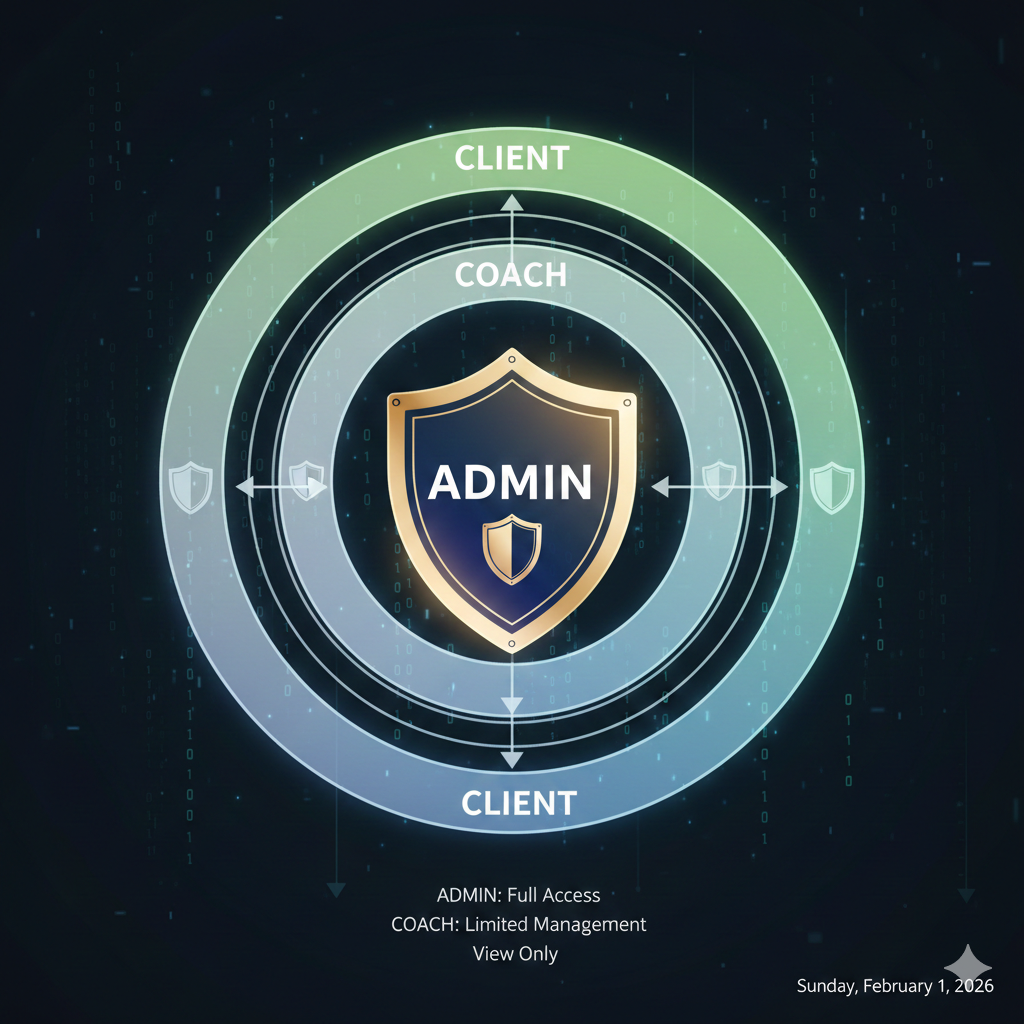
Auth0 Multi-Application Authentication Architecture
Introduction
Building a modern SaaS platform often means supporting multiple frontend applications - a customer-facing web app, an admin dashboard, a mobile app for coaches, and perhaps more. Each application has different user roles, different access requirements, and different security considerations. Yet they all need to authenticate against the same user base and access shared backend services.
This is the multi-application authentication challenge: how do you maintain a single source of truth for user identity while supporting diverse client applications with varying security requirements? The naive approach of creating separate Auth0 tenants for each app quickly becomes a nightmare of duplicated users, inconsistent permissions, and maintenance overhead.
In this article, I’ll walk through a battle-tested architecture for handling multi-application authentication with Auth0. We’ll cover tenant configuration, role-based access control (RBAC), token validation middleware, and the common pitfalls that can undermine your security posture.
OAuth2/OIDC fundamentals for multi-app scenarios
Before diving into implementation, let’s establish the OAuth2/OIDC concepts that make multi-application authentication possible.
OAuth2 handles authorization (what a user can do), while OpenID Connect (OIDC) extends OAuth2 with authentication (who a user is). Together, they provide the foundation for secure, delegated access across applications.
The key players in our architecture:
| Component | Role |
|---|---|
| Authorization Server | Auth0 tenant - issues tokens and manages user sessions |
| Resource Server | Your backend APIs - validates tokens and enforces permissions |
| Clients | Frontend apps - redirect users to Auth0, receive tokens |
| Users | People authenticating - may have different roles per app |
In a multi-app setup, all clients share the same Authorization Server (Auth0 tenant), but each client can request different scopes and handle tokens differently based on its security requirements.
Auth0 tenant configuration for multiple applications
The key to scaling authentication across multiple frontends is proper Auth0 tenant configuration. Here’s the structure that works:
// Shared Auth0 configuration for all applicationsexport const auth0Config = {  domain: 'your-company.us.auth0.com',  audience: 'https://api.your-company.com',
  // Each frontend is a separate Auth0 Application  applications: {    clientApp: {      clientId: 'abc123...', // SPA client ID      redirectUri: 'https://app.your-company.com/callback',      allowedScopes: ['openid', 'profile', 'read:own_data']    },    managerWeb: {      clientId: 'def456...', // Regular Web App client ID      redirectUri: 'https://admin.your-company.com/callback',      allowedScopes: ['openid', 'profile', 'read:all_data', 'manage:users']    },    coachApp: {      clientId: 'ghi789...', // Native/SPA client ID      redirectUri: 'coach-app://callback',      allowedScopes: ['openid', 'profile', 'read:clients', 'write:programs']    }  }};
💡 Pro Tip: Use a single API identifier (audience) for all applications hitting the same backend. This allows tokens from any app to be validated by the same middleware.
Application type selection
Choose the right Auth0 Application type for each frontend:
- Single Page Application (SPA): For React/Vue/Angular apps using PKCE flow
- Regular Web Application: For server-rendered apps that can securely store client secrets
- Native: For mobile apps using PKCE with custom URI schemes
Each application in Auth0 gets its own client ID, but they all share the same tenant, API, and user database. This is the foundation of multi-app authentication.
Implementing role-based access control
With multiple applications serving different user types, RBAC becomes essential. Auth0’s Authorization Core feature lets you define roles and permissions that travel with the user’s token.

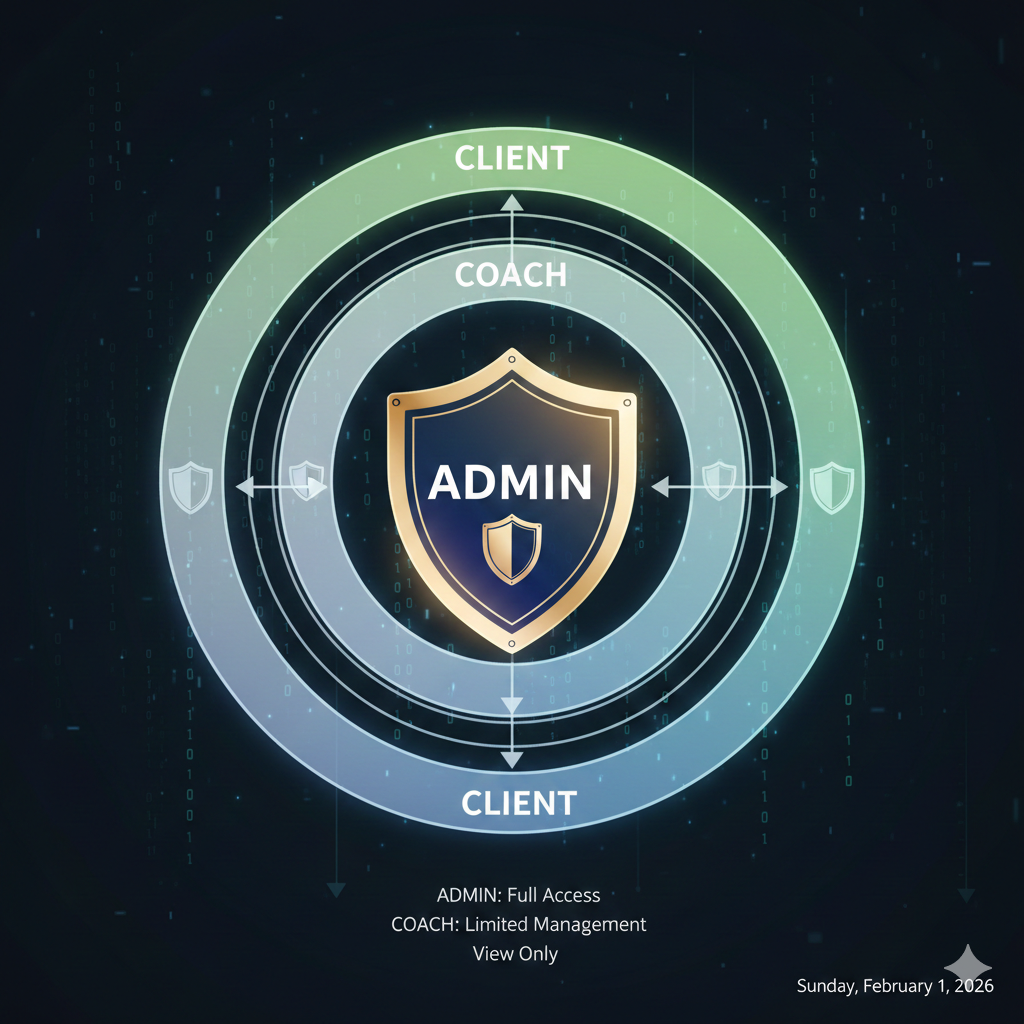
Role hierarchy design
┌─────────────────────────────────────────────────────┐│ ADMIN ││ - All permissions ││ - manage:users, manage:billing, read:analytics │├─────────────────────────────────────────────────────┤│ COACH ││ - read:clients, write:programs, read:progress ││ - Can only access assigned client data │├─────────────────────────────────────────────────────┤│ CLIENT ││ - read:own_data, write:own_profile ││ - Can only access their own information │└─────────────────────────────────────────────────────┘Auth0 Action for role injection
Create an Auth0 Action that adds roles to the access token:
exports.onExecutePostLogin = async (event, api) => {  const namespace = 'https://your-company.com/claims';
  // Get roles from Auth0 Authorization Core  const assignedRoles = event.authorization?.roles || [];
  // Add roles to both ID token and access token  if (event.authorization) {    api.idToken.setCustomClaim(`${namespace}/roles`, assignedRoles);    api.accessToken.setCustomClaim(`${namespace}/roles`, assignedRoles);  }
  // Add user metadata useful for authorization decisions  api.accessToken.setCustomClaim(`${namespace}/user_id`, event.user.user_id);
  // For coaches, add their assigned client IDs  if (assignedRoles.includes('COACH')) {    const assignedClients = event.user.app_metadata?.assigned_clients || [];    api.accessToken.setCustomClaim(`${namespace}/assigned_clients`, assignedClients);  }};
⚠️ Warning: Always use a namespaced claim (like
https://your-company.com/claims/roles) to avoid collisions with standard OIDC claims.
Token validation middleware pattern
The backend must validate tokens and enforce role-based access. Here’s a robust Express.js middleware pattern:
import { expressjwt, GetVerificationKey } from 'express-jwt';import jwksRsa from 'jwks-rsa';import { Request, Response, NextFunction } from 'express';
// Namespace for custom claimsconst CLAIMS_NAMESPACE = 'https://your-company.com/claims';
// Extend Express Request typedeclare global {  namespace Express {    interface Request {      auth?: {        sub: string;        [key: string]: any;      };    }  }}
// JWT validation middlewareexport const validateJwt = expressjwt({  secret: jwksRsa.expressJwtSecret({    cache: true,    rateLimit: true,    jwksRequestsPerMinute: 5,    jwksUri: `https://${process.env.AUTH0_DOMAIN}/.well-known/jwks.json`  }) as GetVerificationKey,  audience: process.env.AUTH0_AUDIENCE,  issuer: `https://${process.env.AUTH0_DOMAIN}/`,  algorithms: ['RS256']});
// Role extraction helperexport const getUserRoles = (req: Request): string[] => {  return req.auth?.[`${CLAIMS_NAMESPACE}/roles`] || [];};
// Role checking middleware factoryexport const requireRole = (...allowedRoles: string[]) => {  return (req: Request, res: Response, next: NextFunction) => {    const userRoles = getUserRoles(req);
    const hasRequiredRole = allowedRoles.some(role =>      userRoles.includes(role)    );
    if (!hasRequiredRole) {      return res.status(403).json({        error: 'Forbidden',        message: `Required roles: ${allowedRoles.join(' or ')}`      });    }
    next();  };};
// Convenience middleware for common role checksexport const requireAdmin = requireRole('ADMIN');export const requireCoach = requireRole('COACH', 'ADMIN');export const requireClient = requireRole('CLIENT', 'COACH', 'ADMIN');
Applying middleware to routes
import express from 'express';import { validateJwt, requireCoach, requireAdmin, getUserRoles } from '../middleware/auth';
const router = express.Router();
// All routes require authenticationrouter.use(validateJwt);
// Coaches and admins can list their assigned clientsrouter.get('/', requireCoach, async (req, res) => {  const roles = getUserRoles(req);  const userId = req.auth?.sub;
  if (roles.includes('ADMIN')) {    // Admins see all clients    const clients = await ClientService.findAll();    return res.json(clients);  }
  // Coaches only see assigned clients  const assignedClientIds = req.auth?.[`${CLAIMS_NAMESPACE}/assigned_clients`] || [];  const clients = await ClientService.findByIds(assignedClientIds);  res.json(clients);});
// Only admins can delete clientsrouter.delete('/:id', requireAdmin, async (req, res) => {  await ClientService.delete(req.params.id);  res.status(204).send();});
export default router;
📝 Note: The
express-jwtlibrary (v7+) attaches the decoded token toreq.authrather than the olderreq.userto avoid conflicts with Passport.js.
Handling token refresh across applications
Token refresh is where multi-app authentication gets tricky. Different application types require different strategies:
SPA applications (client-app, manager-web)
SPAs cannot securely store refresh tokens. Use silent authentication with Auth0’s checkSession():
import { Auth0Client } from '@auth0/auth0-spa-js';
class AuthService {  private auth0: Auth0Client;  private tokenExpiryBuffer = 60; // Refresh 60 seconds before expiry
  async getAccessToken(): Promise<string> {    try {      // This handles silent refresh automatically      return await this.auth0.getTokenSilently({        cacheMode: 'cache-first',        timeoutInSeconds: 60      });    } catch (error) {      if (error.error === 'login_required') {        // Session expired, redirect to login        await this.auth0.loginWithRedirect();        throw new Error('Session expired');      }      throw error;    }  }
  // Proactively refresh before expiry  async setupTokenRefresh(): Promise<void> {    const token = await this.auth0.getIdTokenClaims();    if (!token?.exp) return;
    const expiresIn = token.exp * 1000 - Date.now();    const refreshIn = expiresIn - (this.tokenExpiryBuffer * 1000);
    if (refreshIn > 0) {      setTimeout(() => this.getAccessToken(), refreshIn);    }  }}
Native/mobile applications (coach-app)
Mobile apps can use Refresh Token Rotation for secure long-lived sessions:
import * as AuthSession from 'expo-auth-session';import * as SecureStore from 'expo-secure-store';
class NativeAuthService {  private refreshToken: string | null = null;
  async refreshAccessToken(): Promise<string> {    const refreshToken = await SecureStore.getItemAsync('refresh_token');
    if (!refreshToken) {      throw new Error('No refresh token available');    }
    const response = await fetch(`https://${AUTH0_DOMAIN}/oauth/token`, {      method: 'POST',      headers: { 'Content-Type': 'application/json' },      body: JSON.stringify({        grant_type: 'refresh_token',        client_id: AUTH0_CLIENT_ID,        refresh_token: refreshToken      })    });
    const data = await response.json();
    if (data.error) {      // Refresh token was revoked or expired      await this.logout();      throw new Error('Session expired');    }
    // Refresh Token Rotation: store new refresh token    if (data.refresh_token) {      await SecureStore.setItemAsync('refresh_token', data.refresh_token);    }
    return data.access_token;  }}
⚠️ Warning: Always enable Refresh Token Rotation in Auth0’s Application settings for native apps. This invalidates old refresh tokens when a new one is issued, mitigating token theft.
Security best practices and common pitfalls
After implementing Auth0 across dozens of applications, here are the patterns that protect against real-world attacks:
Cookie domain configuration
When your apps span multiple subdomains (app.company.com, admin.company.com), session cookies must be configured correctly:
// Auth0 Universal Login custom domain settingsconst cookieConfig = {  // Set cookie domain to allow sharing across subdomains  domain: '.your-company.com', // Note the leading dot
  // Always use these security settings  secure: true,      // HTTPS only  httpOnly: true,    // No JavaScript access  sameSite: 'lax'    // CSRF protection while allowing redirects};
Scope management pitfalls
| Pitfall | Solution |
|---|---|
| Over-scoped tokens | Request only necessary scopes per application |
| Scope creep | Audit and document scope requirements quarterly |
| Missing audience | Always include audience parameter to get access tokens |
| Cached stale scopes | Clear token cache when scope requirements change |
Token storage security
// NEVER do this - XSS vulnerablelocalStorage.setItem('access_token', token); // BAD
// For SPAs - let Auth0 SDK handle storageconst auth0 = new Auth0Client({  cacheLocation: 'memory', // Most secure for SPAs  useRefreshTokens: false  // Use silent auth instead});
// For web apps with backend - use HTTP-only cookies// Set via your backend after token exchangeres.cookie('session', encryptedSession, {  httpOnly: true,  secure: true,  sameSite: 'strict',  maxAge: 86400000 // 24 hours});
API key fallback for service-to-service
Not everything needs user authentication. For backend services communicating with each other:
// Use Client Credentials flow for M2Mconst getM2MToken = async (): Promise<string> => {  const response = await fetch(`https://${AUTH0_DOMAIN}/oauth/token`, {    method: 'POST',    headers: { 'Content-Type': 'application/json' },    body: JSON.stringify({      grant_type: 'client_credentials',      client_id: M2M_CLIENT_ID,      client_secret: M2M_CLIENT_SECRET,      audience: API_AUDIENCE    })  });
  const data = await response.json();  return data.access_token;};
Conclusion
Building a multi-application authentication system with Auth0 requires careful planning but pays dividends in maintainability and security. The key principles to remember:
- Single tenant, multiple applications: Keep all apps in one Auth0 tenant with separate Application configurations
- Shared API audience: Use one API identifier so all apps can access the same backend services
- Role claims in tokens: Inject roles via Auth0 Actions to enable backend RBAC
- Application-appropriate token handling: SPAs use silent auth, native apps use refresh token rotation
- Defense in depth: Validate tokens, check roles, and enforce resource-level permissions
The architecture described here has scaled to support platforms with millions of users across web, mobile, and admin interfaces. The upfront investment in proper configuration prevents the security debt that accumulates when authentication is treated as an afterthought.
Start with the middleware patterns, add roles incrementally, and always test your token expiry flows before users discover them in production.